Printing, reprinting or emailing a receipt
- For
- Cashier, Manager
- Where
- Web register, Back office
- Permission
- Sell at the register, View reports
- Checked on
The receipt is handed to the customer at the end of the sale. A customer who lost it, or who prefers an email, gets it later from the sales history. A paid sale whose receipt did not print is reprinted: it is never paid again.
Before you start
- Printing at the end of a sale needs the Sell at the register permission. Finding an old sale to reprint it or email its receipt needs View reports.
- Without the local print bridge, the receipt prints through the browser's print window, without opening the drawer. Sell > Status tells you whether the bridge is Present or Absent, and Test the printer prints a test receipt, with no sale and no amount.
Printing the receipt at the end of a sale
Once the change is given:
Click Finish and print to print the receipt and finish the sale, or Finish without receipt if the customer does not want one.
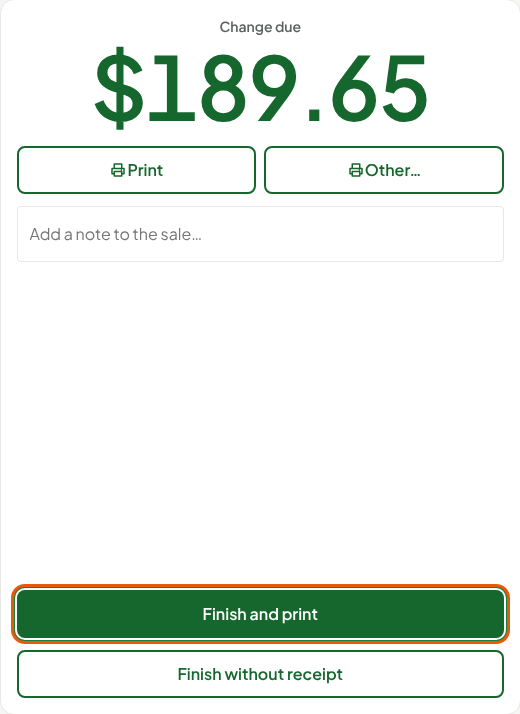
Print prints the receipt without finishing the sale. Other… offers the store's receipt templates, when there are any, and emailing the receipt when the register offers it. An administrator sets these choices for each register: in Settings > Stores and registers, edit the store, open the register, End of sale section: Receipt printing (Always, Ask or Never) and Offer the receipt by email.
Reprinting the last receipt
The last receipt finished on the register is reprinted from the Sell screen:
Click the printer icon Reprint the last receipt (F9) above the cart, or press F9.

A reprint always goes to the "Receipt only" queue: the drawer never opens, and the sale does not change.
Reprinting another sale's receipt
Open Sell > Sales history and find the sale by its receipt number (Finding a sale in the history).
Click Print receipt….
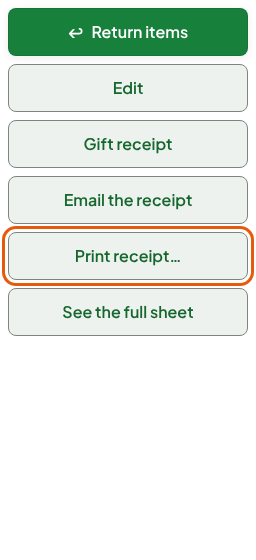
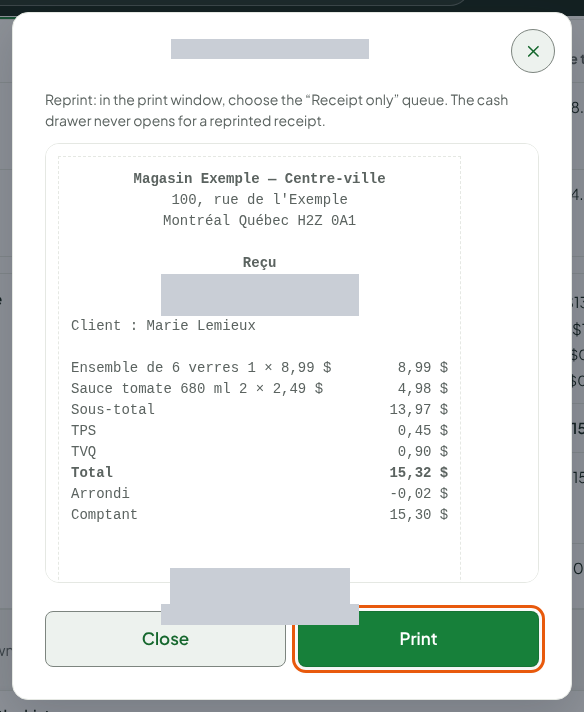
Check the preview. If there are receipt templates, choose the Receipt template.
Click Print, then choose the "Receipt only" queue in the print window.
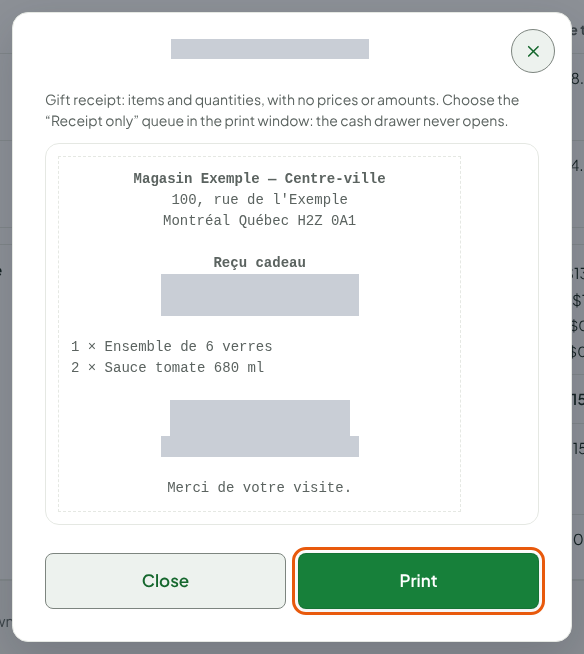
For a gift, Gift receipt prints the items and their quantities, without prices or amounts.
Emailing a receipt
Find the sale in the history, then click Email the receipt.
Choose The sale's customer (the receipt goes to the address on their record) or Another address in Recipient, then type the address in Email address.
Choose the Receipt language: French or English.
Click Send.
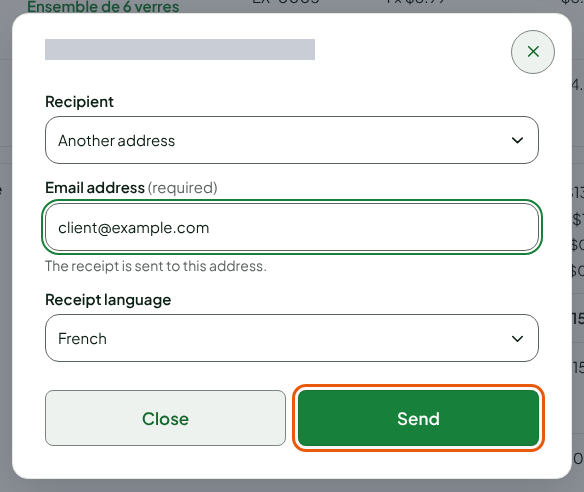
A message confirms that the receipt is requested: it goes out in a few moments, in the background. At the end of a sale, Other… also offers sending, if the register offers it.
The receipt of a voided sale carries the words "Sale voided" and is written in the store's language, not the one chosen for the customer.
Following a sent receipt
Under the sale's detail, the Email receipts section lists each request: the date, what is sent (The sale or A return), the address (masked), the language, the Status and the number of Attempts.
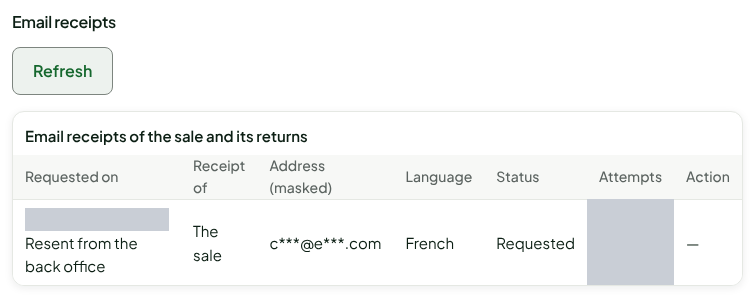
The Status is Requested (waiting to be sent), Sent or Failed. A failed send is retried several times before it becomes Failed. On a finished request, Resend sends the receipt again, three times at most. Refresh reads the list again.
Troubleshooting
"The receipt was not printed. The sale is paid: reprint it."
Reprint the receipt from the history. After "Print outcome unknown: the drawer may be open", check the drawer: a reprint does not open it.
"The receipt was not printed and the drawer did not open."
The first receipt of a sale paid in cash did not leave at all: the drawer stayed closed. Fix the printer, then click Print, on the paid sale screen: the receipt prints and the drawer opens with it.
"The sale's customer has no email for receipts: enter an address."
Choose Another address and type the customer's.
"The email service refuses this address."
Check the address. An address that refused a receipt for good (Address refused (hard bounce)) no longer receives receipts from this business.
"Too many receipts have already been requested for this sale."
The number of requests is limited for each sale. Check the Email receipts list: the receipt may already have been sent.