Setting up adjustment reasons
- For
- Administrator
- Where
- Back office
- Permission
- Manage stores and settings
- Checked on
When your team adjusts an item's stock, it chooses a reason: damaged, expired, lost… You decide the list of these reasons: you add some, rename them and turn off the ones you no longer want.
Before you start
- The eight starting reasons (damaged, expired, lost, stolen, internal use, found, correction, other) can be renamed or turned off like the others.
- Each reason has a direction: it removes stock, adds stock, or does either. The direction is chosen at creation and never changes.
Stock is a ledger: an adjustment already made never changes. That is why a reason is never deleted: it is turned off. Adjustments already made with it do not change.
Adding a reason
Open Settings > Adjustment reasons.
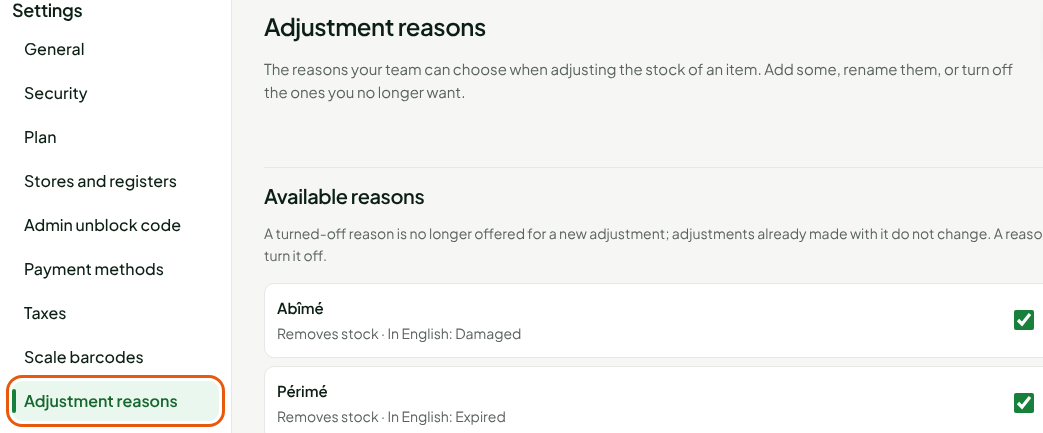
The Available reasons list shows your team's reasons, with their direction and their English label. The reasons keep their French name in the list.
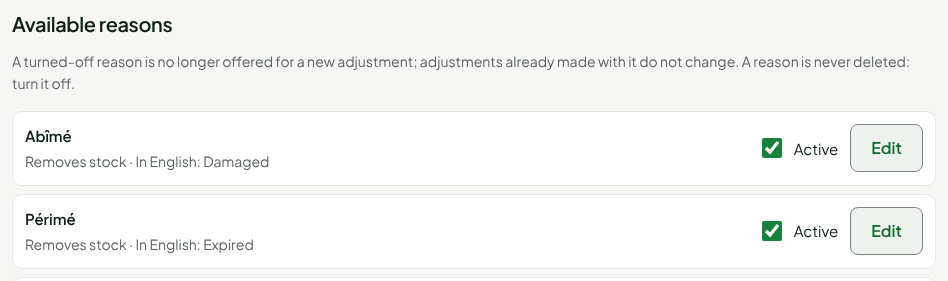
Click Add a reason.

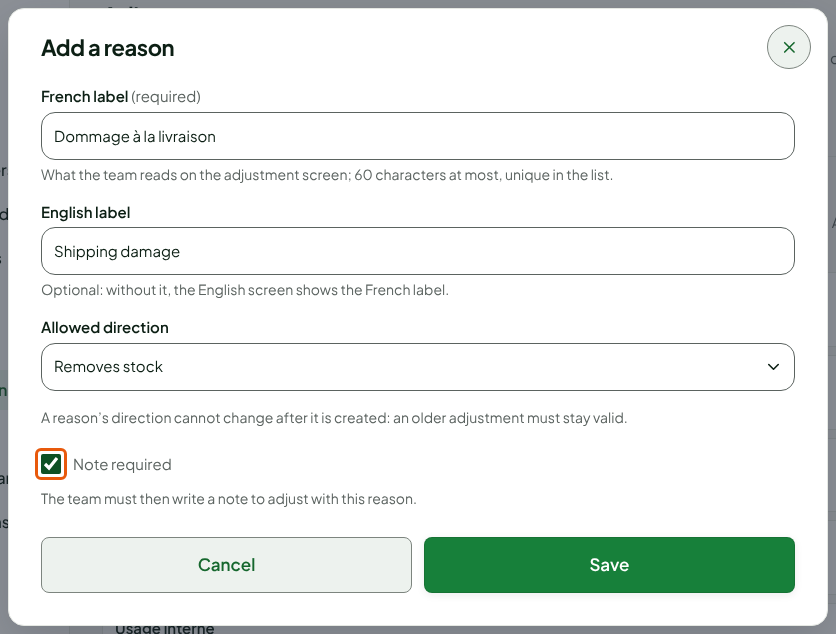
Type what the team reads on the adjustment screen in French label, for example
Dommage à la livraison. The label is unique in the list, even among the reasons that are turned off.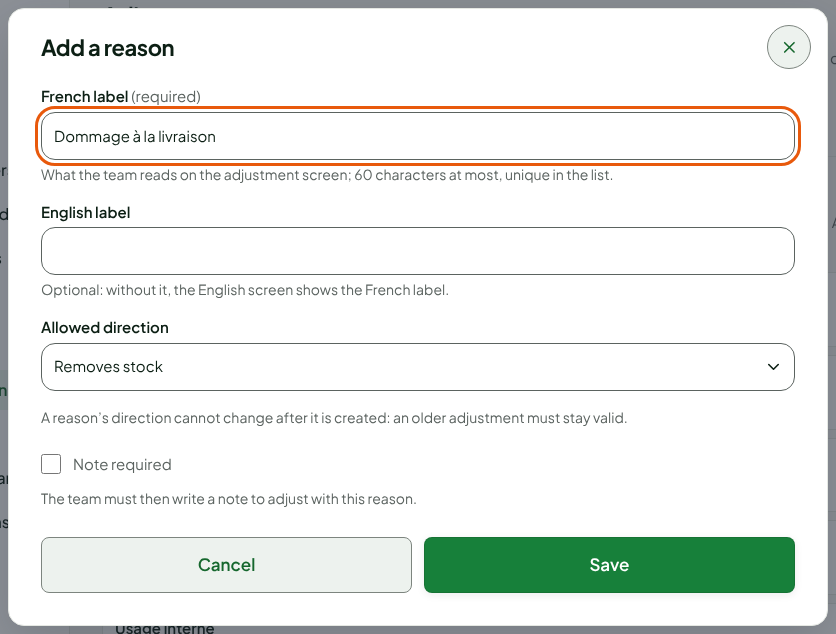
Type the label for the English screen in English label. It is optional: without it, the English screen shows the French label.
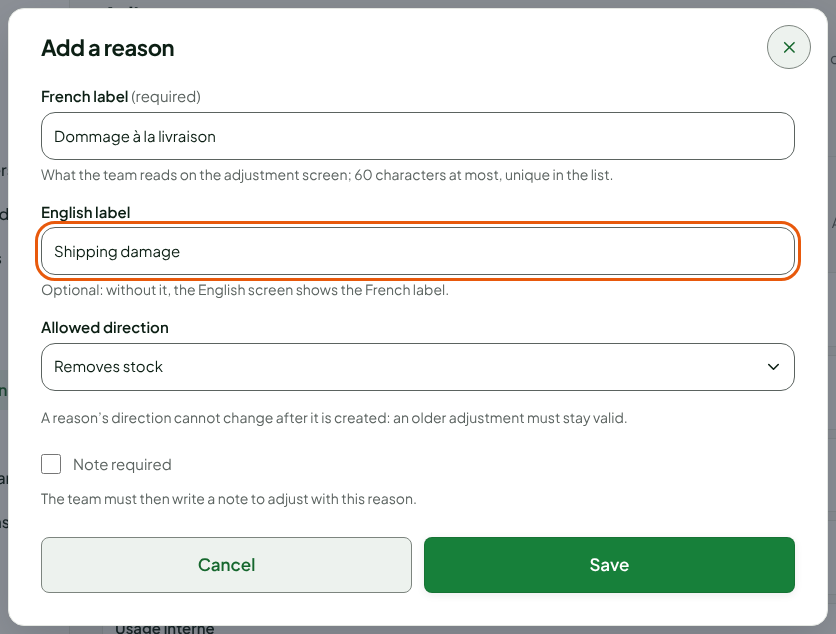
Choose the direction in Allowed direction, for example Removes stock. Check Note required if the team must write a note to adjust with this reason.
Click Save.
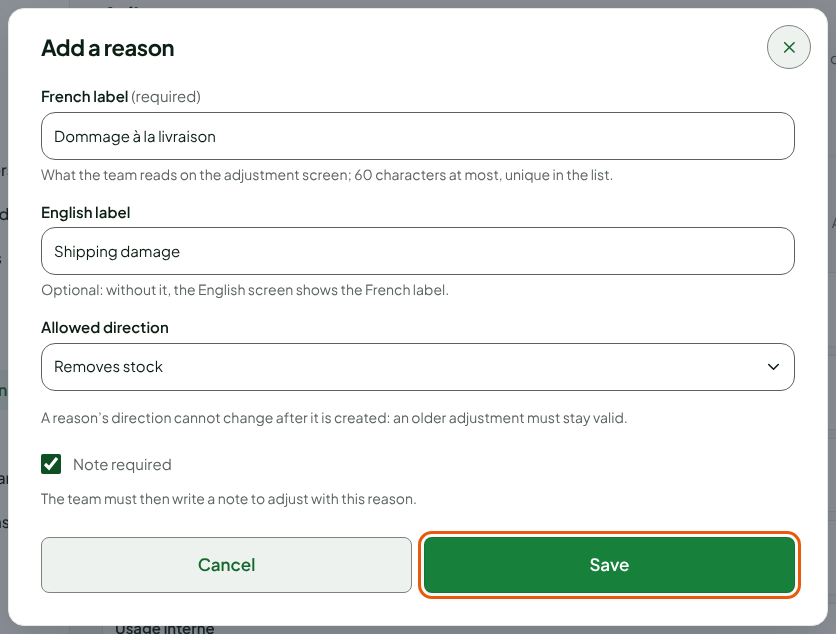
The screen shows "The reason “Dommage à la livraison” is added." The reason appears in the list, active, with its direction and its English label.

Renaming a reason
Open Settings > Adjustment reasons.
Click Edit, in the reason's row.

Change the labels or the required note. The direction can no longer be changed.
Click Save.
The screen shows "The reason “…” is saved."
Turning a reason off
A reason that is turned off is no longer offered for a new adjustment.
Open Settings > Adjustment reasons.
Uncheck Active, in the reason's row.

The screen shows "The reason “…” is turned off." To put it back in service, check Active again.
If you turn off every reason, nobody can adjust stock any more: the screen says so. Keep at least one reason on.
Troubleshooting
"A reason already has this French label."
Each French label is unique in the list, even among the reasons that are turned off. Choose another label, or turn back on the reason that has it.
"This reason was changed elsewhere since you read it."
Nothing was written: the list is reloaded. Check the reason, then start over.