Setting up the loyalty program
- For
- Administrator
- Where
- Back office
- Permission
- Configure the loyalty program
- Checked on
The loyalty program says how many points a sale earns for its customer, and what a point is worth as a discount. Set it once for the business: it applies to every store. Before you set it, read Understanding the loyalty program.
Before you start
- Decide two numbers: the points earned per dollar spent, and the value of a point in cents. For example, 1 point per dollar and 1¢ per point: 100 points are worth a $1 discount.
- Until the program has been set for the first time, no sale earns points.
Set the rates
To change the program's rates:
Open Settings > Loyalty program.
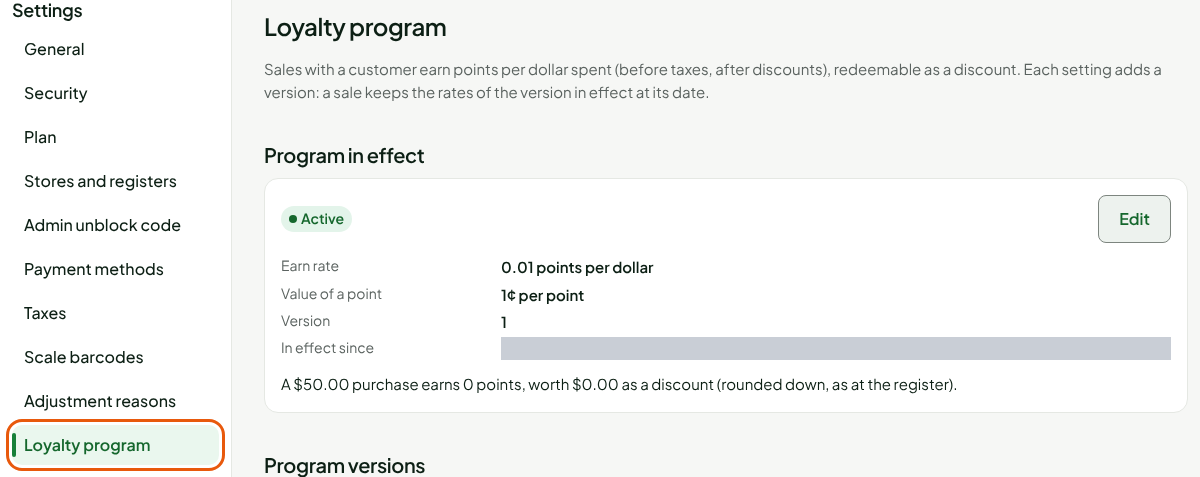
The Program in effect card shows the state (Active or Inactive), the Earn rate, the Value of a point, the Version and the date it took effect. A sentence at the bottom gives the example of a $50.00 purchase.
Click Edit.
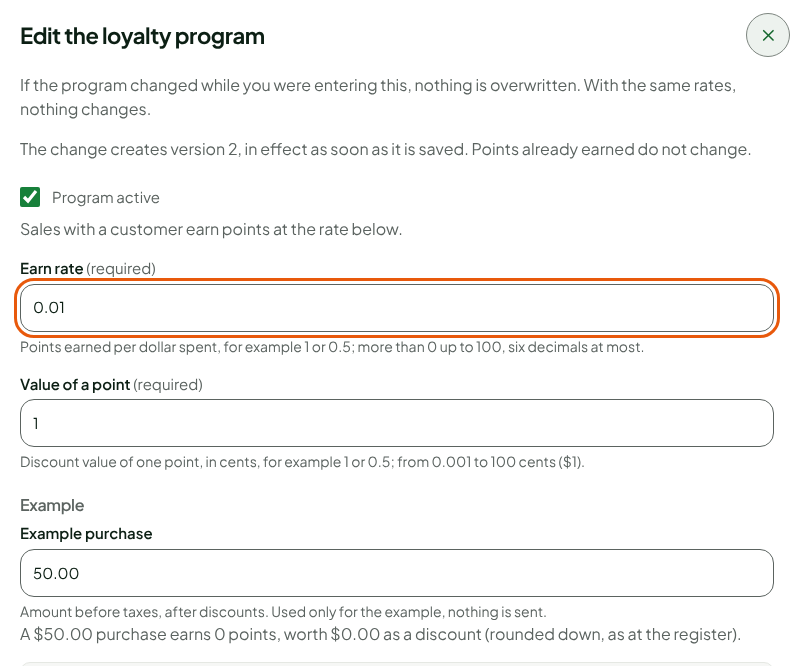
Type the Earn rate: the points earned per dollar spent, for example
1or0.5.Type the Value of a point: its discount value, in cents, for example
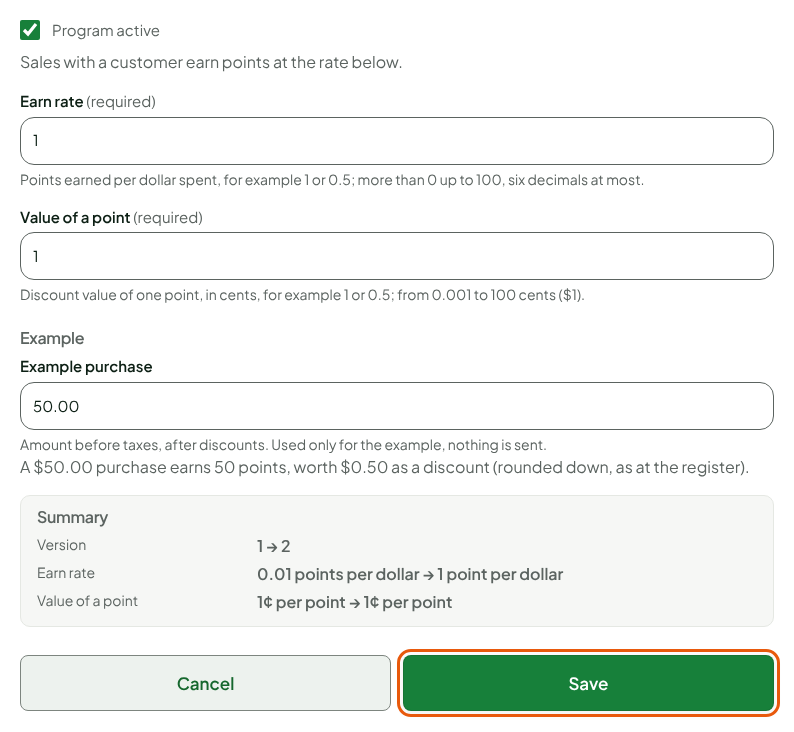
1or0.5.Read the Example: it works out, with your numbers, what the Example purchase earns ($50.00 to start with). Changing that amount does not change the program.
Read the Summary: the old rate, an arrow, the new one.
Click Save.
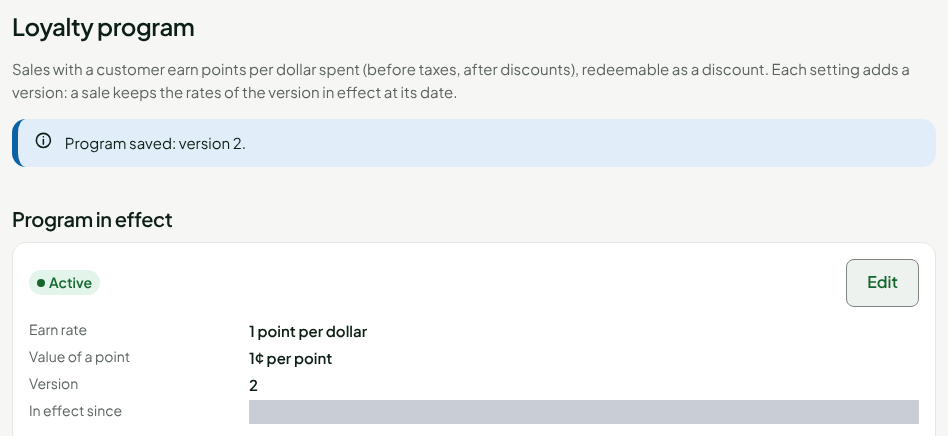
The message Program saved: version 2. appears, and the card shows the new rates.
The rates allowed: from more than 0 up to 100 points per dollar (six decimals at most), and from 0.001 to 100 cents per point ($1 at most).
What a change affects
Each setting adds a version; it never rewrites the previous one. Points already earned do not change in number. A sale keeps the earn rate of the version in effect on its date.
The value of a point, however, applies when the customer redeems their points: if you change it, points already earned are worth the new value at the next redemption.
If you save the same rates, no version is created: the screen shows No change: these rates are already in effect.
Read the versions
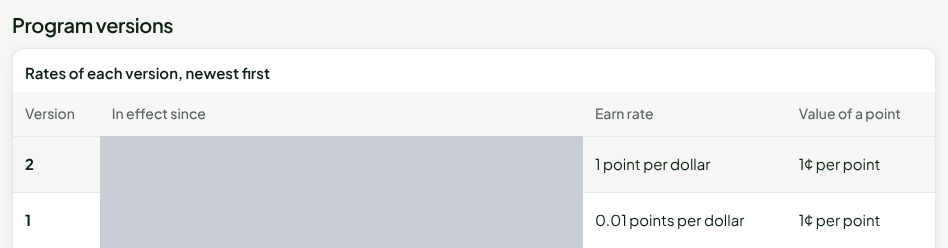
Under the card, Program versions lists every version, newest first, with the date it took effect and its two rates.
Stop earning points
To stop sales from earning points, without removing the points customers already have:
Click Edit.
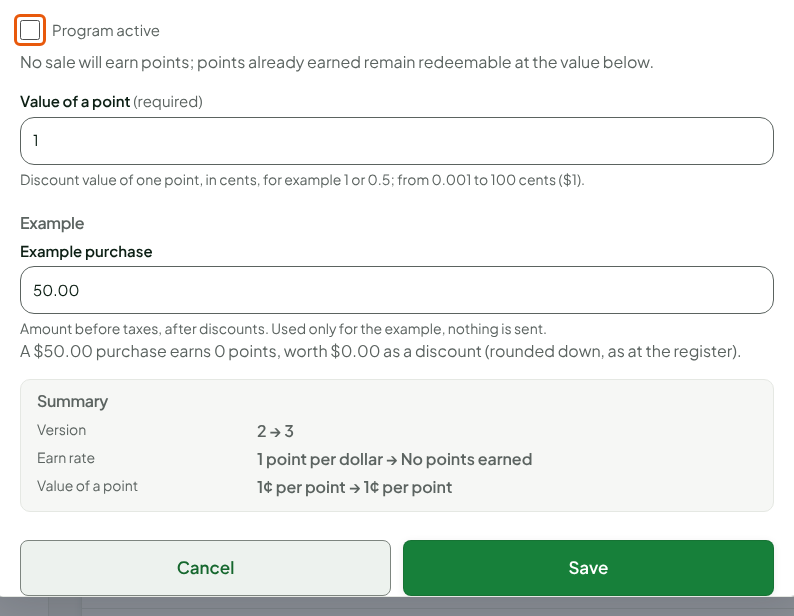
Clear Program active. The Earn rate field disappears.
Click Save.
The card shows Inactive. Points already earned stay redeemable at the Value of a point. To earn points again, check Program active again and type a rate.
Troubleshooting
"Rate too high: 100 points per dollar at most."
The Earn rate is over the limit. Type a number of 100 or less; the messages of the other fields state their limit the same way.

"An active program earns more than 0 points per dollar"
A rate of 0 is not allowed while Program active is checked. To stop earning, clear the box.
"Program changed elsewhere"
Someone saved the program while you were typing. Nothing is overwritten and what you typed stays. Click Reload the program, read the rates again, then click Save again if your change is still wanted.