Getting a manager's approval
- For
- Cashier, Manager
- Where
- Installed register, Web register
- Permission
- Sell at the register
- Checked on
Some actions go beyond the rights of the session's employee: a discount, a price change, voiding a sale, a cash out, a refund. A manager can allow them by typing their PIN, for that action only. The authorization is written to the journal with their name.
Before you start
- The manager must be there, at the register: their PIN is typed on the spot, and is given to no one else.
- They must have the right to do this action, and a PIN. The Manager list only shows the employees who can authorize.
- The rights of each role, and a role's maximum discount, are set in the back office, in Team > Roles. The store's threshold is set in Settings > General.
An authorization only serves one action: for the next one, the manager types their PIN again.
Get the approval
The example follows a 10% discount on a line, set by a cashier who does not have this right.
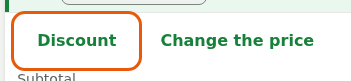
Do the action. Here, choose the cart line, then tap Discount, under Adjustments.
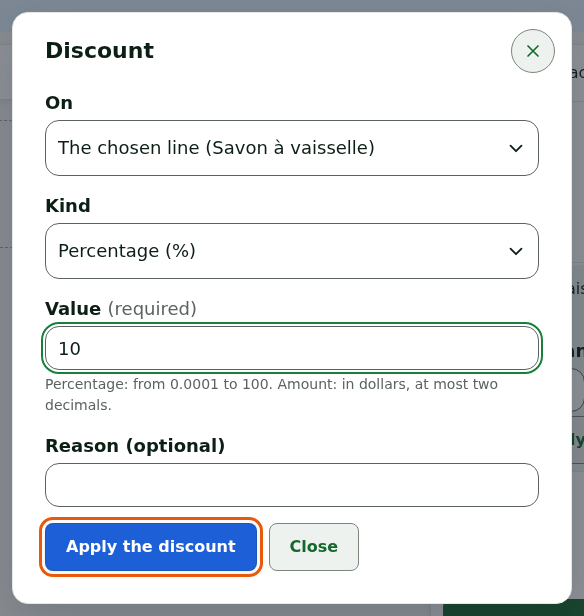
Type the value of the discount, then tap Apply the discount.
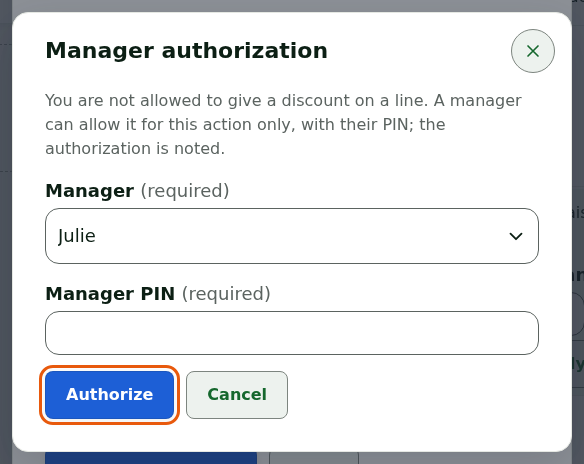
The Manager authorization window opens: "You are not allowed to give a discount on a line." Choose the manager in Manager.
Have the manager type their PIN in Manager PIN, then tap Authorize.
The discount applies: Discount applied. The authorization is valid for this action only. When the discount goes beyond the merchant's threshold or the role's maximum discount, another employee whose role allows this discount approves it with their PIN.

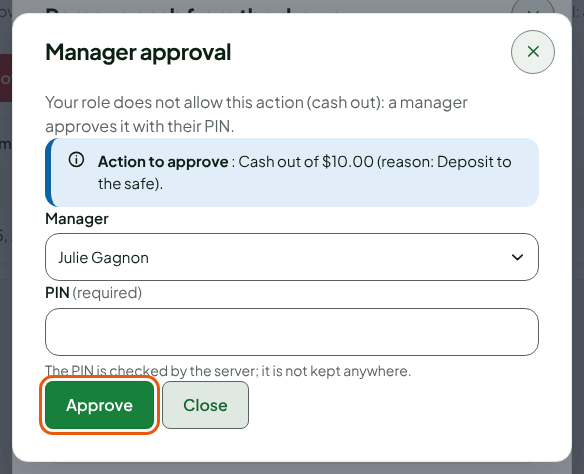
On the register's own screens (a cash out above the store's threshold, a closing with a variance of more than $20), the window is called Manager approval: the manager picks their name in Manager, types their PIN and taps Approve. They then take the session for the time of the operation, which locks as soon as it is written: type your PIN again to reopen it.
The example follows a $10 cash out made by a cashier who does not have this right.
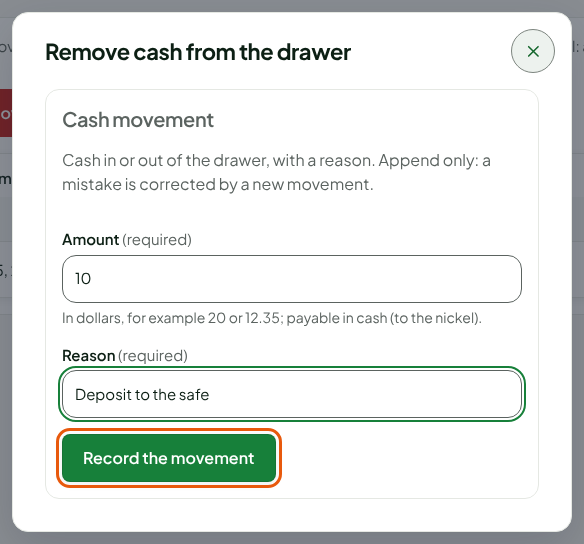
Do the action. Here, open Sell > Cash management, click Remove cash, type the Amount and the Reason, then click Record the movement.
The Manager approval window opens. It says: "Your role does not allow this action (cash out): a manager approves it with their PIN." Action to approve recalls the amount and the reason.
Choose the manager in Manager.
Have the manager type their PIN in PIN, then click Approve.
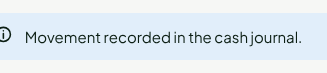
The action is done: here, Movement recorded in the cash journal.
On the web register, the approval comes from an employee other than the register's. The same window opens for a discount, a price change, voiding a sale, a refund or closing the register, when the role of the register's employee does not allow it. Beyond the merchant's threshold, or the role's maximum discount, the window opens even if the employee has the right: another employee with this right approves.
Troubleshooting
"PIN refused"
The PIN is wrong: the attempt is written to the journal. Have the manager type it again. After several failed attempts, their PIN is blocked: "This manager's PIN is blocked after too many attempts: another manager must unblock it" (Handling a locked session or a station to register again).
"This manager does not have this permission on this station"
Choose another manager, whose role allows this action.
"No manager of this station has this permission with a PIN"
No one can authorize this action here: the action is impossible. Do it later, or switch to an employee who has the right (Signing in to the register with your PIN and switching employees).
"The approval of this action has expired or was already used"
On the web register, an approval only serves once. The manager who had approved types their PIN again.
"Station blocked"
A station left 24 hours without contact with the server allows nothing before it is unblocked: Handling a station locked after 24 hours without contact.