Gift cards offline: what is allowed
- For
- Cashier
- Where
- Installed register, Web register
- Permission
- Sell at the register
- Checked on
A gift card's balance is kept at the server, shared by every register. Without a network, the register can't know what is left on a card, or charge it: it refuses to use it, and cash sales go on. This guide says what the register allows and what you can offer the customer.
What is allowed offline
| Action | Offline |
|---|---|
| Sell a gift card | Allowed, paid in cash only |
| Pay with a gift card | Refused |
| Read a card's balance | Refused |
| Use an old card from another system | Refused |
| Sell for cash | Allowed, as always |
The register always sells for cash, even without a network. Only values shared between registers (gift card, store credit) need the server, so that the same value is never spent twice.
Recognize the offline register
At the installed register, the header shows Offline and how long ago the station last reached the server.

The web register doesn't sell without a connection: a red banner replaces the sale. Switch to the computer's Register app (Handling an offline register).

When a customer wants to pay with a gift card
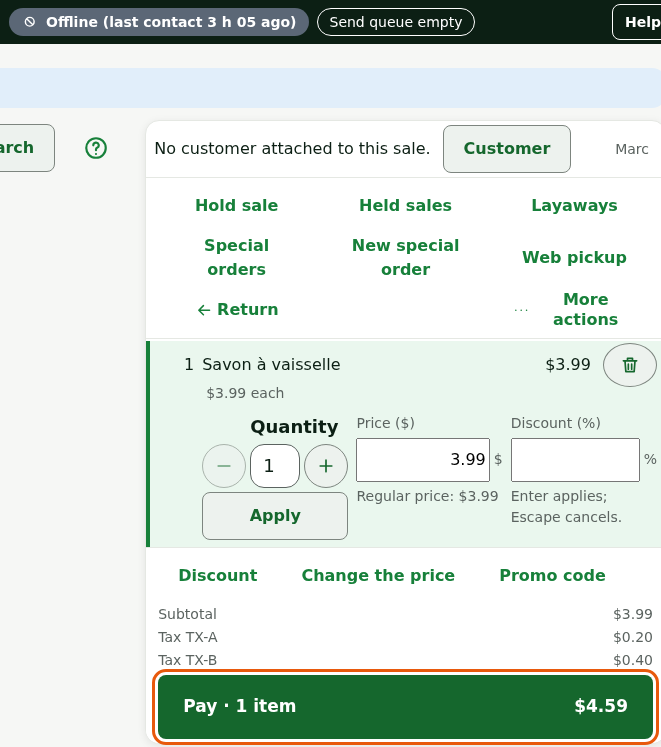
Add the customer's items, then click Pay.
Read the message under Gift card: "Offline: offer another payment (cash)."
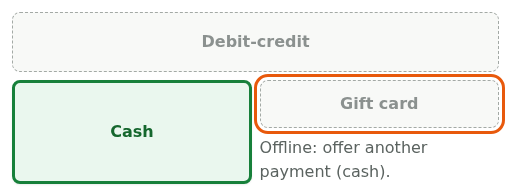
Offer the customer another payment accepted without Internet. Cash always is.
The message is the same under Store credit, Loyalty and Customer account. The customer keeps the card's balance: they can pay later, when the register is back online. The register doesn't read the balance offline.
Sell a gift card offline
Selling a card stays allowed, because it spends no value: it creates some.
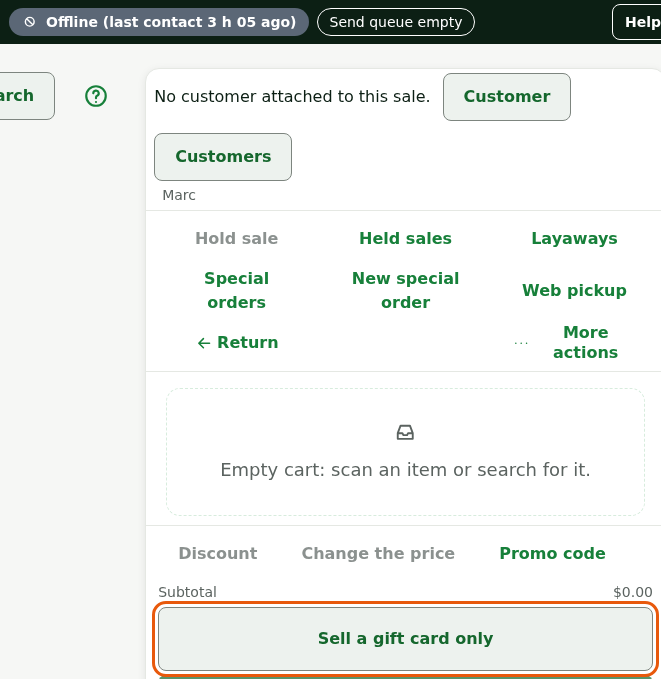
Click Sell a gift card only, on the empty sales screen, or Pay if the card goes with items.
Type the code in Code of the card sold, then the amount in Value loaded.
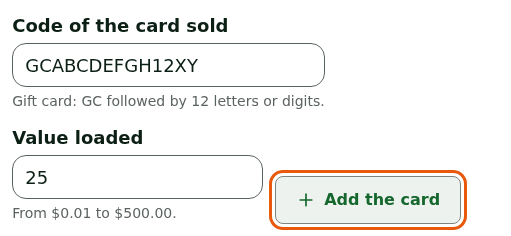
Click Add the card.
Take the payment in cash. A payment card isn't accepted offline.
The sale is paid, the receipt comes out, and the screen says: "Card active as soon as the sale reaches the server: a few seconds online, when the network is back offline."
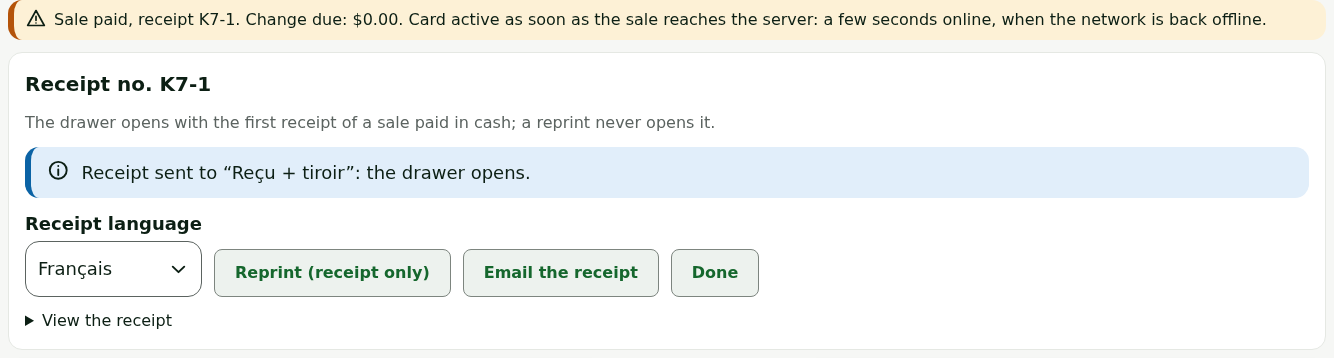
A card sold offline pays nothing until the server has received the sale. Tell the customer: their card will be usable when the network is back.
What the administrator sees
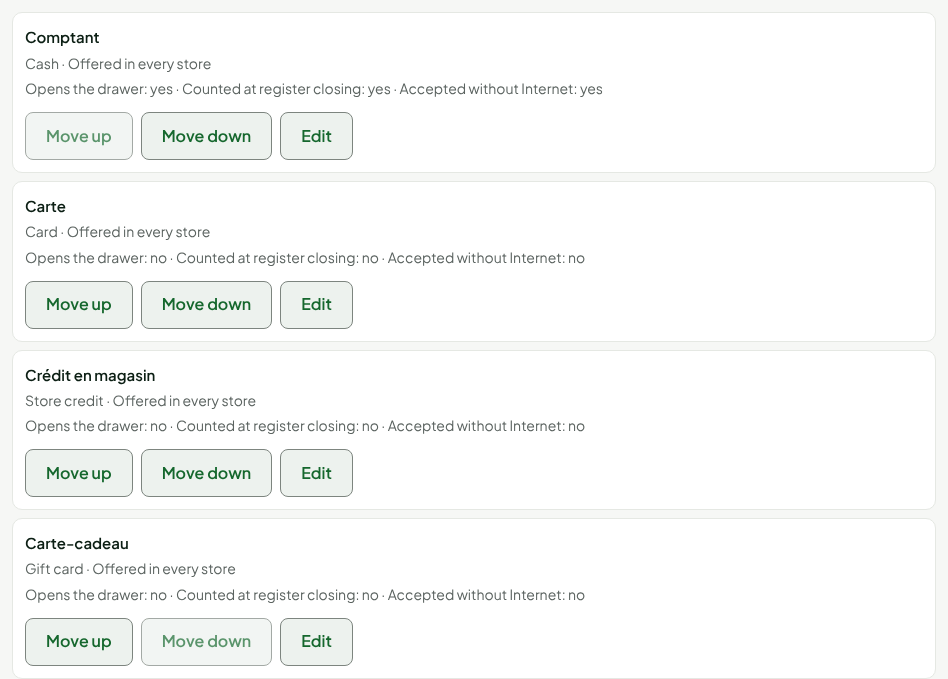
In Settings > Payment methods, Accepted without Internet is yes for cash and no for the gift card. This setting can't be changed for the gift card.
Troubleshooting
The network drops in the middle of a gift card payment
The register doesn't offer another payment until the card payment is cancelled, so the value is never counted twice. If the screen offers Set the sale aside, click it: the station goes back to an empty cart and can sell for cash. Resume the sale from Held sales when the network is back.