Selling products with serial numbers
- For
- Manager, Cashier
- Where
- Back office, Web register, Installed register
- Permission
- Manage the catalogue, Sell at the register
- Checked on
Some products (a radio, a power tool) are sold with their serial number, for example for the warranty. You mark the product in the catalogue, then the register asks for the number of each unit before it lets you pay.
Before you start
- To mark the product: the Manage the catalogue permission. To enter the number at the register: Sell at the register.
- A product with a serial number is not sold by weight and cannot be a component of a composite.
Mark a product "with serial number"
Open Catalog > Products, then the product's sheet. For a new product, click New product.
Scroll down to the Serial numbers section and tick With serial number.

Click Save, in the bar at the top of the sheet.
The box stays ticked: the register will ask for a number every time this product is sold.
Enter the number at the register
The following steps are done at the web register, in Sell > Sell. At the installed register, the principle is the same: choose the line in the cart, then, in Adjustments, click Serial number.
Type the product's name in Search products, for example
Radio, or scan its barcode, then click the product found.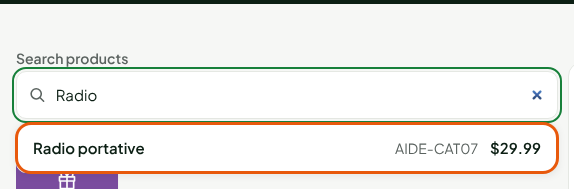
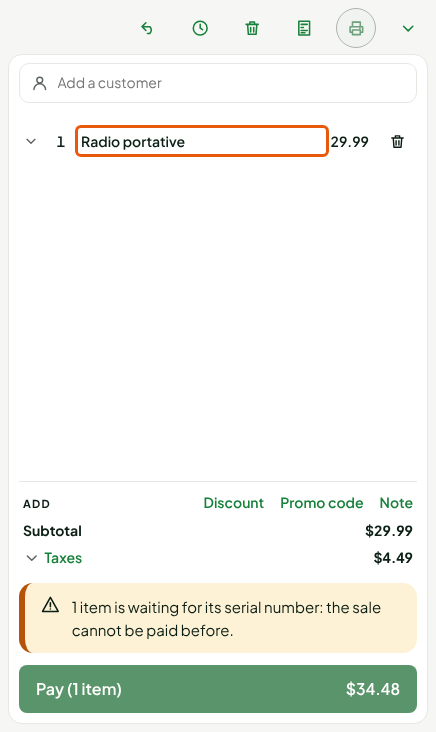
The line goes into the cart. The screen says "1 item is waiting for its serial number: the sale cannot be paid before." and the Pay button stays closed.
Click the product's line.
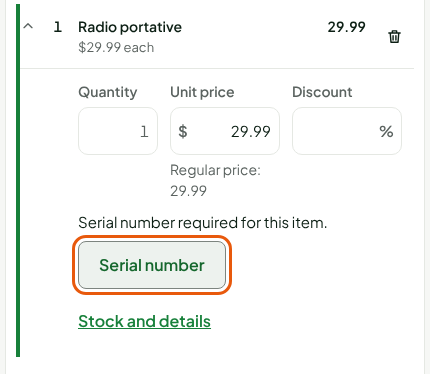
Click Serial number in the open line, which says "Serial number required for this item."
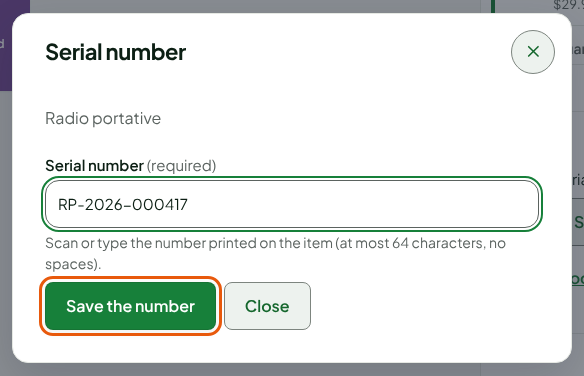
Scan or type the number printed on the item in Serial number, then click Save the number. The number is 1 to 64 characters, with no spaces or accents.
The line shows "Serial number: RP-2026-000417", the warning disappears and the Pay button opens. The sale ends like any other sale: see Making a sale.
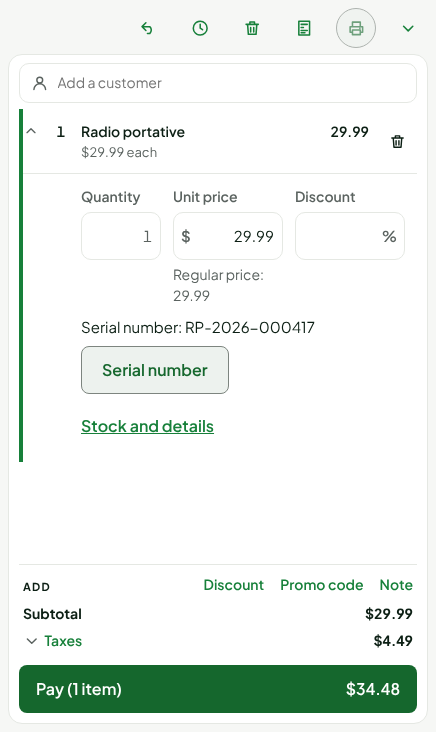
Each unit has its own line and number: if you put two radios in the cart, the screen waits for two numbers before it lets you pay. The number is kept with the sale's line; it shows, under the product's name, in the sale's detail (Sales > All sales), as "Serial number: …".
The register does not let you pay for a sale if one of its lines has no serial number. The number is entered before payment, never after.
Troubleshooting
"1 item is waiting for its serial number: the sale cannot be paid before."
A line has no number. Open it, click Serial number and enter it. With several lines, each one asks for one.
"Number of 1 to 64 characters, without spaces or accents."
The number is empty, too long, or contains a space or an accent. Type it again as printed on the item, with no space.
"An item with a serial number is not sold by weight"
On the sheet, a product cannot be both a serial-number product and sold by weight. Remove one of the two.