Earning and redeeming points at the register
- For
- Cashier, Manager
- Where
- Web register
- Permission
- Sell at the register, Manage customers
- Checked on
A customer who has points can turn them into a discount on their sale. And every sale with the customer in the cart earns them new ones. This guide follows the web register of the back office.
Before you start
- The loyalty program must be active (Setting up the loyalty program).
- The customer must be on the sale, with their record: see Awarding points to a customer.
- Your role must allow selling and managing customers, as for adding a customer to a sale.
Earn points
There is nothing to do: points are earned on their own, at payment, when a customer is on the sale. The number of points follows these rules:
- The calculation starts from the amount of the items before taxes, after discounts. A deposit and a gift card sold earn nothing.
- If the customer pays part of the sale with points, that part earns no points.
- The total is rounded down, once for the whole sale.
For example, at 1 point per dollar: items of $22.47 before taxes earn 22 points. If $5.00 is paid with points, $17.47 remains: 17 points.
Redeem points
To pay part of the sale with points:
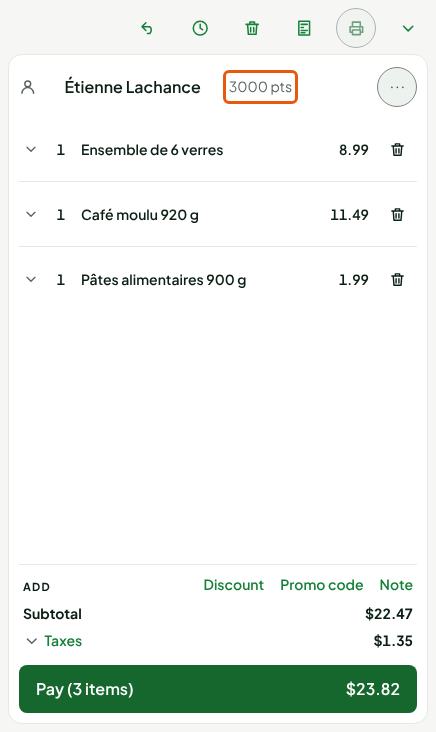
Put the items in the cart, then add the customer to the sale. Their points show next to their name.
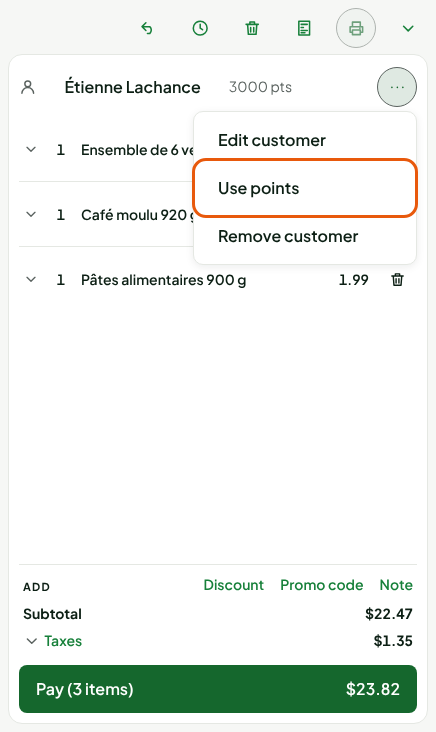
Click the … menu to the right of the customer's name, then Use points.
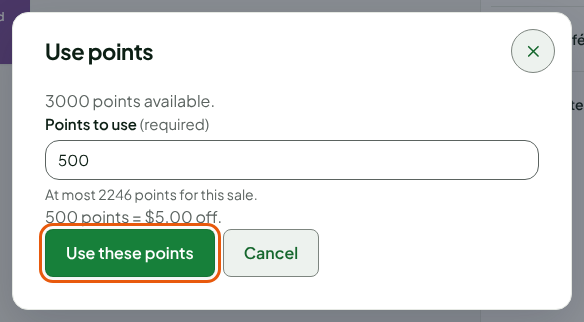
Type the number of points in Points to use. The window shows the points available, the most this sale can take, and what the points you type are worth.
Click Use these points.
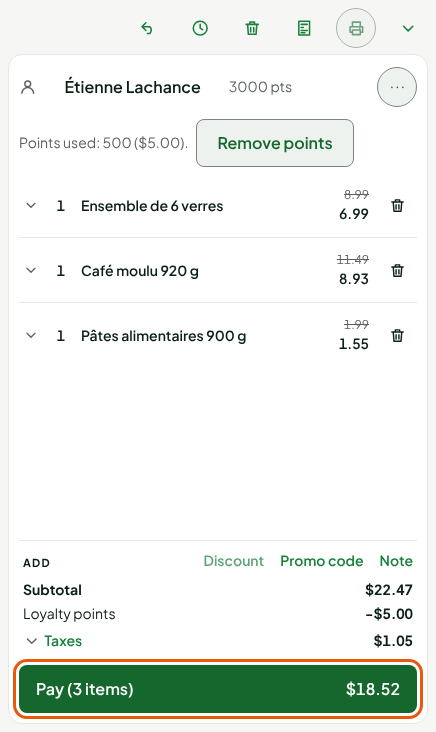
The points become a discount on the sale. The cart shows Points used: 500 ($5.00)., the Loyalty points line under the subtotal, and the taxes are recalculated on the new amount.
A sale cannot be discounted down to zero with points: at least 1 cent must always remain to pay. The limit shown in the window takes this into account. You also need enough points to be worth at least 1 cent: the value of a point is rounded down.
Change or remove the points at payment
To change your mind before paying:
Click Pay.
Click Loyalty, in the column of payment methods.
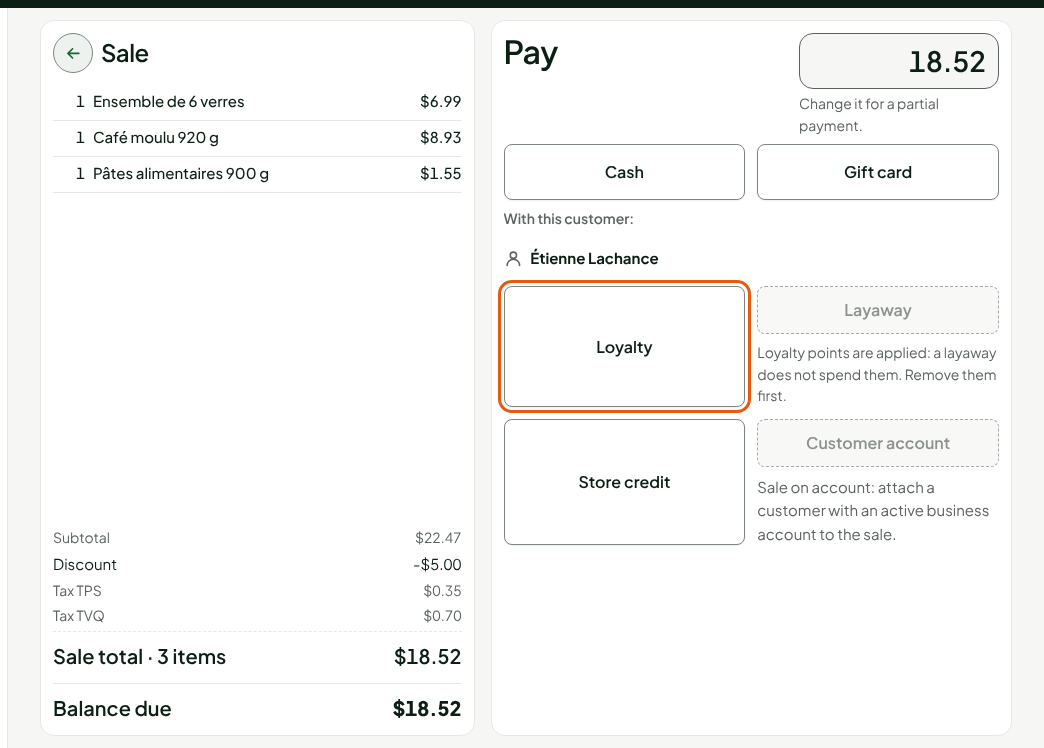
Click Change the points to choose another number (Apply the points), or Remove the points discount.
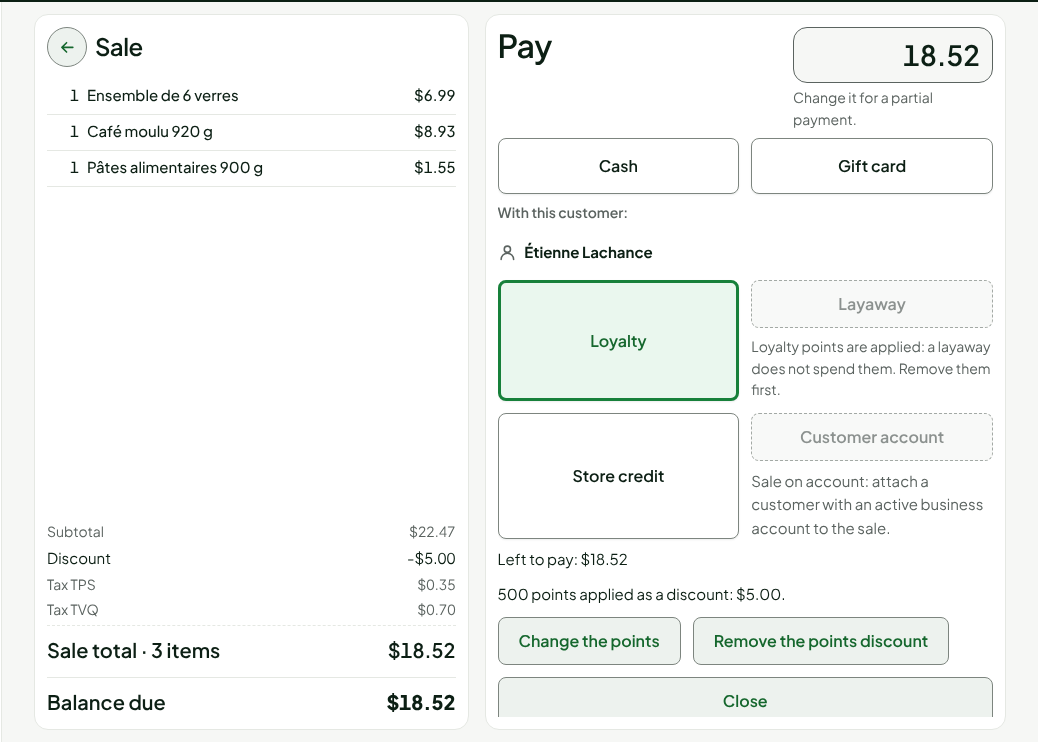
The points no longer change once another payment has started. Removing the customer from the sale, or putting a Discount on the sale, also removes the points.
Pay the rest and see the balance
Pay the rest of the sale as usual (see Making a sale). On the confirmation screen, the Loyalty box of the customer's card shows their new balance: the points from before, minus the ones they used, plus the ones this sale earns them.
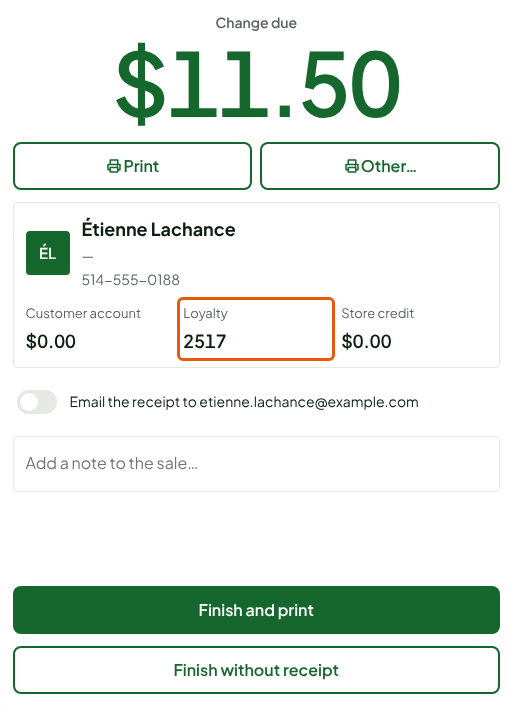
Redeeming points needs the server. Earning points does not: a sale made offline at the installed register earns its points when it reaches the server.
Troubleshooting
"Use points" is not in the customer menu
The menu offers it only if the customer has points worth at least 1 cent, the program is active, the sale has an amount that can be discounted, and no discount is already on the sale. Remove the sale's discount, then open the menu again.
The "Loyalty" tile is greyed out
Its reason shows under the tile, for example No usable points for this customer., Loyalty program inactive: these points are worth nothing for now. or A discount is already on this sale: remove it to use points. If the message is Apply points before starting other payments., cancel the payment that has started, then apply the points.
"The customer no longer has enough points"
Another payment spent the points since you read them. The points were removed from the sale: choose fewer. The message The loyalty program changed: the points were removed from the sale, choose them again. is handled the same way.