Viewing the settings history
- For
- Administrator
- Where
- Back office
- Permission
- Manage stores and settings, Manage the catalogue
- Checked on
When a setting changes a money calculation (a tax, a payment method, a scale barcode rule), Braavu POS keeps a record of the change: who made it, when, and what was written before and after. Check this history to find out why a register behaves differently from yesterday.
Before you start
- The history is read-only: nothing in it can be edited or deleted. To undo a change, make it again on the setting's own screen.
- It sits at the bottom of each screen concerned. It is collapsed: nothing is read until you open it.
A past sale keeps what was in effect on the day of the sale. A change that shows up in the history never rewrites a sale that was already made.
Opening the history of a screen
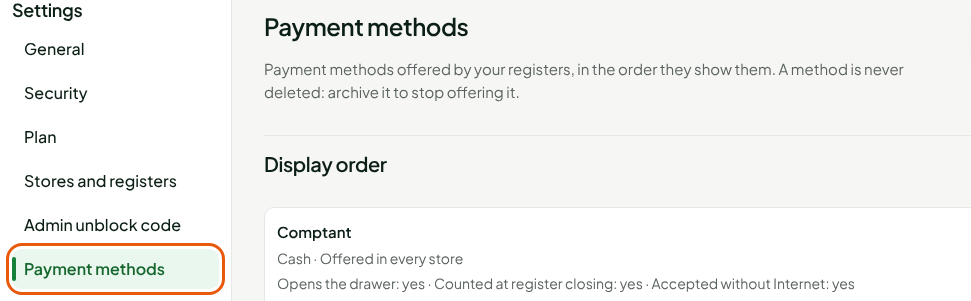
To read the changes made to payment methods:
Open Settings > Payment methods.
Scroll to the bottom of the screen, under Change history.
Click Show the change history.

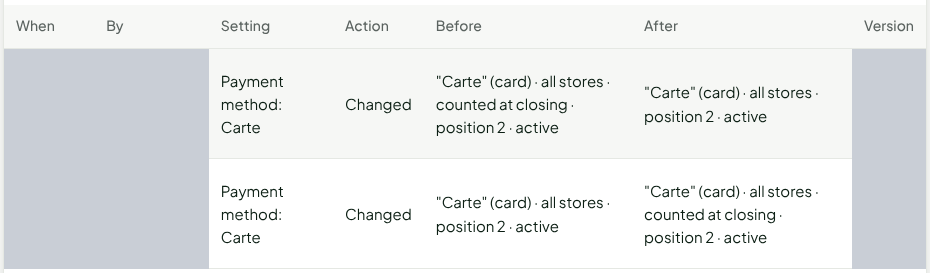
The Recorded changes table opens, newest change first. Each row is one change.
Click Hide the history to collapse it.
Reading a row
Each row says who changed what, when, and how.
| Column | What it says |
|---|---|
| When | When the change was saved, in your computer's time. |
| By | The person who made the change, by name. Deleted account if it no longer exists. |
| Setting | What changed: the kind of setting, then its name. For example "Payment method: Carte". |
| Action | Created, Changed, Archived or Unarchived. |
| Before | The setting as it was. A dash (—) for a creation: it did not exist. |
| After | The setting as it became. |
| Version | The setting's version number after this change. |
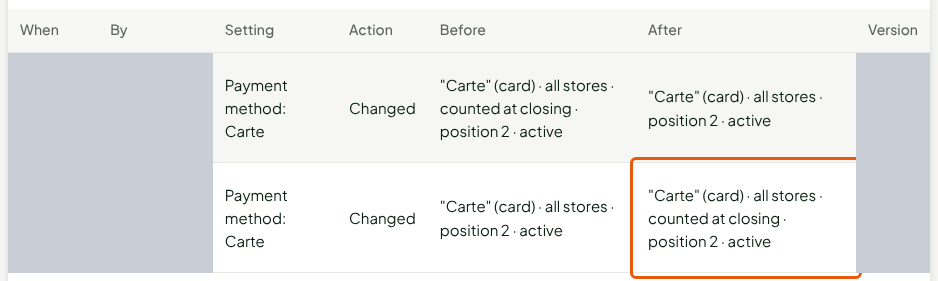
To see what changed, compare Before and After. In the example, the most recent row removes "counted at closing" from the payment method:

The row just below is the change it undid: "counted at closing" has just appeared in After.
When the list is long, the Load more history button shows under the table. It adds the older changes.
Reading the history of other screens
The same block, Change history, sits at the bottom of four screens. Each one shows only its own changes.
| Screen | What the history contains |
|---|---|
| Settings > Payment methods | Payment methods: creation, change, archiving. |
| Settings > Taxes | Taxes and their rate, tax classes, each store's selected taxes, the deposit tax and the exceptions. |
| Settings > Scale barcodes | The rules for reading scale labels. |
| Catalog > Deposits | Deposits: creation, change, archiving. |
For the tax history:
Open Settings > Taxes.
Scroll to Change history, then click Show the change history.
For the scale barcode history, open Settings > Scale barcodes, then do the same:
Troubleshooting
"No change recorded."
No change has been made on this screen yet. The history starts at the first change.
"The history could not be read"
The list could not load, often because Internet went down. Click Read the history again. If the message comes back, write to support and name the screen.