Handing over an order for pickup
- For
- Cashier
- Where
- Web register
- Permission
- Sell at the register
- Checked on
When a customer comes to pick up their web order, the register hands it over: it lists the store's ready orders, you tick what the customer takes, then you confirm. The POS never depends on the website: the handover is written to the store's server.
Before you start
- Your role must allow selling (permission Sell at the register), and the register must be open.
- The order must be Ready: the store prepared it and marked it ready in the back office (Preparing a web order).
- The customer comes to the order's pickup store.
- This register hands over an order that is paid online. An order that is to pay in store is taken at the computer's installed register.
Handing the order over
To hand over a web order:
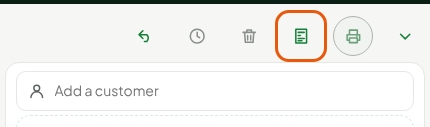
Open Sell > Sell, then click Orders, above the cart.
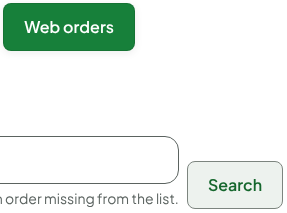
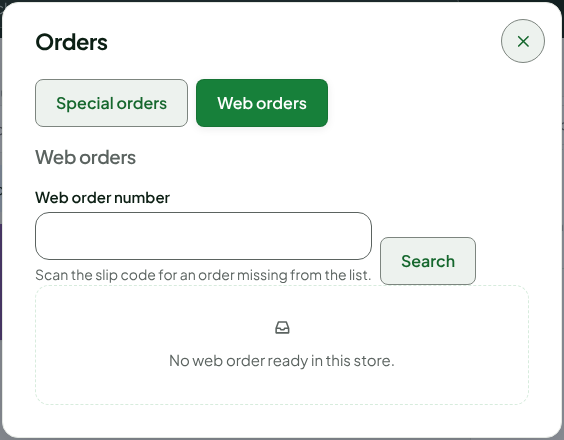
Click the Web orders tab. It lists the store's ready orders. For an order missing from the list, scan the slip code in Web order number and click Search.
Under the order, click Hand over. The list gives the order's number, the customer's name and the number of lines; Paid online says there is nothing to take.

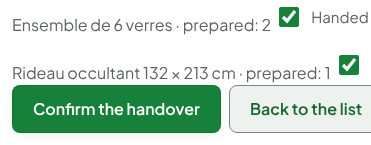
The order's lines show with the prepared quantity. Tick Handed for each item the customer takes (everything is ticked at the start).
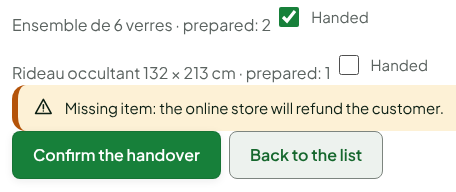
If an item is missing or the customer refuses one, untick Handed on its line. The screen says: "Missing item: the online store will refund the customer." The POS takes and refunds nothing: the refund is up to the site. Tick the line again to undo it.
Click Confirm the handover.

The screen shows "Web order handed over." and the order leaves the list. It is Handed over in the back office and the items handed over leave the store's stock.
An order that has been handed over cannot be taken back: it is closed. Check the boxes before clicking Confirm the handover.
Troubleshooting
"Order to pay in store: take it at the installed register."
This register only hands over orders paid online. Hand the order over at the computer's installed register, which takes the sale's payment.
"Being handed over at another register."
Another register holds this order. Wait until it is done, then read the list again.
If that register will not come back (computer lost, stolen or replaced during the handover), ask an administrator to release the order: see Releasing a web order left on a lost register.
"Order to be picked up in another store."
The order is handed over at the store the customer chose.
"Order not ready yet."
The order is not yet in the Ready state. An employee must prepare it in the back office first.