Handling “Drawer may have opened”
- For
- Cashier, Manager
- Where
- Installed register
- Permission
- Sell at the register, Close the register, Open the drawer without a sale
- Checked on
The sale is paid and recorded: only the printing of its receipt, which also opens the drawer, has no certain outcome. The drawer may have opened, or not. The register tells you so that you check it; it never sends a drawer opening again on its own.
What you see
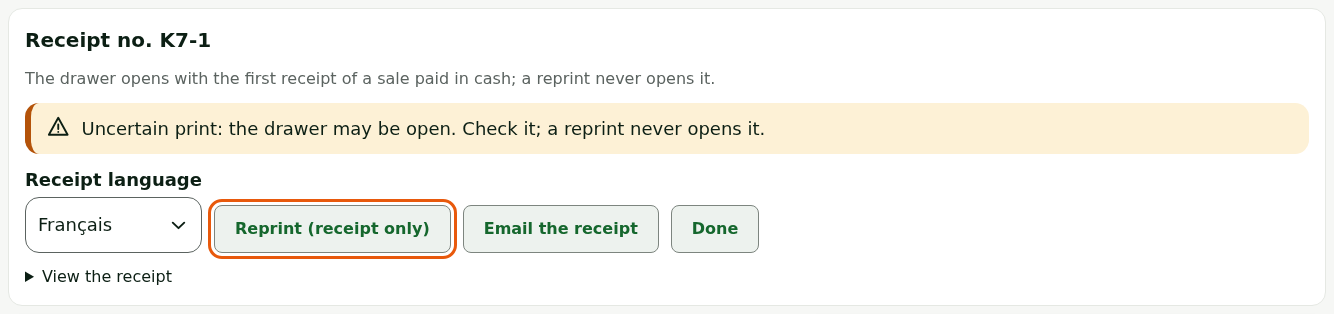
Right after a cash payment, the receipt panel shows Uncertain print: the drawer may be open. Check it; a reprint never opens it.
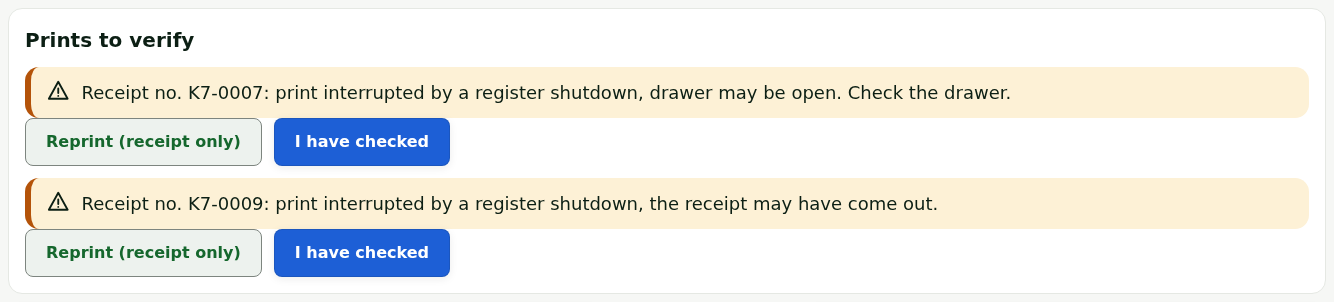
If the register stopped during a print, the sale screen shows, after the restart, the list Prints to verify: one receipt per line, with what is uncertain (the drawer, or only the receipt).
What to do
Checking the drawer and the receipt
- Look at the drawer. If it is open, give change if needed, then close it. If it is closed and you need to give change, call a manager: they open it with their PIN, through Open the drawer in the Manager menu.
- Look at the printer: the receipt may have come out. If it did, give it to the customer.
- Click Reprint (receipt only) only if the customer has no receipt. The reprint does not open the drawer.
Clearing the list of prints to verify
For each line of Prints to verify:
Check the drawer (line drawer may be open) or the printer (line the receipt may have come out).
Click I have checked.

The line leaves the list. For a receipt that may not have come out, click Reprint (receipt only) first.

Keeping the drawer in mind at closing
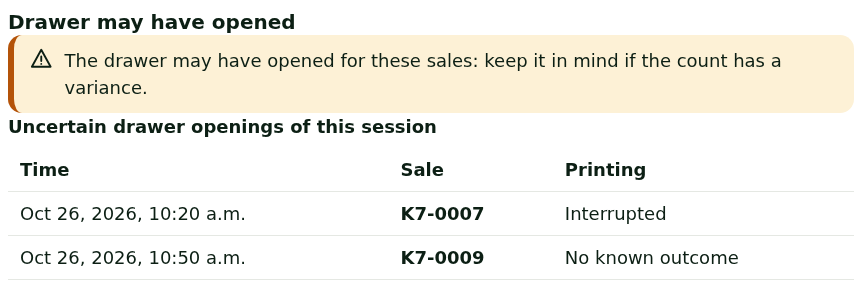
At Register closing, the section Drawer may have opened lists the session's sales whose drawer opening is uncertain, with the time and the receipt number. If the count has a variance, look at these sales first.
A manager can also reprint a receipt later, from the Manager menu, section Reprint: it always goes to “Receipt only” and never opens the drawer.
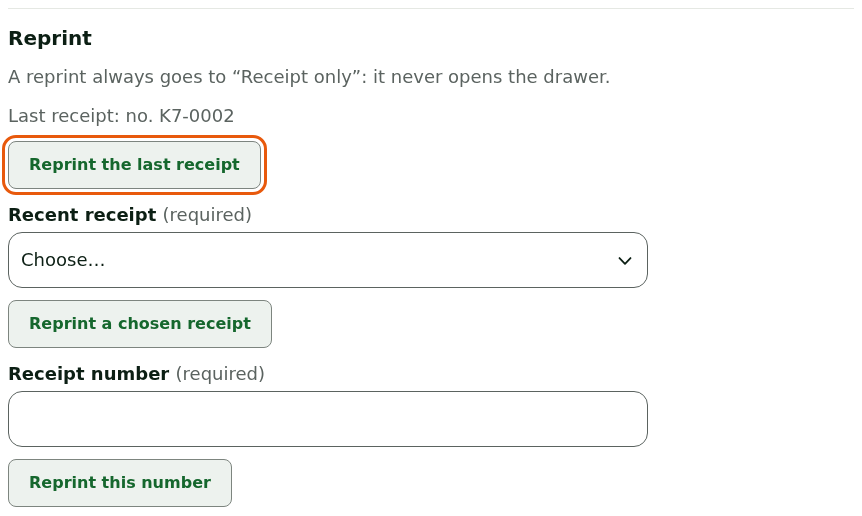
Only the first receipt of a sale paid in cash opens the drawer. Every reprint goes to “Receipt only”: no button of the register sends a receipt again with a drawer opening.
What not to do
- Do not make the customer pay again: the sale is paid, only the printing is uncertain.
- Do not try to reopen the drawer by printing again: a reprint never opens it.
- Do not click I have checked without looking at the drawer: the line disappears from the list.
When to call an administrator
- The same print comes back uncertain at every sale: the printer or its connection is at fault.
- This sale cannot be read again on this station: reprint not possible. appears: write down the receipt number and give it to the administrator.