Stock value
- For
- Manager
- Where
- Back office
- Permission
- View reports
- Checked on
The "Stock value" report tells you what the stock is worth on a date: the quantities on hand, reserved and available, the retail value and, if your role allows it, the value at cost. It is meant for accounting, by store, by category or by item.
Before you start
Value at cost shows only if your role has the View purchase costs permission. Without it, the report shows no cost column and says so above the table.
Showing the report
To see the value of the stock:
Open Reports > Stock value.
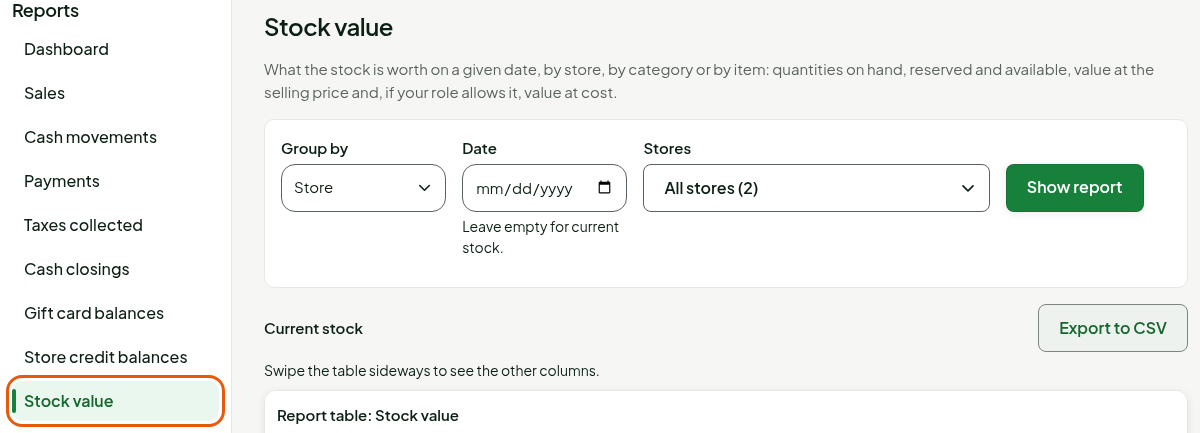
Choose Store, Category or Item in Group by.

Keep All stores or choose stores (guide "Choosing the period and the stores of a report").
Click Show report.
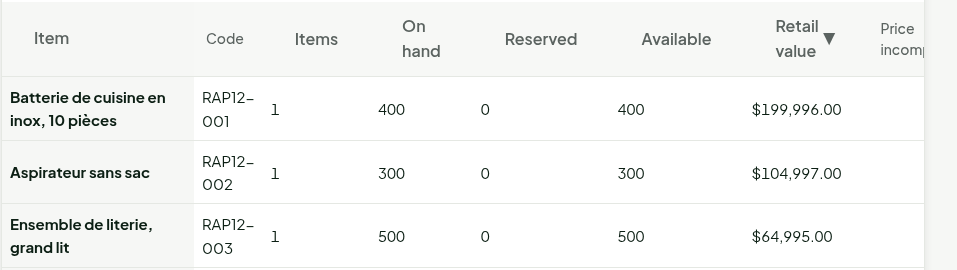
The table has one row per store, per category or per item, then a Total row. To sort, click a column heading; a second click reverses the order. Below, the table "by item" is sorted by Retail value, from largest to smallest.
With no date, the report shows the Current stock.
Seeing the stock on a date
To read the stock as it was at the end of a day:
Type the date in Date.
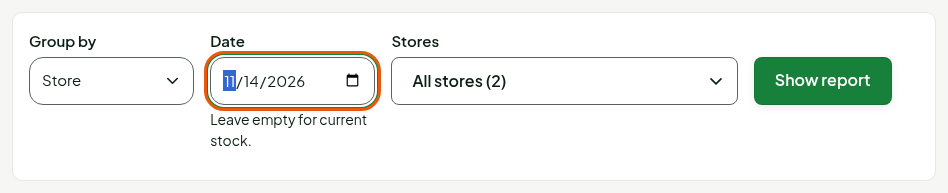
Click Show report.
The report shows "Stock at the end of" followed by the date. Leaving Date empty gives the current stock.
Understanding negative stock
Negative stock means items were sold without having been received or counted. When there is some, a banner says so above the table, with the Go to stock counts button if your role can run a count.
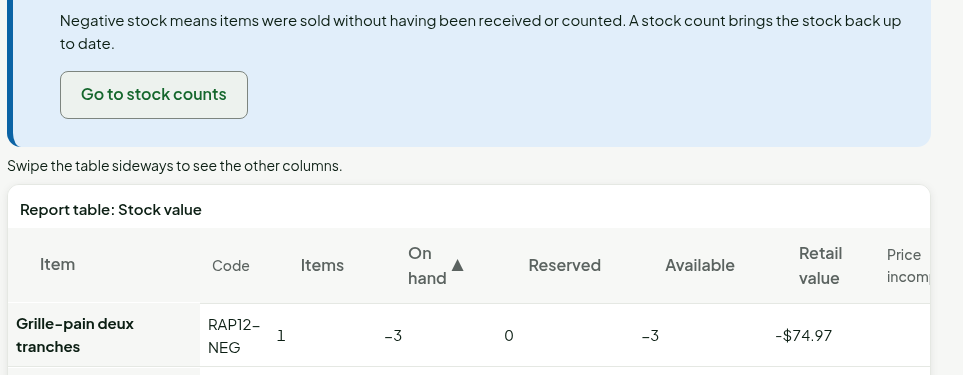
To find the items in the negative, group by Item and click the On hand column title: the lowest quantities come first.
Negative stock lowers the value of the totals. To fix it, receive the goods or run a stock count (guides "Adjusting stock" and "Counting on a phone").
Understanding the columns
| Column | What it shows |
|---|---|
| Store, Category or Item | The grouping you chose. Items without a category are under "No category". |
| Code | The item code (grouping by item only). |
| Items | The number of items in the group. |
| On hand | What the store holds: the sum of the stock movements up to the date. |
| Reserved | What is promised: layaways, special orders and prepared web orders not yet handed over. |
| Available | On hand minus reserved. |
| Retail value | The quantity on hand multiplied by the store's selling price. |
| Price incomplete | Yes if an item in stock has no price in its store: its value is not counted. |
| Taxes included | Yes if the price of at least one item still includes its taxes (rate unknown). |
| Value at cost | The quantity on hand multiplied by the store's average cost (View purchase costs permission). |
| Cost incomplete | Yes if an item in stock has no known cost. |
Troubleshooting
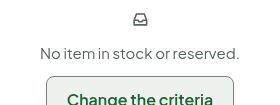
"No item in stock or reserved."
No item has stock on the chosen date, or in the chosen stores. Choose a more recent date or empty the Date field.
The cost columns are missing
Your role does not have the View purchase costs permission. Ask an administrator for it.