Applying a discount to a sale
- For
- Cashier
- Where
- Web register
- Permission
- Give a manual discount
- Checked on
A discount lowers the price of one item or of the whole sale. On the Sell screen it is called a Discount. You apply it before paying, on one line of the cart or on all the items.
Before you start
- Your role must allow giving a manual discount (permission Give a manual discount), on a line as on the whole sale.
- Without this permission, you can still ask for the discount: the screen then has a manager approve the action (see below).
The register limits discounts. When a discount is too large for your role, a manager must approve it with their PIN.
Discounting one item
To lower the price of a single line:
Put the item in the cart, then click its line to expand it.
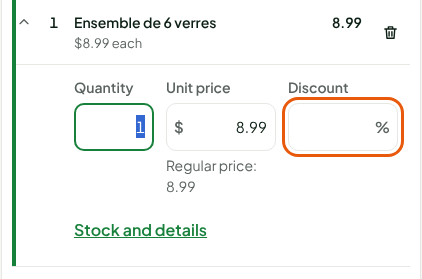
In Discount, type a percentage (
10) or an amount followed by$(2 $).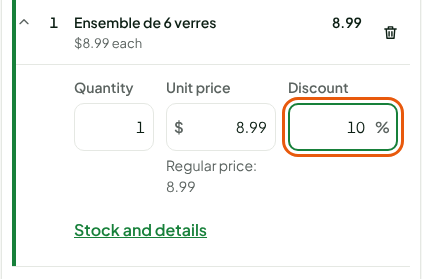
Press Enter. Escape cancels what you typed.
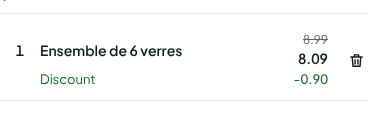
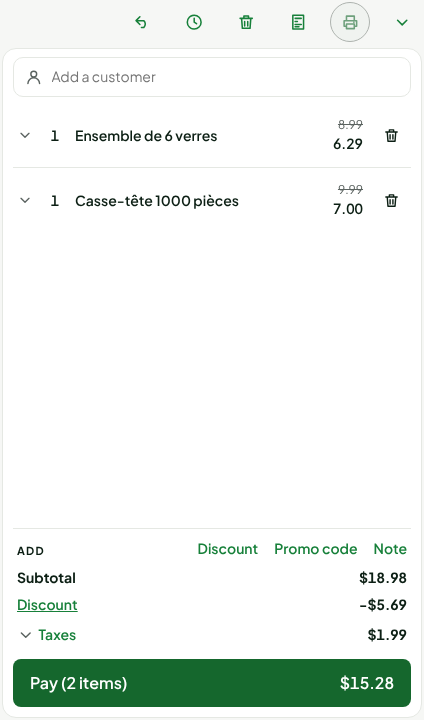
The line keeps its unit price. It shows the old total crossed out, the new total and a Discount row with the amount taken off. To remove the discount, type 0 in Discount, then press Enter.
The Unit price field, right next to it, changes the price itself. It needs another permission, Override a line price, and is not covered by this guide.
Discounting the whole sale
To lower the price of every item in the cart:
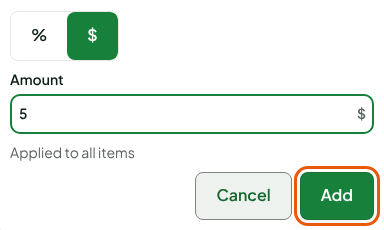
Under the cart, click Discount, to the right of Add.
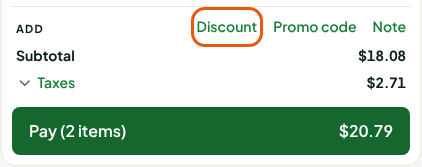
Choose % or $, then type the value in Amount. The discount is Applied to all items.
Click Add.
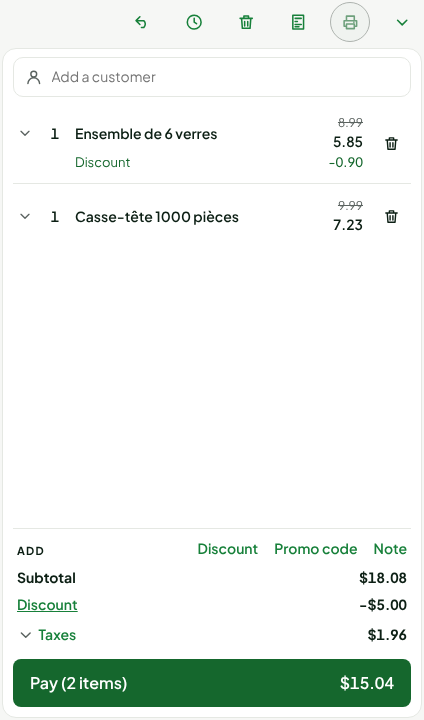
The bottom of the cart shows a Discount row with the amount taken off, and the total to pay goes down.
Removing a discount
To take off the discount of the whole sale:
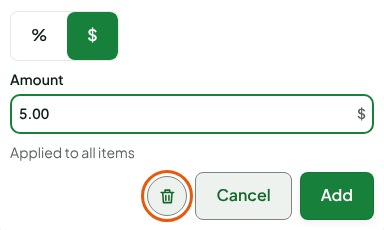
Click Discount, in the row at the bottom of the cart.
Click the trash can, to the left of Cancel.
When the screen asks for a manager
If your role does not allow the discount, or if it goes beyond what you are allowed, the Manager approval window opens instead of applying the discount. Its text says why, for example: "Your role does not allow this action (discount): a manager approves it with their PIN." The Action to approve line describes the discount asked for.
Choose the manager under Manager.
Ask the manager to type their PIN in PIN.
Click Approve.
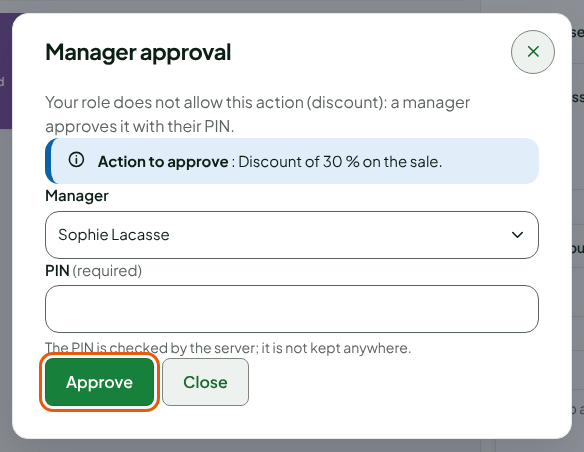
The discount is then applied, in the name of the manager who approved it.
When the cart grows after the approval
A percentage discount approved by a manager is valid for the amount the manager saw. If the cart then grows (an item added or scanned, a larger quantity, a higher price, a line discount removed), the approval lapses, because the discount amount would grow.
- When you raise the quantity of a discounted line, or when you pay for a discount on the whole sale, the register applies the discount again in your name. If it stays within what your role and the merchant's threshold allow, nothing is asked.
- Otherwise the Manager approval window comes back: a manager approves again with their PIN.
- If the window is closed without approval, the quantity stays the same, or the sale does not move to payment. The message says that the cart grew since the approval: have the discount approved again, or remove it.
A dollar discount does not change amount, and a cart that shrinks asks for nothing.
Troubleshooting
The Discount link is greyed out
A discount made with a customer's loyalty points is in place: it cannot be changed here. Remove the points first.
"No manager of the store with a PIN can approve this action"
No manager of the store can approve this discount. Make a smaller discount, or ask a manager for help.
"The discount is beyond the amount the manager approved"
At the web register, the sale is not recorded: an approved discount grew since the approval (cart or price changed), beyond the amount the manager saw. Apply the discount again on the line or on the sale, then have a manager approve it again with their PIN. At the installed register, the sale is kept and the difference is reported to the office.
"Wrong PIN"
The PIN typed is not the right one. Try again. If the employee's PIN is blocked after several tries, the screen says when to try again; a manager can also clear that PIN.