Understanding the administrator's rights
- For
- Manager, Administrator
- Where
- Back office
- Permission
- Manage employee records, Manage roles
- Checked on
The administrator is the person who has access to everything in Braavu POS. They work in all stores, they have every permission and they never have a discount limit. This guide explains what sets them apart from the other roles, and why some rows on the Employees and Roles screens cannot be edited.
Before you start
To see these screens, your role needs the permissions Manage employee records and Manage roles. Nothing in this guide changes a record.
The administrator sees all stores
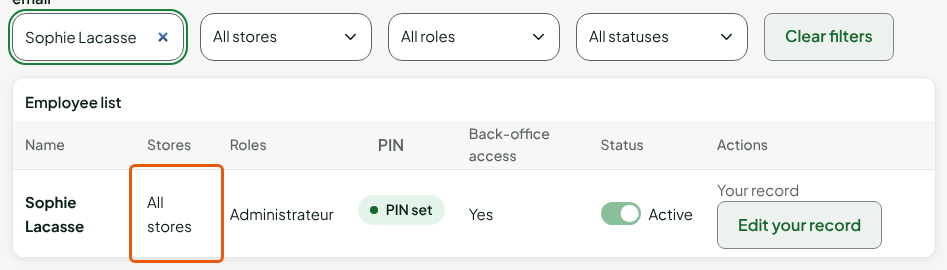
Other employees work in the stores their record ticks. The administrator works in all stores, including stores created later. In the Team > Employees list, their row shows All stores.
When you tick the Administrateur role on a record, the store boxes are replaced by the sentence "All stores: an administrator has access to all stores."

Only an access to all stores can grant "All stores". A manager whose access is limited to some stores therefore cannot create an administrator.
The administrator edits their record, except their role and access
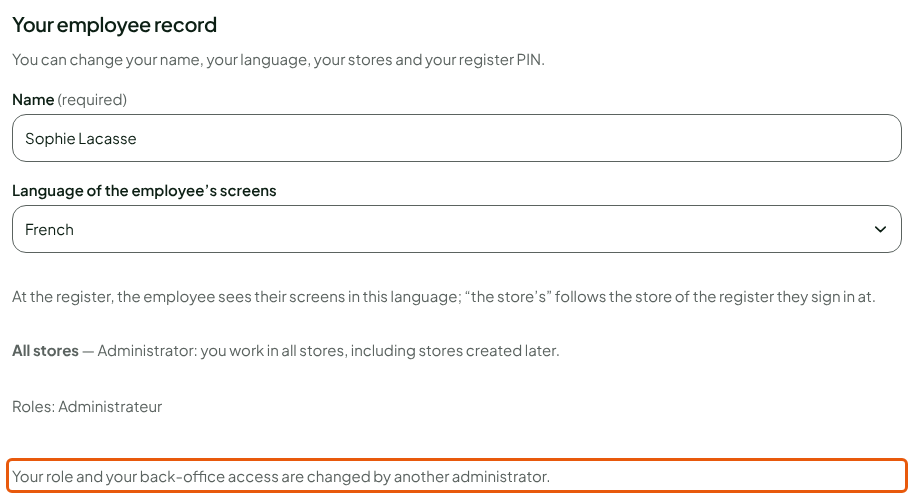
On the administrator's row, the button is called Edit your record. You can change your name, your language, your stores and your register PIN. You cannot change your own role or your own back-office access: another administrator does it.
Open Team > Employees.
On your row, click Edit your record.
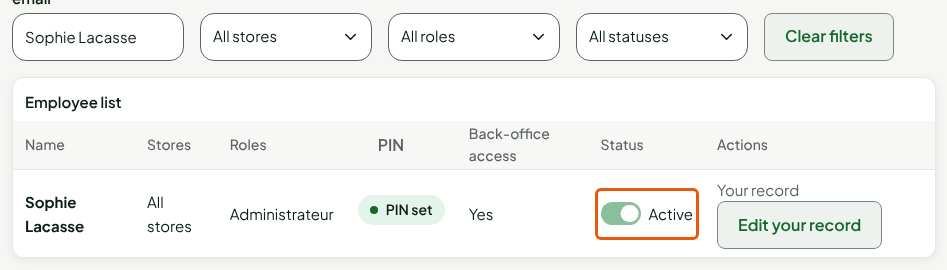
Your own row has a locked status switch: you cannot disable your own record.
To change your PIN, see Setting or resetting an employee's PIN.
The Administrateur role is protected
In Team > Roles, the Administrateur role has a padlock in place of the pencil: it gives full access and cannot be edited. Its switch is locked: it is always on and cannot be turned off.

A role's maximum discount does not apply to the administrator: they never have a limit (Creating roles and permissions).
The number under Employees in the role list is the number of active people who have the role. When your access covers all stores and you manage employee records, it is a link: clicking it opens the list of those people, which gives the number of active administrators. Otherwise it stays a total, without a link.
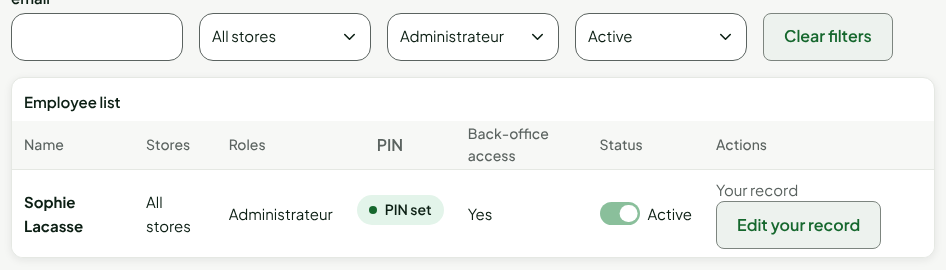
The last active administrator can be neither disabled nor stripped of the Administrateur role. Always keep another administrator to whom you can hand yours over.
What only an administrator does
Some actions need permissions that only the Administrateur role has, or that a manager rarely has. For example:
- changing the role or access of another administrator;
- resetting the two-step sign-in of a person who lost their phone (Settings > Security);
- inviting an employee to the back office, which requires managing access for all stores.
A manager cannot edit the record of a person who has permissions the manager does not have: the screen shows "This employee has permissions you do not have: you cannot change their record."
Troubleshooting
"You cannot change your own role: another administrator does it."
This is intended. Ask another administrator to change your role or your access.
"The last active administrator cannot be disabled or lose the administrator role."
There is only one active administrator. Give the Administrateur role to someone else (Adding an employee), then try again.