Using a coupon at the register
- For
- Cashier
- Where
- Web register
- Permission
- Sell at the register
- Checked on
A coupon is a code printed at the end of a receipt: the customer presents it on a next purchase and gets a discount on the sale. The cashier scans it or types it in Promo code, and the register works out the discount by itself.
Before you start
- This guide follows the web register. On the installed register, the Promo code link opens the same window; its button is called Apply code.
- A coupon comes from a campaign created by an administrator (guide "Creating a coupon campaign"). When a sale meets the campaign's conditions, the confirmation screen says: "Coupon printed at the end of the receipt: … Hand it to the customer with the receipt."
- A coupon can only be used once, during the days printed on it.
- A coupon only applies online: it is checked with the server. Offline, the register says so: "Coupons require a connection: a coupon can only be used online. […] the sale continues at the regular price."
Applying a coupon to a sale
Put the customer's items in the cart.
Click Promo code, under the cart.
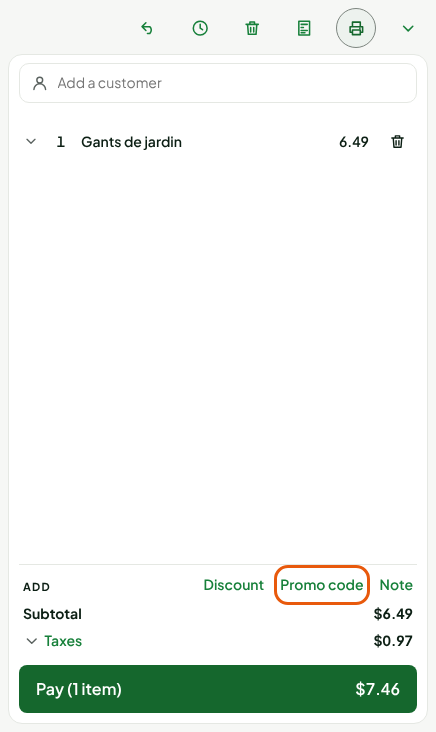
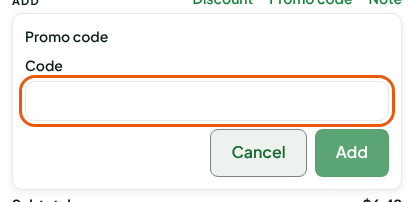
Scan the coupon's code, or type it in Code. Upper and lower case do not matter.
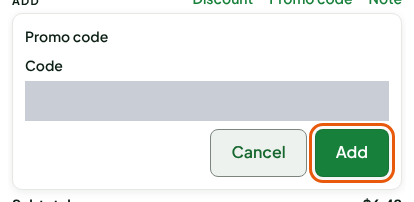
Click Add.
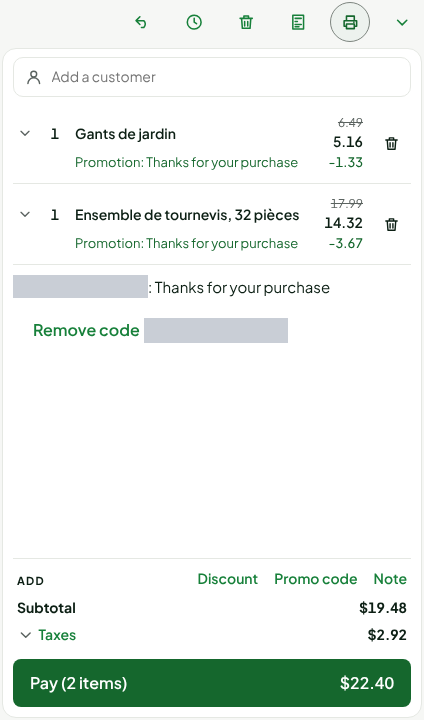
The code appears under the items, with the campaign name: CODE: Thanks for your purchase. To remove it, click Remove code followed by the code.
When the cart does not reach the minimum purchase
A coupon has a minimum purchase. Here, the coupon is $5.00 off a $20.00 purchase, and the cart is $6.49: the register accepts the code, but the discount does not apply yet. It says so under the code:
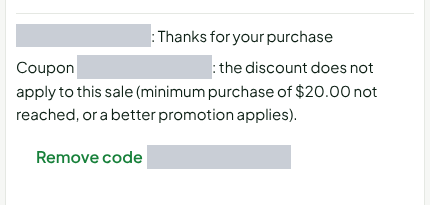
Add items to reach the minimum: the discount applies right away. With a second item, the cart reaches $24.48 before tax. The $5.00 discount is spread over the lines (Promotion: Thanks for your purchase), the subtotal drops to $19.48 and taxes are worked out on this new amount.
The same message shows if another, better cart promotion applies to the sale: a coupon is not always added to other discounts. It adds to those the campaign allows to stack.
Paying the sale
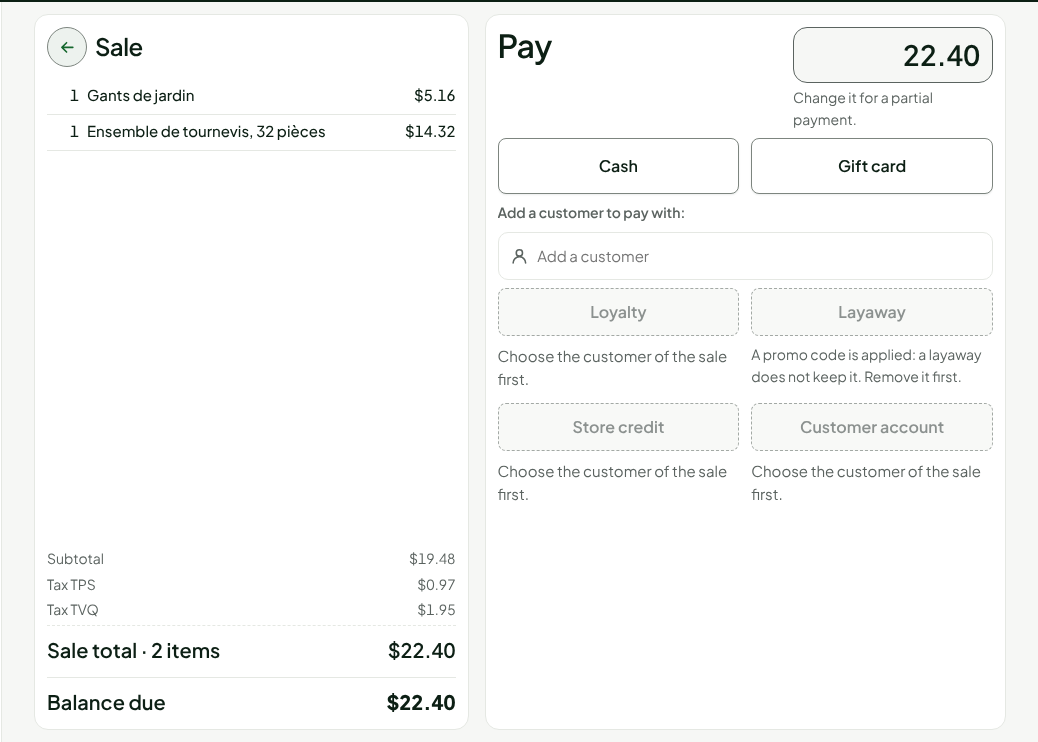
Click Pay. The Pay screen shows the total after the discount: $22.40, instead of $28.15 without the coupon. Pay as usual (Making a sale).
The coupon is then used: the same code, presented a second time, is refused.
Amount or percentage, bearer or customer
A campaign chooses what the coupon is worth and who can use it:
| Campaign setting | What the cashier sees |
|---|---|
| Discount as an amount ($5.00) or a percentage, with an optional cap | The discount is spread over the cart lines, like a promotion. |
| Bearer coupon | Any customer who presents it can use it. |
| Coupon tied to a customer | The customer it was given to must be added to the sale. Otherwise: "This code requires a customer: add the customer to the sale." or "This code is reserved for another customer: attach that customer to the sale, then try again." |
A coupon tied to a customer is only printed for a sale where the customer is identified (Adding a customer to a sale).
Troubleshooting
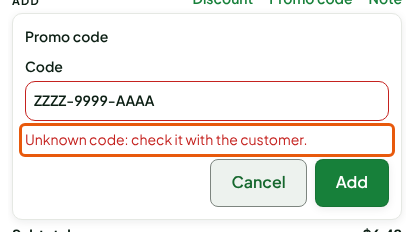
"Unknown code: check it with the customer."
The server does not know this code. Check it with the customer, character by character. A cancelled coupon (the sale that gave it was returned or cancelled) is also unknown.
"This code has already been used."
The coupon has already been used, on this sale or another: the screen gives the date. It cannot be used again.
"This code is already reserved by another sale…"
The code was entered in another sale that neither used nor returned it, on another register or on this one (a sale interrupted by a power or network outage). Finish or abandon that sale if it is still open: the code becomes free. Otherwise it becomes free again on its own 24 hours after it was entered. For a unique code, a manager can release it right away in the back office: Catalog > Promotions, the promotion, Unique codes section, Release the reservation on the code's row. A code already used by a sale cannot be released.
"This coupon has expired." or "This coupon is not valid yet…"
The validity dates are printed on the coupon. A coupon given with a purchase may only be usable from the next day: the customer comes back.
"This code is not valid in this store."
The campaign limits the stores where the coupon can be used.