Updating the register
- For
- Manager, Administrator
- Where
- Installed register
- Permission
- No permission required
- Checked on
The installed register updates itself. It loses no sale and never blocks sending its sales to the server. This guide says what you see, what you can choose, and what to do when an update is required.
Before you start
- The update concerns the installed register, on the register computer.
- It needs the network to be found and downloaded. Without a network, nothing happens and the register keeps selling (Preparing the store network).
How the register updates
The register looks for a new version at startup, then every hour. It downloads it in the background, without getting in the way of selling. A version is only installed if it is genuine: an update that is not is refused, and the register stays as it is.
Choose when to install
When a version is ready, the register shows an Update … ready notice.

To choose:
- Click Install now to install right away, or Tonight to put it off.
The register restarts for a few seconds to install the update. Operations waiting to be sent are kept and resume afterwards.
With no choice, or after Tonight, the update installs itself at a successful register closing, or at night, between 11 p.m. and 5 a.m. (store time). It never installs in the middle of a sale.
What delays the installation
The register only installs when it is idle. The notice shows Before installing and says what is holding it back:
- a sale is in progress: finish it or park it;
- a card transaction is waiting for the terminal's answer;
- a gift card or store credit payment is in progress;
- a cash refund handover is in progress;
- a receipt is printing, or its outcome still needs checking (Troubleshooting receipt printers);
- a cash drawer opening is in progress;
- an operation needs checking: call a manager;
- an action is in progress on the screen: finish it or return to sign-in;
- the station is locked: it must reach the server or be unlocked first.
Fix what the notice says, then click Install now again.
When an update is required
The server can require a newer version to sell. The register then shows a red banner, without Tonight.

Even then, the register erases nothing and sending the sales continues. Selling may be blocked until the update. The register looks for and offers the update right away.
To get out of this state, let the register install the update. If it cannot, call an administrator.
After the update
The register's data is not touched. When the new version starts, the register runs its usual checks again; nothing is bypassed.
Troubleshooting
“This station cannot start” after an update
This station's data comes from a newer version than the register's: the update must be installed.
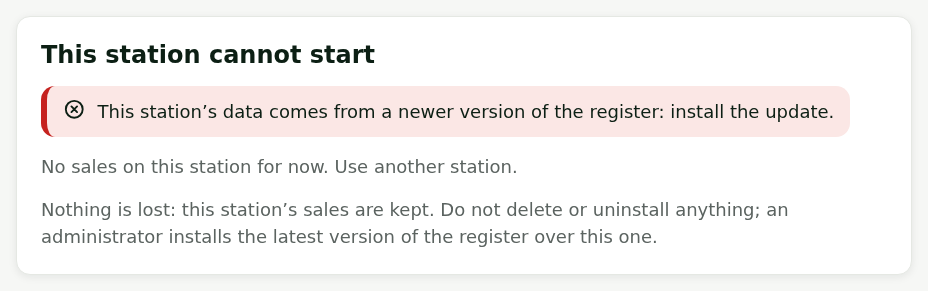
Do not delete anything and do not uninstall anything: the station's sales are kept. Switch to another station and call an administrator. They need the message shown. The administrator installs the latest version of the register over the old one, with the installer from Install the register on a computer in the back office: no uninstall and no new register code.