Opening a register
- For
- Cashier, Manager
- Where
- Installed register, Web register
- Permission
- Sell at the register
- Checked on
A register opens by counting the cash float, the money that is in the drawer before the first sale. The register session then opens under your name, and the register can sell: without an open register, no sale is recorded.
Before you start
- Count the drawer before you open: the float you enter is the starting point of the closing (Closing a register and counting the drawer).
- On the installed register, sign in with your PIN first (Signing in to the register with your PIN and switching employees).
- On the web register, the store must have an active Cash payment method. Otherwise the register does not open: an administrator activates it in the payment methods.
Open the register
To open the installed register, which opens without a network:
Open your session, then tap Register: opening, movements, closing.
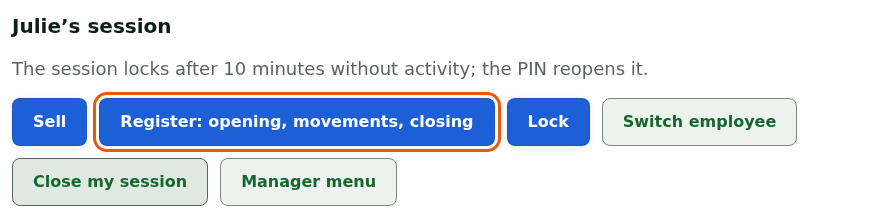
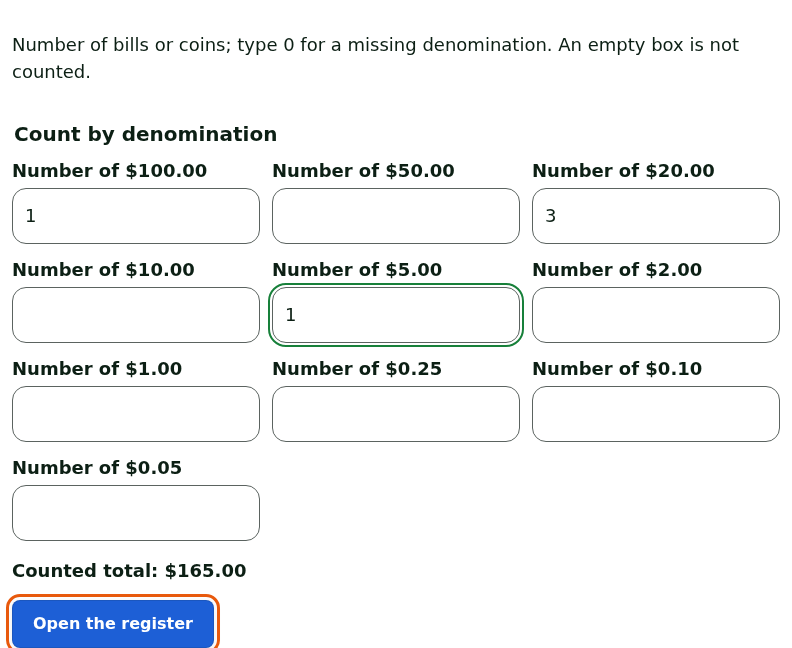
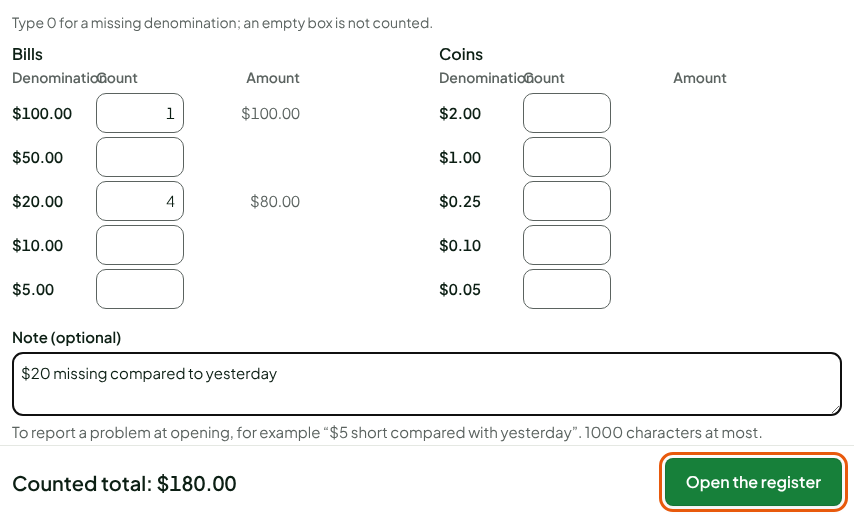
Type, for each bill and each coin, the number the drawer holds. Type
0for a missing denomination: an empty box is not counted.Read Counted total, then tap Open the register.
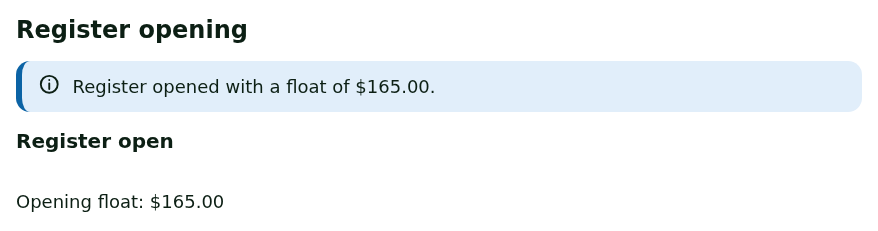
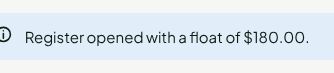
A message confirms: Register opened with a float of followed by the amount. The screen shows Register open and the Opening float.
If the last closing left a float, the screen shows it: Expected float from the last closing. A difference from your count does not block you (see below).
To open the web register:
Open Sell > Open / Close. If the register is closed, the screen offers Open the register. Expected float reminds you of what the last closing left in the drawer.
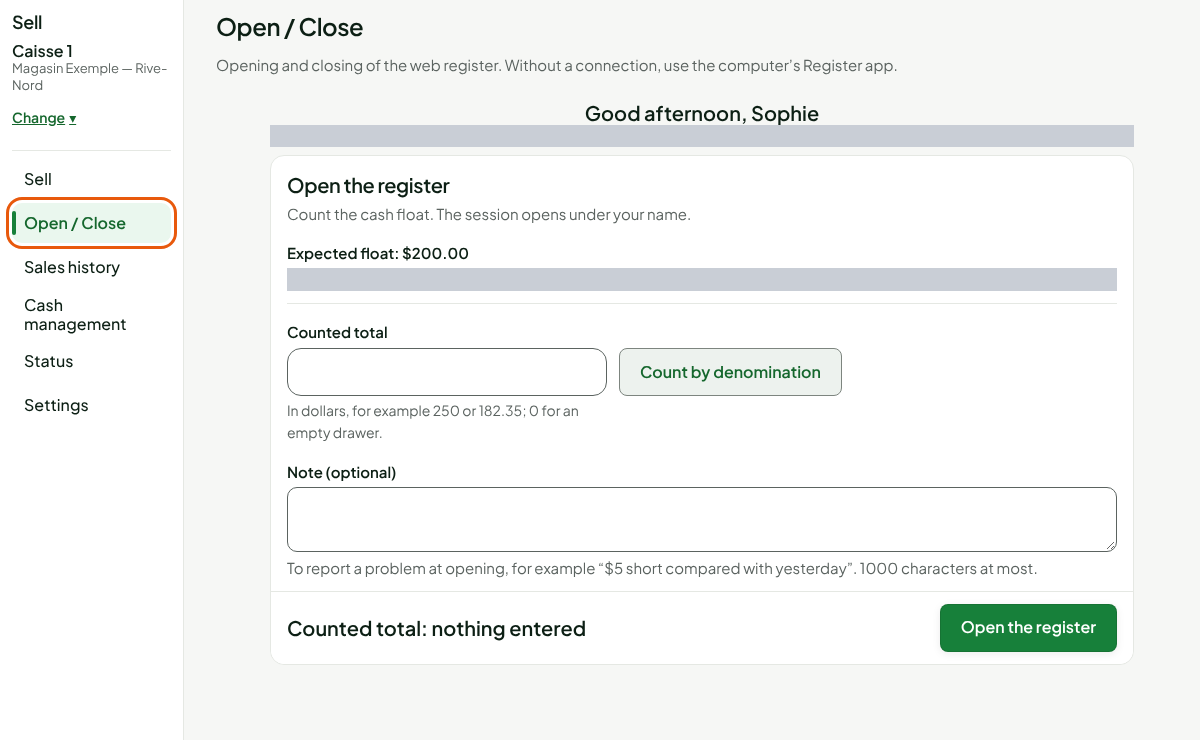
Type the float in Counted total, or click Count by denomination and type the number of bills and coins. The total is calculated for you.
If needed, type a Note (optional), for example "$20 missing compared to yesterday". The note stays with the opening and shows in the session detail.
Click Open the register.
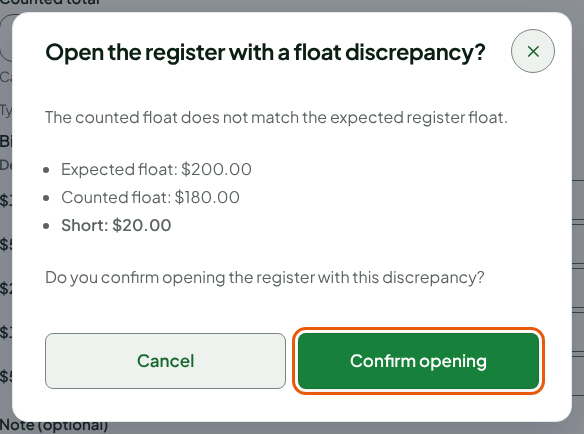
Open with a float discrepancy
When your count is not the expected float, an Open the register with a float discrepancy? window recalls the Expected float, the Counted float and the amount Short or Over. The discrepancy is flagged, never blocking: you confirm the opening or you go back and count again.
Read the three amounts.
Click Confirm opening, or Cancel to go back to the form. Nothing is written until you confirm.
On the web register, a message confirms Register opened with a float of $180.00. and the sell screen is ready.
A register session opening is not edited: the counted float, the time and your name stay as they are. A float discrepancy is flagged to the manager and shows in the session reports.
Troubleshooting
"Register in backup mode"
A register drawer has only one session at a time. When the backup register of a computer (the installed register) holds the session, the web register does not open: the screen says since when and on which computer. Close the register on that computer first, then come back to the web register.
"This register was taken over on another screen"
The web register is open on one screen at a time. Click Take it over here to take it again, or choose another register.
"Online register: no sale without a connection"
The web register needs a connection. Without a network, open the computer's installed register: it opens and sells offline.