Cash closings
- For
- Manager
- Where
- Back office
- Permission
- View reports, All sales at assigned stores
- Checked on
The "Cash closings" report lists the registers closed during a period: what was expected, what was counted and the variance, with the reason given at closing. Use it to follow cash variances store by store, and to open the summary of a closing.
A closing is never reopened or changed. A sale or cash movement received after the closing is added beside it, as an adjustment linked to that closing: the original closing stays as it was counted.
Showing the report
To see the closings of a period:
Open Reports > Cash closings.
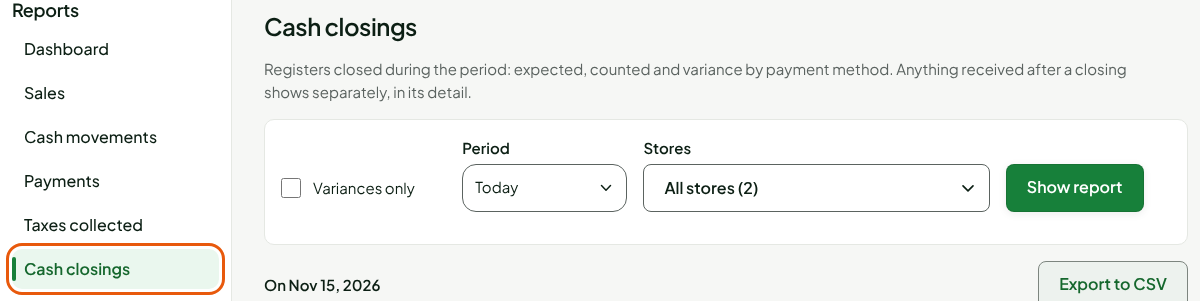
Choose Today, Yesterday, Last 7 days or another period, under Period. Custom lets you pick the dates.
Keep All stores or choose a store, under Stores.
Click Show report.

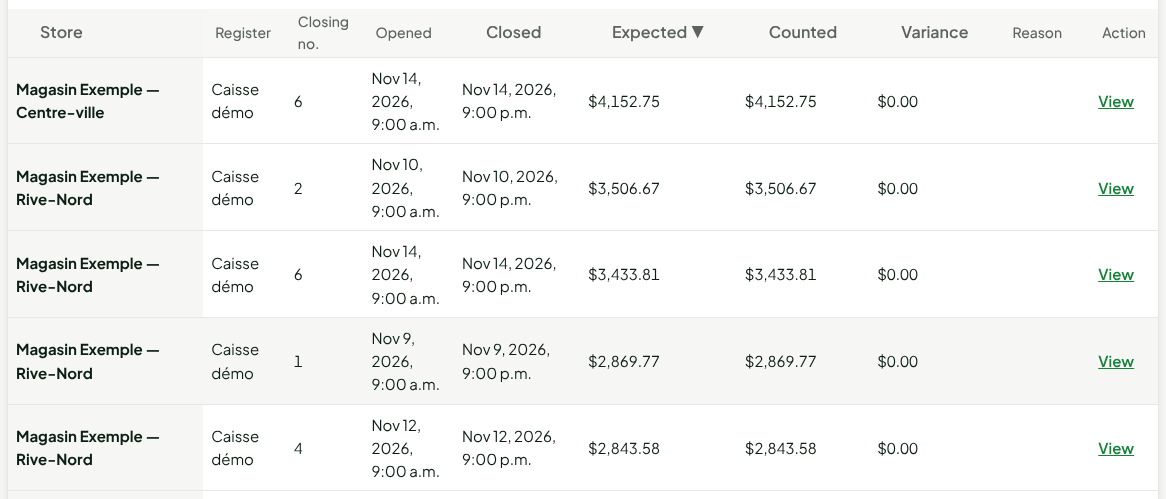
The table shows one row per closing, then a Total row. To sort, click a column heading (Store, Closed, Expected, Counted or Variance); a second click reverses the order. Below, the table is sorted by Expected.
Showing variances only
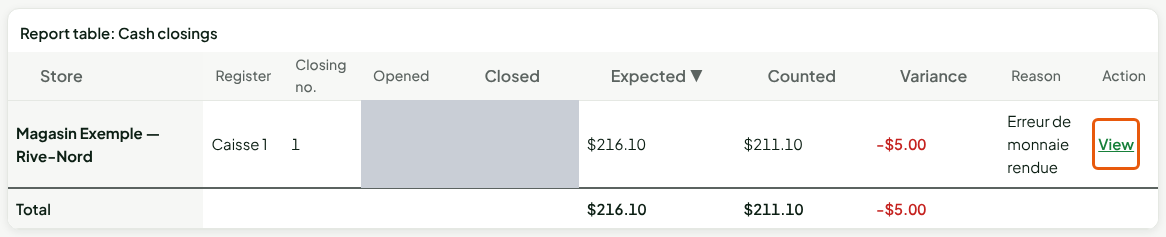
To keep only the closings where the count is off:
Open Reports > Cash closings.
Check Variances only.
Type an amount in Variance threshold ($), for example
5, to see only variances of $5 or more, over or short. Leave it empty to see every variance.
Click Show report.
Opening the summary of a closing
To see the details of a closing:
Click View, in the closing's row.
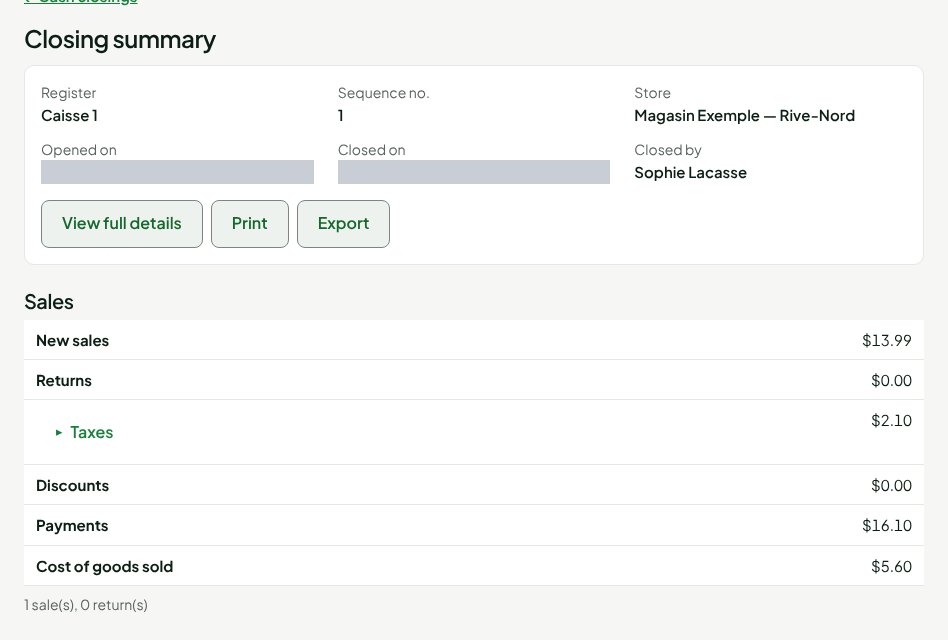
The Closing summary page opens. It shows:
- Sales: new sales, returns, taxes, discounts, payments and number of sales in the session;
- Payments: the expected, counted and variance amounts for each payment method (a method that is not counted shows its expected amount), with the Cash rounding;
- Cash movements: the opening float, the deposit, the float left at closing, and cash in and out;
- Variance reason and Notes;
- Adjustments received after the closing, only when there are some.
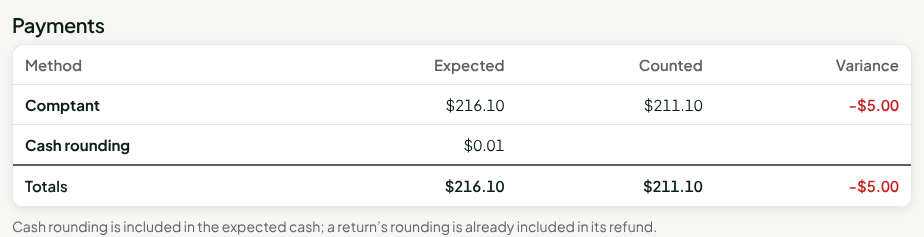

View full details opens the list of the session's transactions. Print and Export let you keep the summary. The Export to CSV button, above the table, exports the whole report (guide "Exporting a report to CSV").
Understanding the columns
| Column | What it shows |
|---|---|
| Store | The register's store. |
| Register | The name of the closed register. |
| Closing no. | The session's rank among the sessions of that register: 1 for its first session, 2 for the next one, and so on. |
| Opened | The date and time the session was opened. |
| Closed | The date and time of the closing. |
| Expected | What the register should have held at closing, all payment methods together: opening float, sales, returns, cash in and out, cash rounding included. Methods that are not counted in the drawer, such as gift cards, are included too. |
| Counted | What was counted at closing. A method that is not counted in the drawer, such as card, gift card or store credit, appears at its expected amount, with a note under the table ("not counted: expected amount used"). A register closed by an administrator without a count keeps "Not counted" on its row. |
| Variance | Counted minus expected. A negative amount is a shortage, a positive amount an overage. Methods that are not counted add nothing to it. |
| Reason | The variance reason entered at closing. A register closed by an administrator, or remotely by a manager, shows that closing here instead. |
| Action | View opens the closing summary. |
Counted minus Expected gives the Variance, on every row and on the Total row, except on the row of a register closed by an administrator without a count: it stays "Not counted", and its expected amount is included in the Total. Example, in the table above: $3,170.63 expected and $3,170.63 counted give a variance of $0.00, even though part of it was paid by card. This display does not change any closing: the recorded closing keeps those methods as not counted. The guide "Understanding the variances of a closing" explains where a variance comes from.
Times follow the clock of the device you read the report on.
Troubleshooting
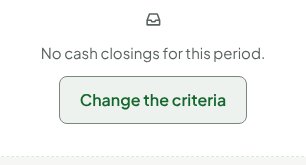
"No cash closings for this period."
No register was closed during the chosen period, or Variances only is checked and no closing has a variance above the threshold. Click Change the criteria, widen the period or uncheck Variances only.
A sale made offline is missing from the closing
A sale made offline on the installed register can reach the server after the closing. It does not rewrite the closing: it appears under Adjustments received after the closing, on the summary page.