Selling a weighed product
- For
- Cashier
- Where
- Web register
- Permission
- Sell at the register, Give a manual discount
- Checked on
A weighed product (cheese, bulk, deli) is weighed on the scale, which prints a label. At the register, you scan that label: the item goes into the cart at the price printed on it. You have no weight or price to type.
Before you start
- Your role must allow selling (permission Sell at the register). For the discount on an orange label, it must also allow giving a manual discount (permission Give a manual discount); otherwise, ask a manager.
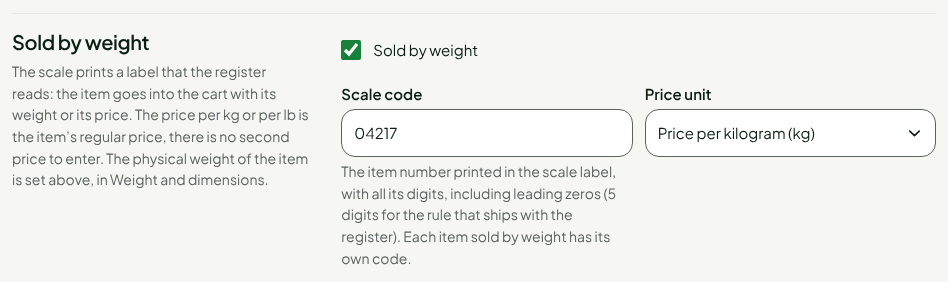
- The product's record must be set to Sold by weight, with the Scale code printed in the label and the price unit (kilogram or pound). This is done in the catalog, by a manager. The price on the record is then the price per kilogram or per pound.
Selling an item with its label
To sell a weighed item:
Click in Search products, then scan the barcode of the scale label. With no scanner, type the digits of the barcode.
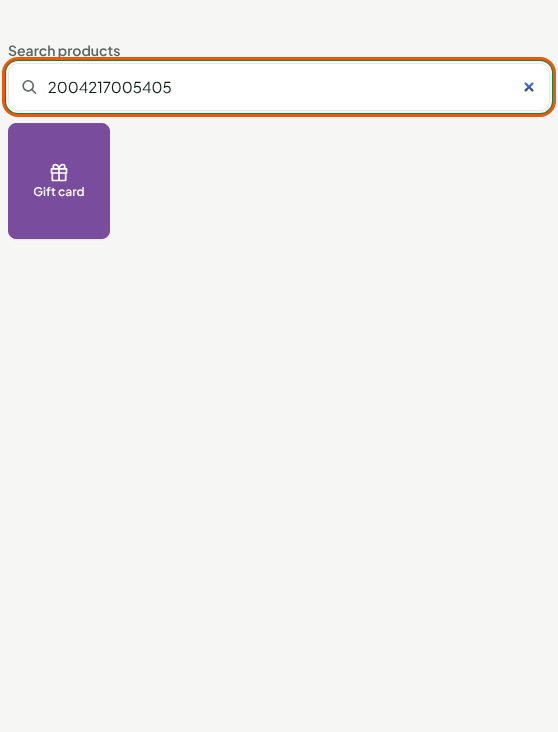
If you typed the code, press Enter.
The cart line shows the item name and the label price. Under it, Weight deduced from price gives the weight: the label price divided by the price per kilogram. Here, $5.40 at $18.00 per kilogram makes 0.300 kg.
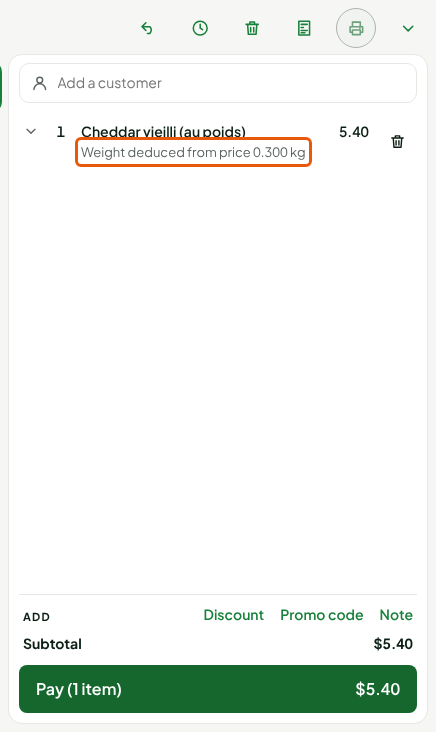
The price printed on the label is final: the register does not recalculate it or replace it with the catalog price, even if that price is lower.
A label can also carry the weight instead of the price, depending on your store's scale rules. The register then works out the price from the label's weight, at the price on the record. The weight shows in the record's unit, kilogram or pound.
What the line does not allow
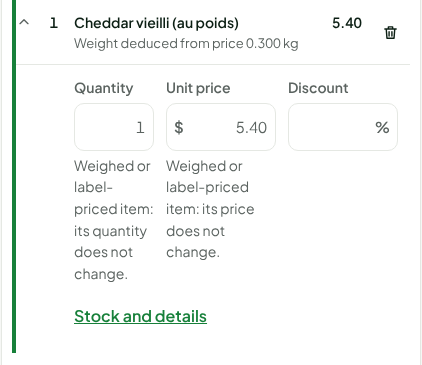
Click the line to expand it. The Quantity and Unit price of a label item do not change: the screen says so under each field. To sell another weight, scan another label.
Discounting a weighed item
An orange label often announces an end-of-life discount. It is not in the printed price: you make it at the register.
Click the item's line to expand it.
In Discount, type the percentage, for example
30, then press Enter.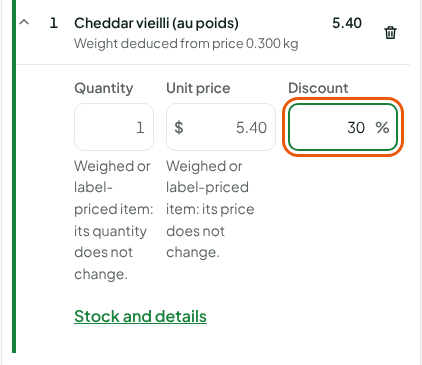
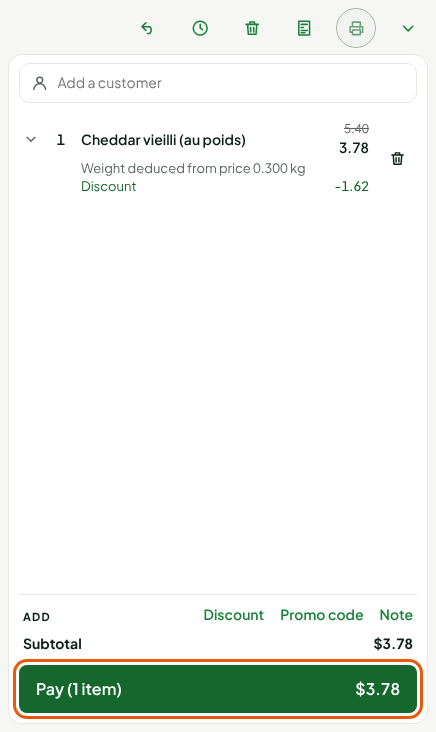
The line shows the label price crossed out, the new price and the amount of the Discount. The weight does not change. Discounts are subject to the same limits as for any other item (guide "Applying a discount to a sale").
Then click Pay to take payment.
Troubleshooting
"Unreadable label or item not found"
The register does not recognize the label: the item is not set to Sold by weight, its scale code is not the one on the label, or it is not sold in this store. Ask a manager to check the product record.