Emptying the cart or abandoning a sale
- For
- Cashier
- Where
- Installed register, Web register
- Permission
- Sell at the register
- Checked on
When a customer gives up their purchases, empty the cart: the items go, the sale is not recorded and the register is ready for the next customer. This guide also says what to do with an unpaid sale that the register finds after it stopped.
Before you start
- Your role must allow selling (permission Sell at the register).
- The cart contains at least one item. Otherwise, the button is greyed out.
Emptying the cart records no sale: nothing was paid, nothing is refunded. To undo a sale that is already paid, use a return or a void: see the guides on returns and on voiding a sale.
Emptying the cart
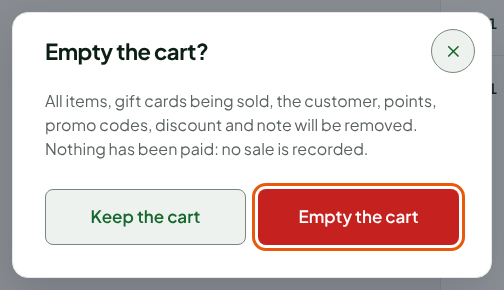
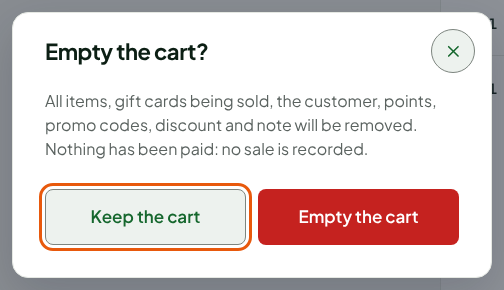
What the confirmation window announces: the items, the gift cards being sold, the customer, the points, the promo codes, the discount and the note are all removed.
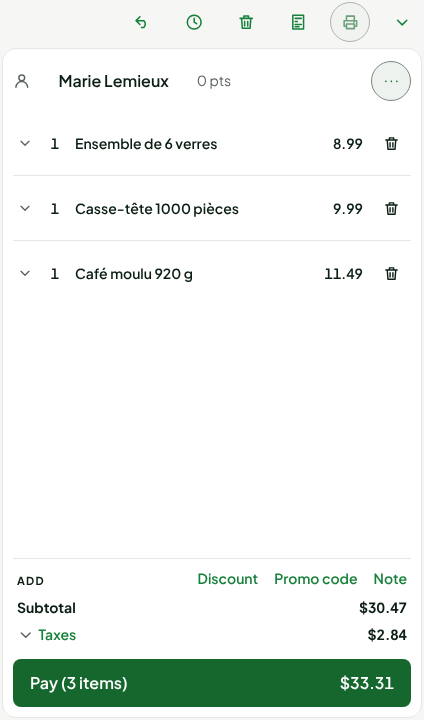
Click Empty the cart, the trash can button in the row of buttons above the cart.

In the Empty the cart? window, click Empty the cart.
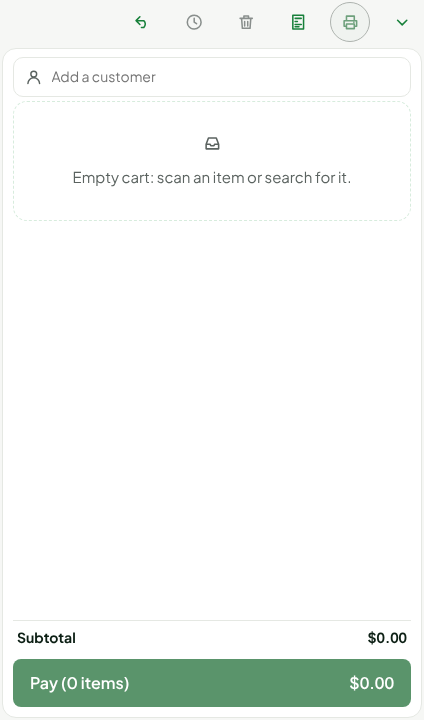
The cart is empty, with no customer, and the cursor goes back to Search products.
The More actions… menu offers the same action.
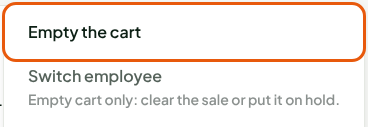
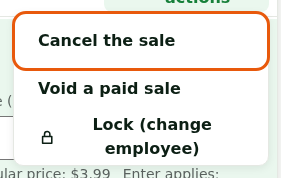
Click More actions, then Cancel the sale.
In the Cancel the sale? window, click Cancel the sale.
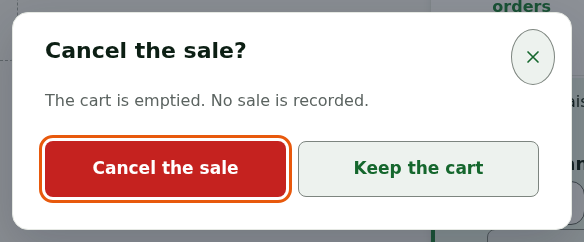
The screen shows Sale cancelled: cart emptied. On the installed register, this button empties the cart; it does not undo a paid sale.
Keeping the cart
To back out of emptying the cart, click Keep the cart in the confirmation window (Keep the cart on the installed register too). The cart stays as it is.
Abandoning an unpaid sale
If the installed register stops before payment, it finds the sale again on restart and opens the Unpaid sale found window, which says how many lines the sale has.
- Click Resume the sale to continue it.
- Or click Abandon the sale to drop it. The screen shows Unpaid sale abandoned (noted on the station).
If the sale is unreadable, only Abandon the sale is offered.
Troubleshooting
A sale needs checking
A payment did not clearly go through. This is not a cart to empty, and the customer must never be made to pay again.
- On the web register, the screen shows "A sale needs checking: settle it before any other sale." and offers Resume the sale and, when nothing was paid, Abandon this sale. If cash has already been received for this cart, the sale cannot be abandoned: resume it to pay the balance, or to give the cash back to the customer.
- On the installed register, the screen shows "Sale to verify: its recording could not be confirmed." Restart the register: the Sales to verify before taking payment list says whether the sale is recorded, then I have checked closes it.
The Empty the cart button is greyed out
The cart is empty, or a sale that needs checking or a return in progress is holding it. Finish that first.