Adding a customer to a sale
- For
- Cashier
- Where
- Web register
- Permission
- Sell at the register, Manage customers
- Checked on
A customer on the sale lets you use their loyalty points, their store credit or their customer account, and create a record for them if they have none. You add them before paying, when the customer comes to the register.
Before you start
- Your role must allow selling (permission Sell at the register) and managing customers (permission Manage customers). Without the second permission, the customer field does not appear.
Adding a customer who already has a record
To attach an existing customer to the sale:
At the top of the cart, click in the Add a customer field.
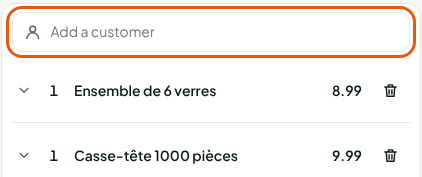
Type the customer's name, phone, email or customer code, at least two characters. The Customers found list opens under the field.
Click the customer's record.
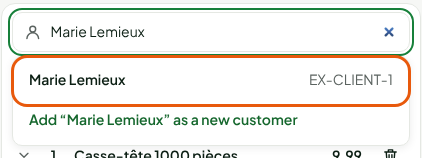
The customer is on the sale: their name shows at the top of the cart, with their number of loyalty points.

Changing or removing the customer
The ⋯ button (Customer actions) opens a menu:
Click the ⋯ button, to the right of the customer's name.
Click Edit customer to correct their details, Use points for a discount in points (offered only if points remain to be used), or Remove customer.
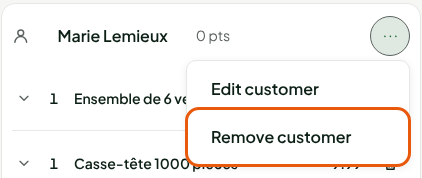
To take another customer, remove the first one first.
Creating a new customer's record
When no record matches what you typed, the list offers to create one.
Type the customer's name in Add a customer.
Click Add “…” as a new customer.
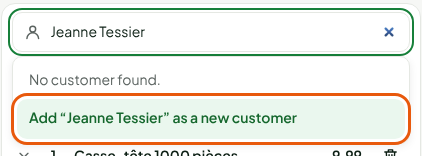
In the New customer window, check the first and last name, then add the customer's phone and email. The Addresses and Additional information tabs complete the record.
Click Create and add.
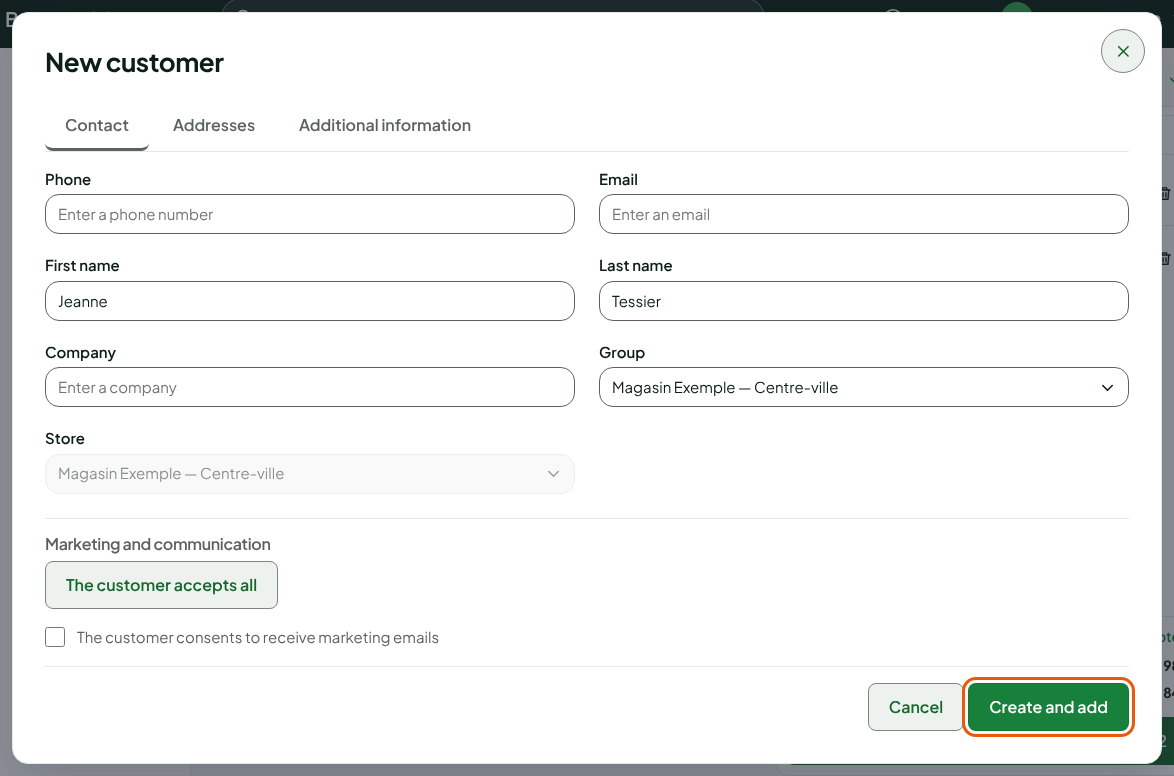
The record is created and the customer is on the sale right away.
When the customer was not added
If the cart has no customer when you pay, the Warning: no customer on the sale window opens. Click Add a customer to go back to the field, or Continue without a customer to pay without an account.
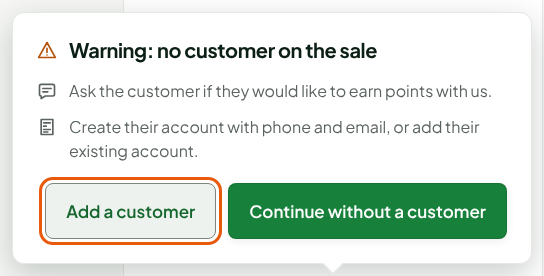
Loyalty, layaway, store credit and the customer account need a customer on the sale. Without a customer, only Cash, Gift card and the store's other payment methods are offered.