Installed register and web register: which one to use
- For
- Cashier, Manager
- Where
- Web register, Installed register
- Permission
- Sell at the register, Process a return and refund
- Checked on
Braavu POS has two registers for one counter. The web register, in the browser, is the everyday register: it only sells online. The installed register, the computer's Register app, guarantees selling without a network. This guide says which to pick, and what changes from one to the other.
Which one to use
- Every day: the web register. Open Sell > Sell in the back office.
- When the Internet or the server is down: the installed register. It sells in cash without a network, keeps each sale on the station and sends it to the server when the network returns.
- To return a sale: the web register, from Sales history. It refunds to the original payment method: in cash, on the gift card that paid, or as store credit.
Both registers work out the same cart, the same taxes and the same total: a sale costs neither more nor less on one register than on the other.
The two registers
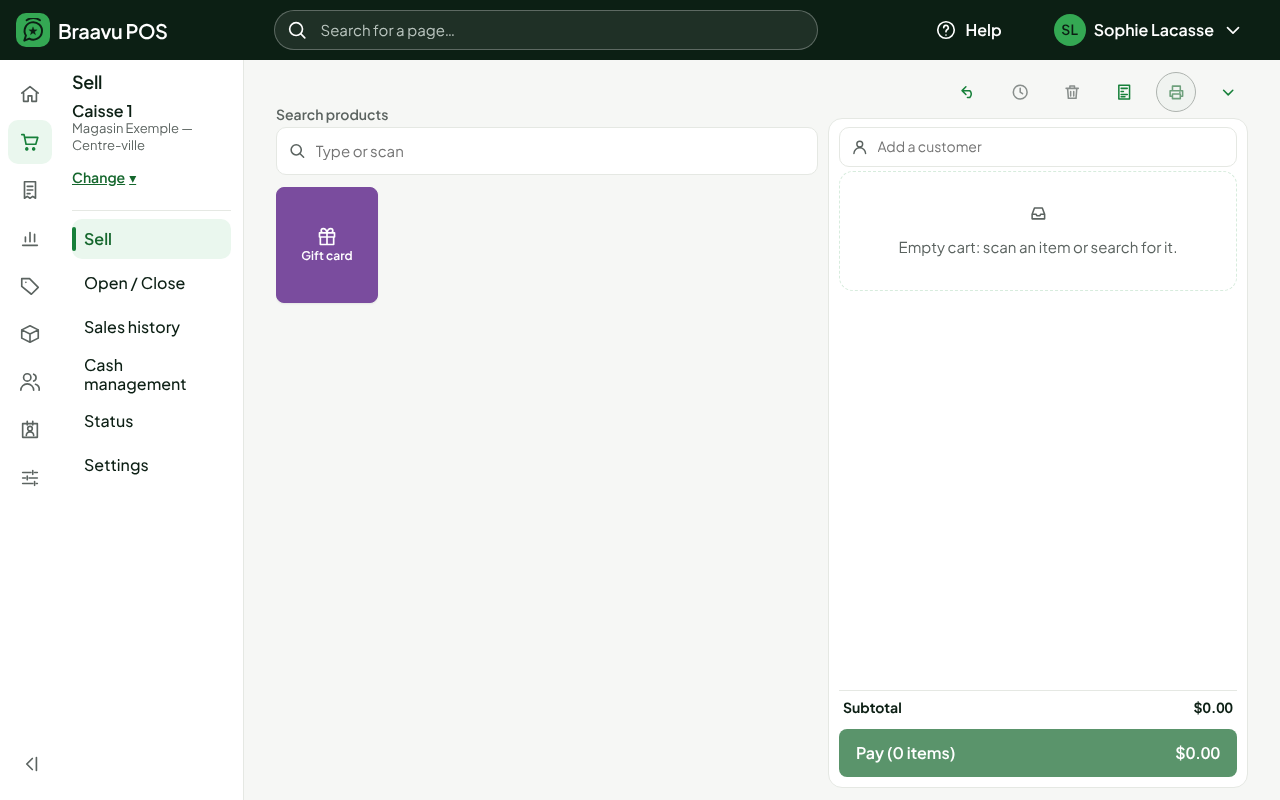
The web register is a page of the back office. The Sell menu is on the left, the cart on the right.
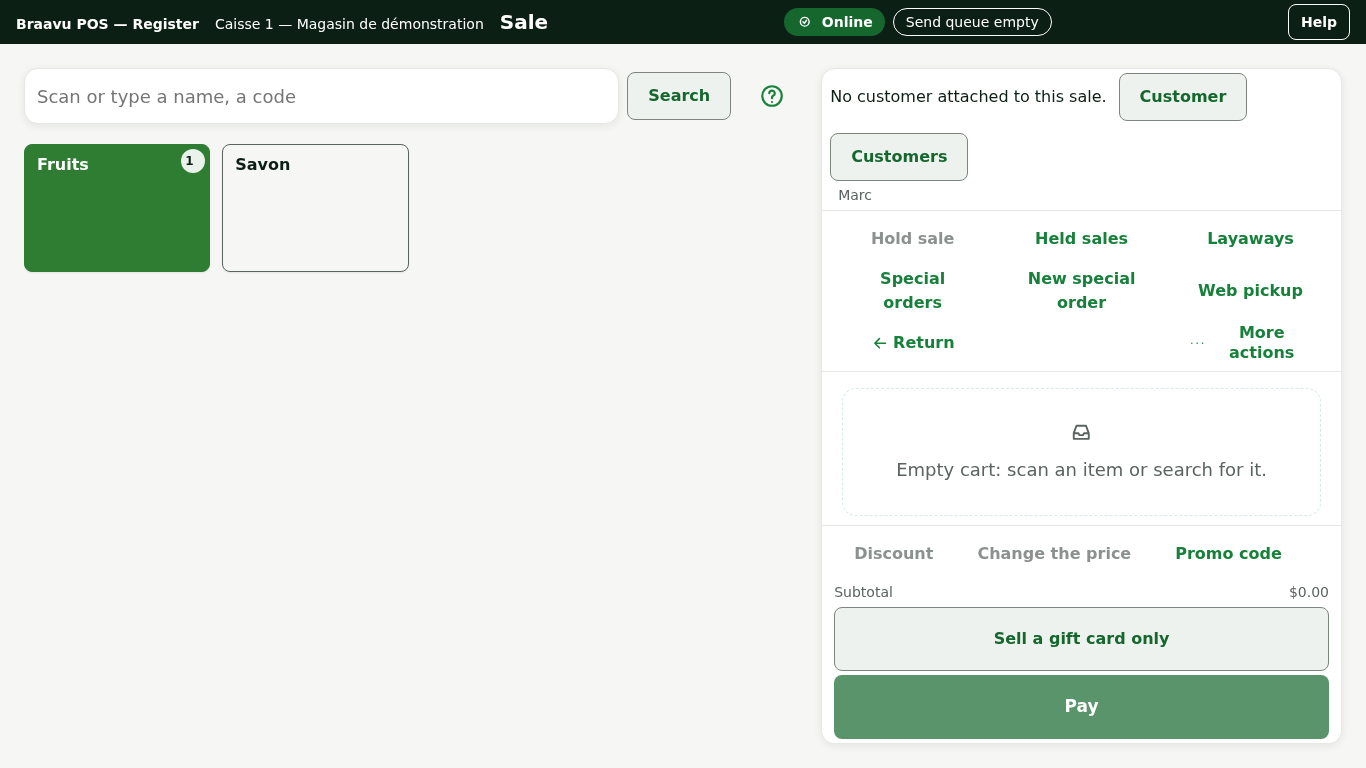
The installed register is a Windows application. Each employee picks their name there and types their PIN; its sale screen has its own buttons.
What changes
| Web register | Installed register | |
|---|---|---|
| Without Internet | Does not sell | Sells in cash |
| Who sells | The person signed in to the back office, under their employee record. More actions… > Switch employee (PIN) when the cart is empty | Each employee picks their name and types their PIN. The session locks after 10 minutes without activity |
| Finding a sale to return | By its receipt number, in Sales history: any sale of the store | Among the recent sales of this station |
| Return of a sale paid with a gift card or store credit, even in part | Refunds to the original method: the card reloaded, the credit given back to the customer, the rest in cash | Same, for a sale made at this station |
| Receipt and drawer | The browser prints, without the drawer, unless the computer's Register app is open on the station | Prints and opens the drawer |
A register is open in only one place at a time: while the register is open in the app, the web register does not sell.
When the network goes down
The web register does nothing without a server. A red banner replaces the sale and leads to the computer's app.

The steps are in Handling an offline register. What the installed register allows without a network is in Selling offline.
Receipts and the drawer
A browser cannot control the cash drawer: the computer's Register app, open on the station, opens it. Without it, the web register's receipt is printed by the browser, without the drawer. The Sell > Status screen says so.

Returning a sale paid with store credit or a gift card
At the web register, the return of a sale paid even in part with a gift card or store credit is refunded to the same method. The Refund screen shows Give back to the store credit of the sale's customer or Reload the gift card that paid for the sale, followed by the amount.
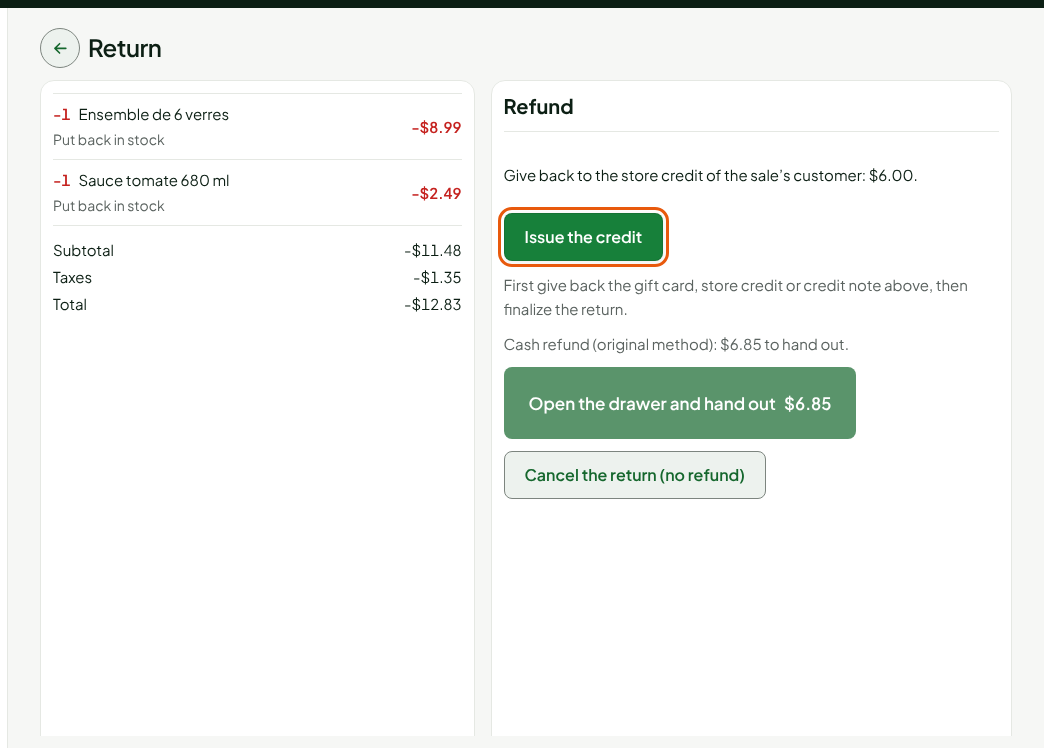
Click Issue the credit or Reload the card, then hand out the rest in cash. This return needs the permission Process a return and refund (Returning items and refunding). Do not refund the customer in cash instead of the credit or the card.
A sale paid by payment card cannot be refunded yet at either register: the payment terminal is not connected yet. The screen says so, and nothing is reserved. Warn a manager before promising a refund.
Going back to the web register
When the Internet returns, the computer's Register app announces it between two sales. Clicking Return to the web register leads to the installed register's closing: count the drawer, close the register, let the sales go.

Troubleshooting
"The register is open in the computer’s Register app."
Close the register in the app, then come back here: a register has only one open session at a time.
"This register is in use on another screen."
The web register is held by another tab or another computer (Making a sale).