Understanding store credit
- For
- Manager, Administrator
- Where
- Back office
- Permission
- Manage customers, View reports, All sales at assigned stores
- Checked on
Store credit is an amount the business owes a customer. The customer spends it later at the register, like a payment method. This guide explains where credit comes from, how it is spent, where to read it, and what the software refuses.
Before you start
- To read a customer's credit on their record, your role needs the Manage customers and View reports permissions. The Store credit balances report needs View reports and All sales at assigned stores.
What store credit is
Store credit follows a few simple rules:
- It belongs to a customer. Credit exists only on a customer record. At the register, a sale with no customer cannot be paid with credit.
- It never changes. Every entry and every spend is added to the account history. The balance is the sum of those movements. No screen edits or deletes a movement: a correction is added.
- It does not expire. The credit stays owed to the customer until it is spent.
- It is shared between registers. The balance is read from the server, so the register does not accept credit offline (see Store credit offline: what is allowed).
A customer who has a credit balance cannot be anonymized. They must first spend the credit or be refunded (guide "Adding, editing, and anonymizing customers").
Where credit comes from
Credit enters a customer's account in three ways:
- A return. When a sale that was paid with credit is returned, the amount goes back to the customer's credit: a refund always follows the original payment method. A return paid with a gift card reloads the same card, never the credit.
- A cancelled layaway. What was paid in credit comes back as credit.
- Importing a former system, once, when the store goes live (guide "Confirming balances migrated from a former system").
Two limits protect the business:
- A customer cannot hold more than $1,000 of credit: an issue that would go over this cap is refused.
- A cashier issues credit alone up to $200 at a time. Above that, a manager's PIN is required. A daily limit also applies to issues without a manager.
Reading a customer's credit
You can read credit in three places: the customer list, the record page, and the report (further down).
In the customer list
The Store credit column of Customers > Customer records shows each customer's balance.
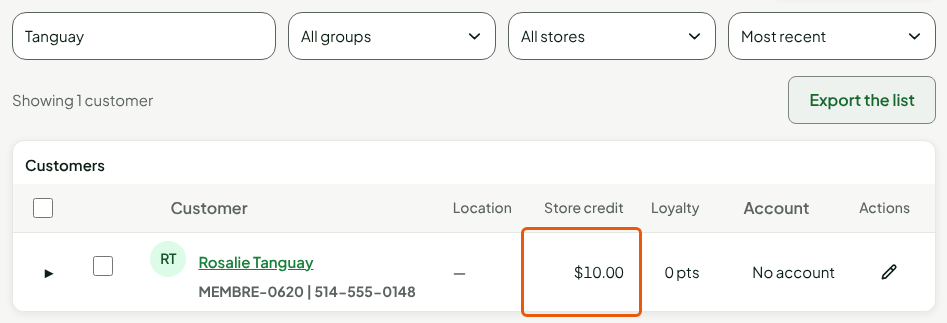
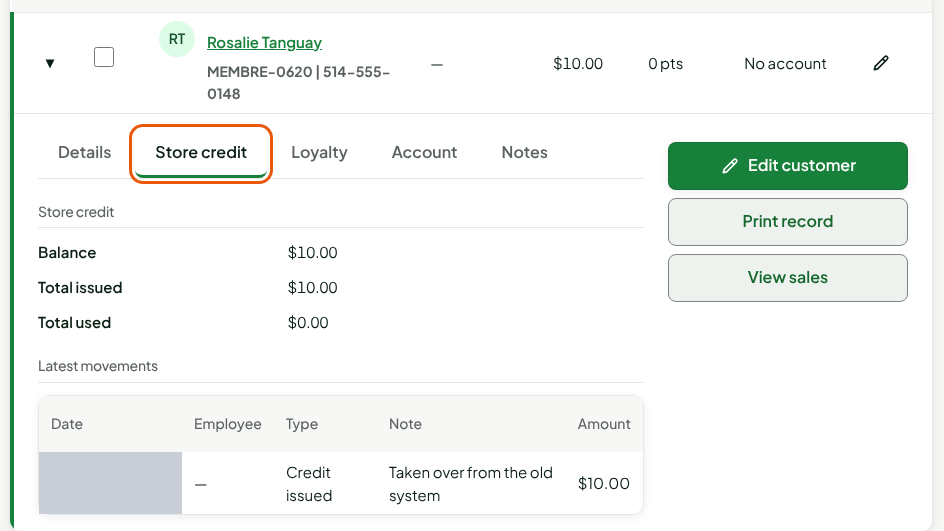
Expand the row with the arrow, then click the Store credit tab: the Balance, Total issued, Total used, and the latest movements.
On the record page
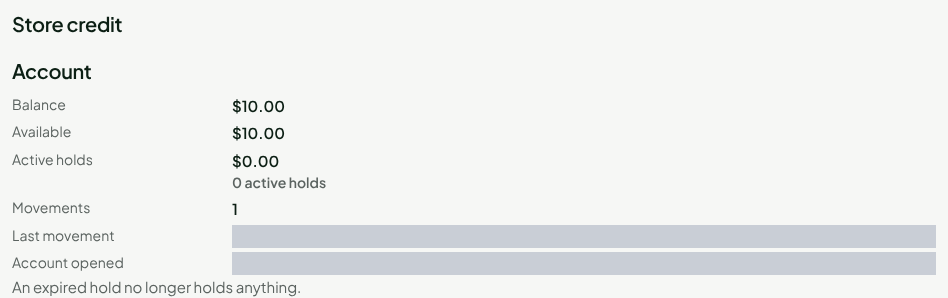
Click the customer's name. The Store credit section gives the Account:
| Line | What it says |
|---|---|
| Balance | The credit that remains: issues minus spends. An active hold is not a spend yet: it is still included in the balance. |
| Available | What the customer can spend now: the balance minus active holds. |
| Active holds | Credit held by a sale that is being paid. |
Understanding the history and the holds
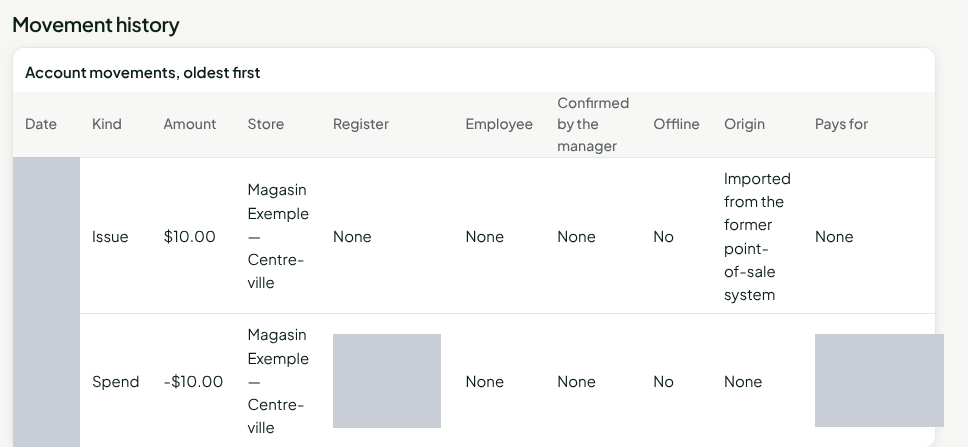
When the customer spends their credit at the register, two things are written: a hold, then the spend.
The hold keeps the amount aside while the sale finishes: nobody else can spend it in the meantime. When the sale is paid, the hold becomes Spent and the Spend movement enters the history.
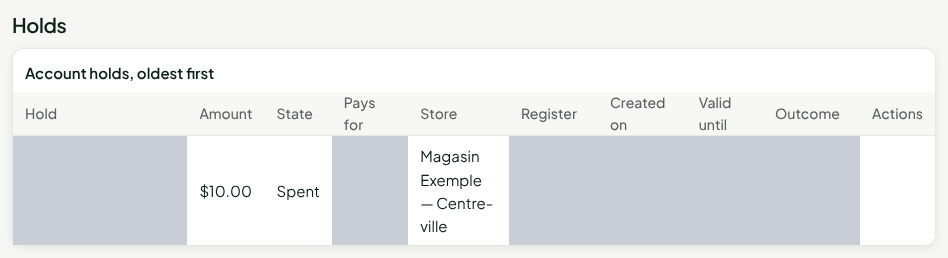
A hold can end in three ways:
| State | What happened |
|---|---|
| Spent | The sale was paid: the credit is spent. |
| Released | The sale was abandoned: the credit is available again. |
| Expired | The register did not finish, for example after a failure. The hold no longer holds anything 15 minutes after it was created. |
Reading the store credit report
Reports > Store credit balances lists the business's accounts, with each one's credit Issued, Used, and Balance. Click View the account of followed by the customer's name to open their account.

Releasing a stuck reservation
A failure can leave a hold active. It releases itself after 15 minutes. A manager can also release it sooner at the installed register, from the customer's record, with their PIN.
In the back office, the Release the reservation button in the Holds section requires the Approve a large store credit permission. The software accepts it only if the register that took the hold is revoked, or if the hold expired more than 24 hours ago. A reason is required.
Releasing a hold gives nothing back to the customer: it only removes what was holding the credit. If a sale was really paid with this credit, call an administrator before releasing anything.
If the register later sends a layaway deposit or settlement paid with this credit, it is recorded anyway: the customer has their receipt. After a release in the back office, the customer's remaining available credit is spent, never more, and any shortfall appears in Settings > Anomalies, among the release anomalies. After an expired hold, the credit is spent if it still covers the whole amount; otherwise nothing is debited, not even the part still available, and the payment shows, on the layaway page, the anomaly "Paid with store credit after its hold expired, without enough credit left: recorded, nothing was debited, to be reviewed".
Troubleshooting
"This customer’s credit ceiling is reached: refund another way."
The return would take the customer over $1,000. Refund the rest by another method.
"Erasure refused: a balance is still owed to this customer"
The customer has credit to spend. They must spend it or be refunded before the record is anonymized.