Managing brands
- For
- Manager
- Where
- Back office
- Permission
- Manage the catalogue
- Checked on
A product's brand helps you find it and group the products of one maker. A list of brands, shared by every store, lives in the catalogue: you add, rename and deactivate brands there, then pick one on each product's sheet.
Before you start
- A brand is never deleted. To stop offering it, you deactivate it: its products keep it.
- The brand is chosen on the product sheet, in the Brand and tags section. It is shared by every variant of a product with variants.
Add a brand
Open Catalog > Brands.
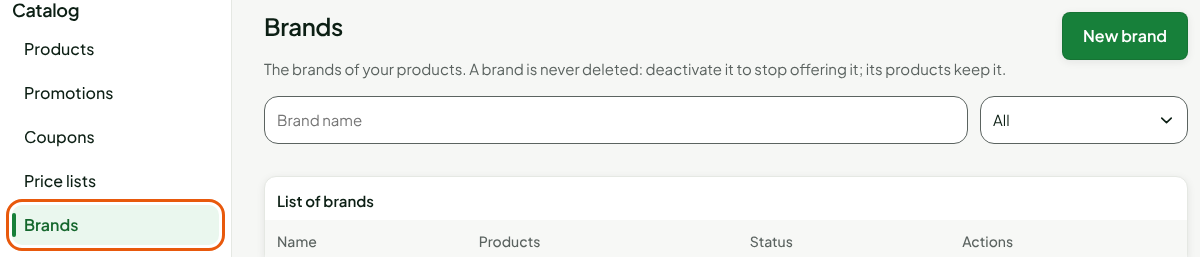
Click New brand.
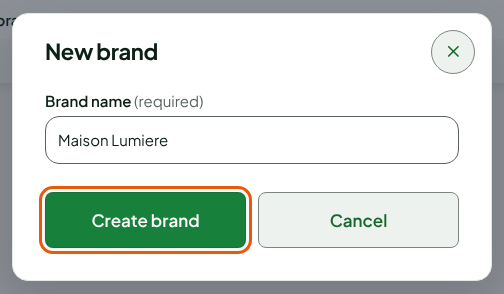
Type the name in Brand name: 1 to 60 characters, for example
Maison Lumière.Click Create brand.
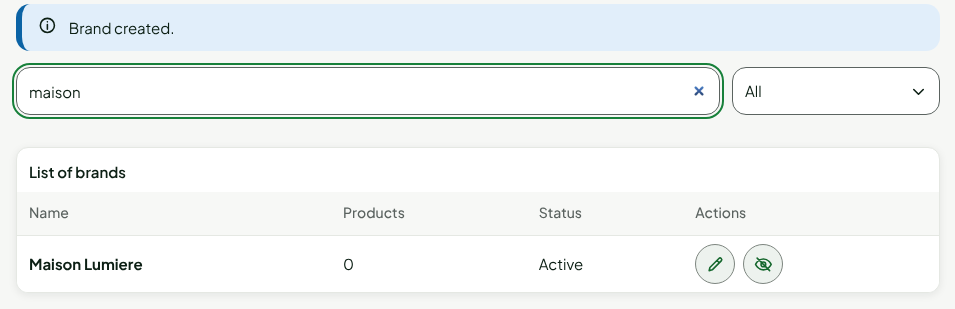
The screen shows "Brand created." and the brand joins the list, active and with no product. To find it again, type part of its name in the search.
Two brands cannot share a name: case does not matter (maison lumière and Maison Lumière are the same brand). Accents do.
Rename a brand
A rename changes the name everywhere and leaves the products alone: they keep the brand.
Look for the brand in Catalog > Brands.
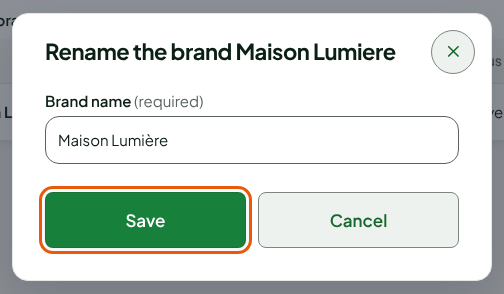
Click the pencil on its line.
Correct the name in Brand name.
Click Save.
The screen shows "Brand saved."
Choose a product's brand
Open the product's sheet, in Catalog > Products.
In the Brand and tags section, choose the brand in the Brand list. Manage brands leads to the brand list.

Click Save, in the bar at the top of the sheet.
The brand's Products count then includes this product. In the product list, the Brand filter and the Brand column find a brand's products.
Deactivate a brand
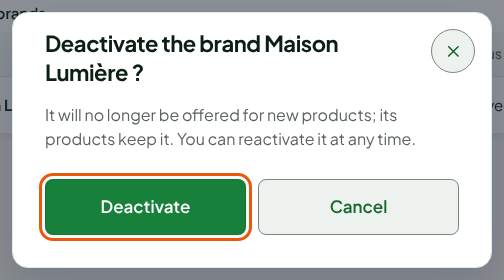
A deactivated brand is no longer offered for new products. Its products keep it, and you can reactivate it at any time.
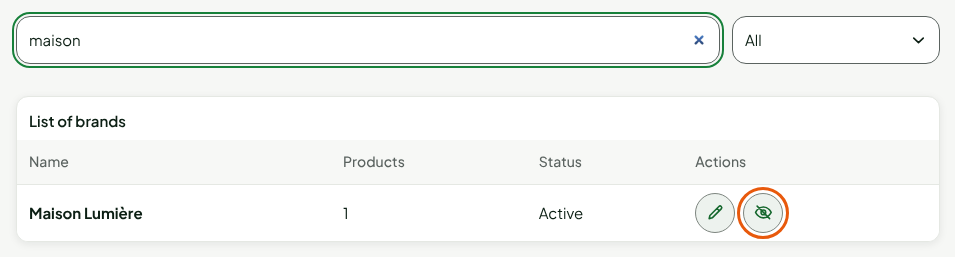
Look for the brand in Catalog > Brands.
Click the crossed-out eye on its line.
Click Deactivate.
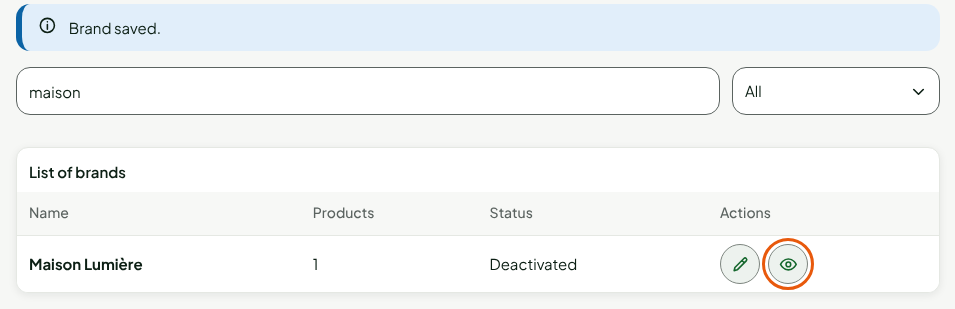
The line moves to the Deactivated status, and the eye opens: a click on it reactivates the brand, with no confirmation. The Status filter limits the list to active or deactivated brands.
Troubleshooting
"A brand already has this name (case does not matter)."
An active or deactivated brand already has this name. Look for it in the list, with Status on All: reactivate it rather than creating a second one.
"Invalid name"
The name is 1 to 60 characters, with no space at the start or the end.
"Changed elsewhere since you loaded it"
Someone changed the brand while you were looking at it. Nothing was saved: click Reload, then make your change again.