Handling a paid sale whose receipt does not print
- For
- Cashier, Manager
- Where
- Installed register
- Permission
- Sell at the register, Open the drawer without a sale
- Checked on
The sale is paid and recorded, even if its receipt does not come out: a printer failure touches neither the money nor the sale. The receipt prints once the printer is fixed, and for a sale paid in cash the drawer then opens with it. The customer is never asked to pay again.
What you see
After Take payment, the register announces the paid sale, then a red banner in the receipt panel says why the receipt did not come out, for example Printer missing, offline, out of paper or cover open. It also says: The sale is paid, nothing to pay again.
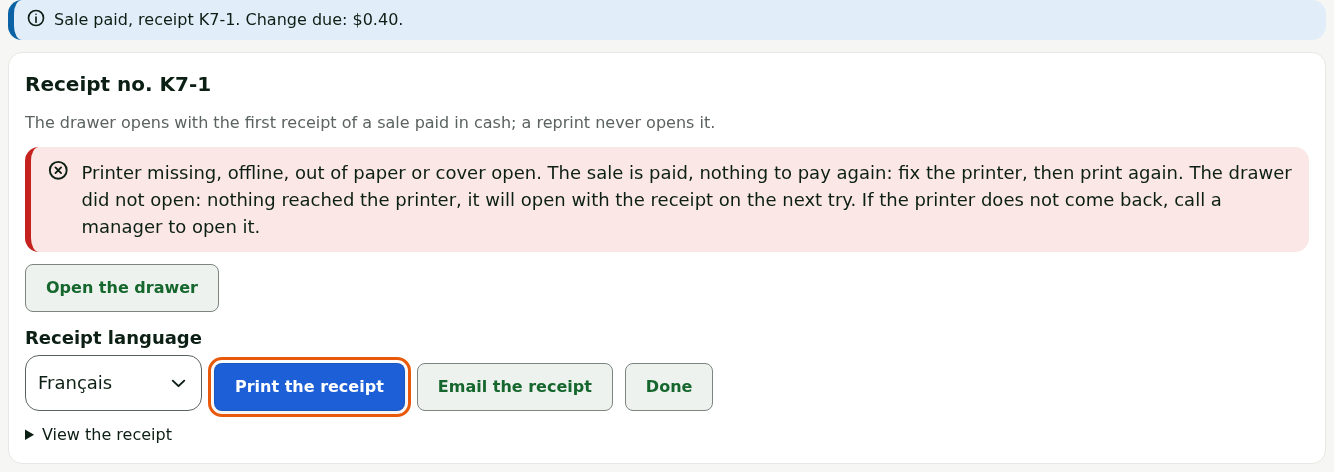
The other possible messages:
Printer not found on this station.: the station cannot find its receipt printer in Windows.

Windows refused the print job.: Windows refused the print job.

For a sale paid in cash, the banner adds that the drawer did not open: nothing reached the printer, so it will open with the receipt on the next try.
What to do
Fixing the printer, then printing again
- Check the printer: on, plugged in, paper loaded, cover closed.
- Click Print the receipt, in the receipt panel.
The receipt comes out. For a sale paid in cash, the drawer opens with it: as long as nothing has reached the printer, this receipt is still the first one of the sale.
If the printer is still down, the message comes back and the sale stays paid. If the customer is waiting for change, have a manager open the drawer (next section). Click Done to serve the next customer: a manager can reprint the receipt later from the Manager menu (section Reprint), without opening the drawer.
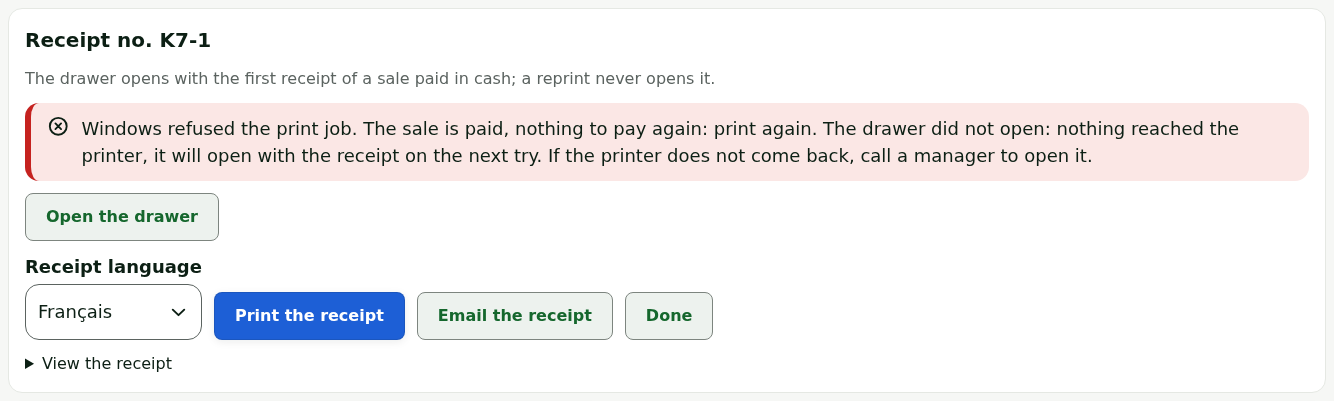
Once a receipt of the sale has come out, or may have, the button becomes Reprint (receipt only): a reprint never opens the drawer. After the message Uncertain print, see “Drawer may be open”.
Having a manager open the drawer
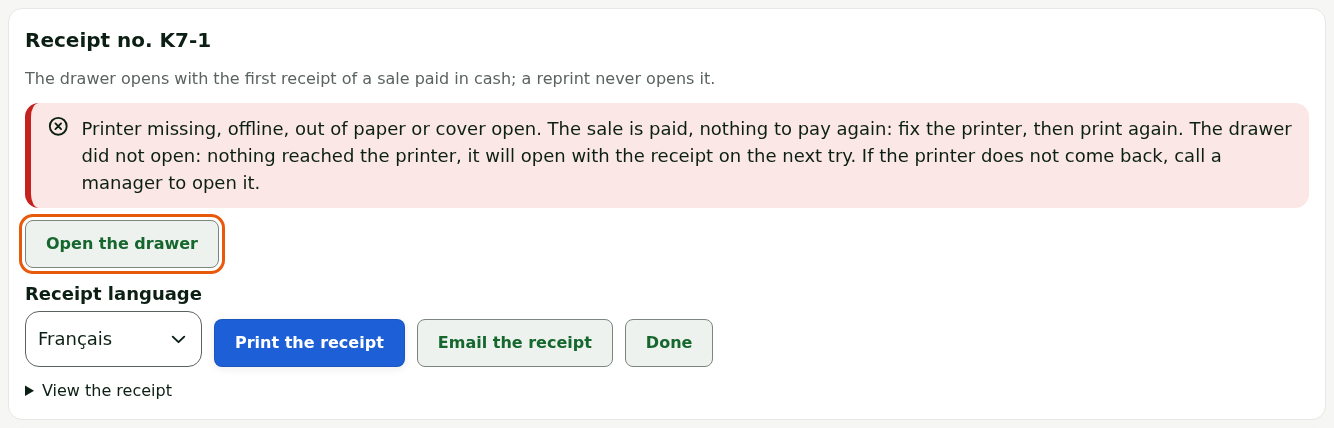
If the customer is waiting for change, the drawer stayed closed and the printer cannot be fixed right away:
Click Open the drawer, in the receipt panel.
Have the manager choose their name in Who authorizes the opening, and type their PIN in PIN of the person authorizing.
Choose Printer missing in Reason.
Click Open the drawer.
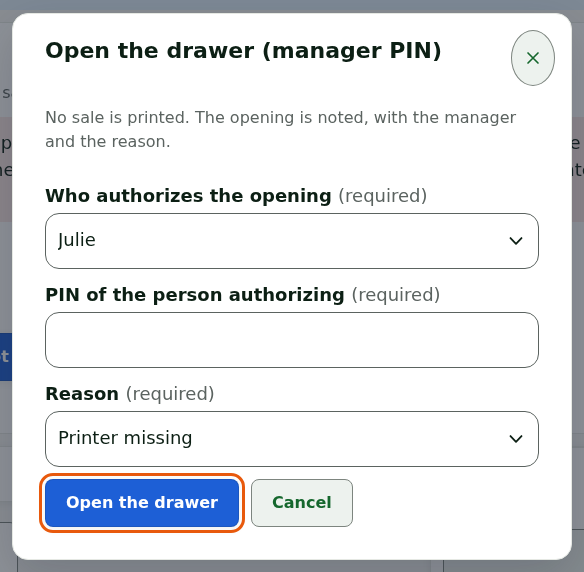
The drawer opens. No sale is printed; the opening is recorded with the manager's name and the reason.
Only a manager who may open the drawer without a sale, and has a PIN on this station, appears in the list. The drawer opens through the printer: if the printer is unplugged or off, the drawer does not open either.
What not to do
- Never make the customer pay again: the sale is paid as soon as the register shows its receipt number.
- Do not ring up the sale a second time "to get a receipt": reprint.
- Do not force the drawer: have a manager open it.
When to call an administrator
- Printer not found on this station. comes back after you checked the connection: the printer may be badly installed in Windows.
- The station’s printer configuration was refused: call a supervisor. appears.