Voiding a gift card sale
- For
- Cashier, Manager
- Where
- Web register, Back office
- Permission
- Void a sale
- Checked on
A gift card sold by mistake is voided together with the sale that sold it, as long as nobody has used it. The void deletes nothing: it is added to the sale, and the card keeps its history.
Before you start
- The sale must belong to the open register session: a sale from a closed session can't be voided any more, it is corrected with a return.
- Your role must allow you to void a sale. Otherwise, the register asks for a manager's approval, with their PIN.
- The card must never have been used: see "When the card has already been used", below.
A void is a separate fact, linked to the original sale. The sale and its void both stay visible: nothing is erased.
Void the sale of a card
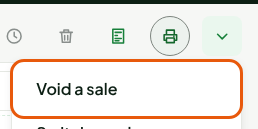
Click More actions…, above the cart, then Void a sale.
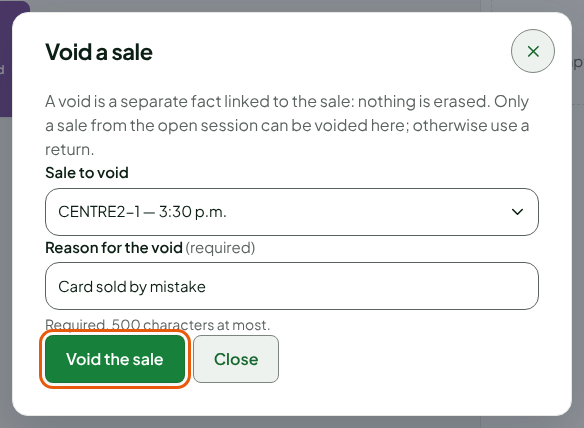
Choose the card's sale in Sale to void. The list shows each sale of the session with its receipt number and time.
Type the reason in Reason for the void, for example
Card sold by mistake. The reason is required.Click Void the sale.
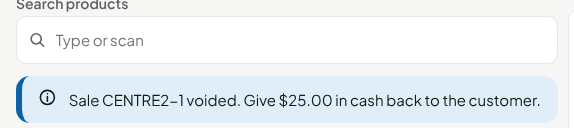
The register confirms: "Sale CENTRE2-1 voided. Give $25.00 in cash back to the customer." Your sale's number replaces CENTRE2-1, and the amount is what the customer paid in cash for the card.
Check the card in the back office
The card can't be used any more: the server removes all of its value. To see it:
Open Catalog > Gift cards, then click the Gift card detail link on its row.
Read Status and Balance.
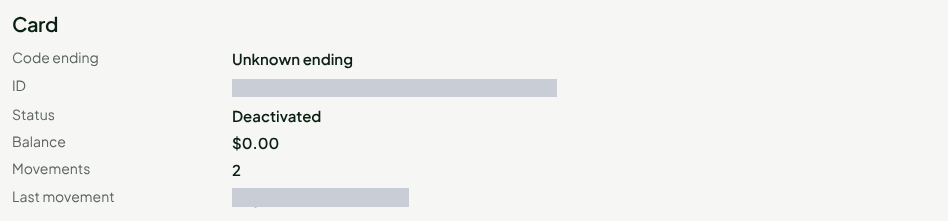
Read Movement history: the sale's Activation, then the Deactivation (sale voided).
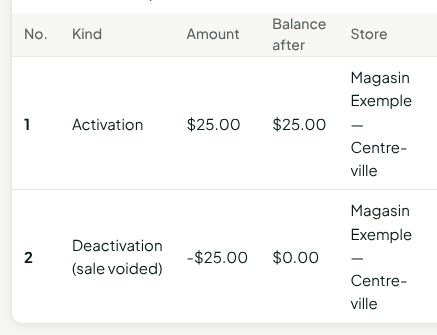
A card that has been sold shows Unknown ending until its code has been read at the register (balance reading or payment). The card is then found through its sale. See Checking a gift card's balance and history.
When the card has already been used
If the card has already paid a sale, even in part, the register refuses to void the sale that sold it. The message appears in the Void a sale window, which stays open:
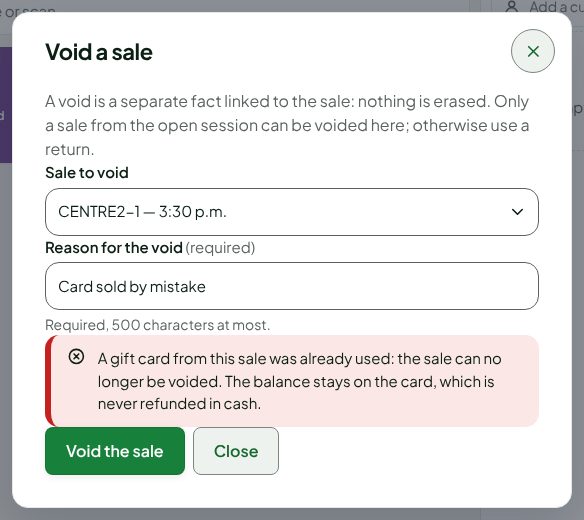
The sale and the card stay as they are: a balance never goes negative. The balance stays on the card. A gift card is never refunded in cash, neither its balance nor its sale.
Troubleshooting
"The server refused the void: nothing was recorded."
The sale can't be voided any more, most often because it has already been returned or a return is in progress. Check the sale before trying again.
A sale paid with a gift card
It can't be voided either: it is corrected with a return, refunded to the same card.