Payments
- For
- Manager
- Where
- Back office
- Permission
- View reports
- Checked on
The "Payments" report gives, for each payment method, what was collected and refunded over a period, day by day, week by week or month by month. Use it to match sales with what customers paid: cash, card and other methods.
Before you start
Your role needs the View reports permission. Without All sales at assigned stores, the report only counts the payments of your own sales.
Showing the report
To see the payments of a period:
Open Reports > Payments.
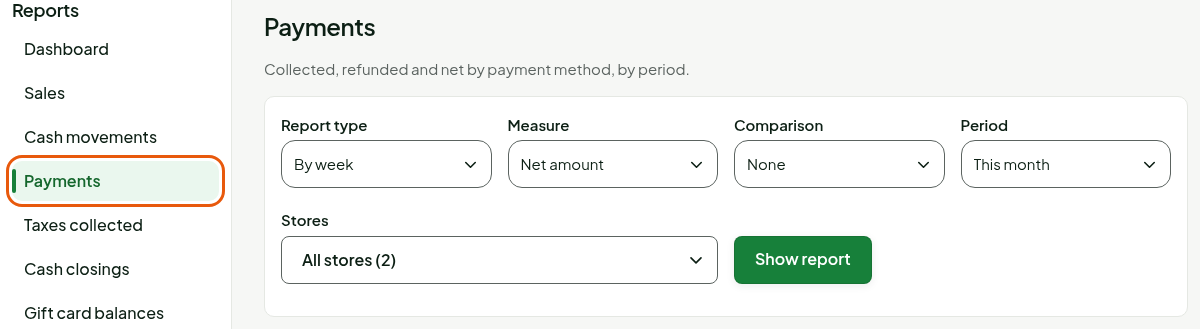
In Report type, choose By day, By week or By month.
Under Period, choose the period, then under Stores, the stores (guide "Choosing the period and the stores of a report").
Click Show report.
The report opens on This month, by week, in Net amount. The table has one row per payment method, one column per period, then a Total column. The methods are ranked from the largest to the smallest net amount, then comes the Cash rounding row and the Totals row.
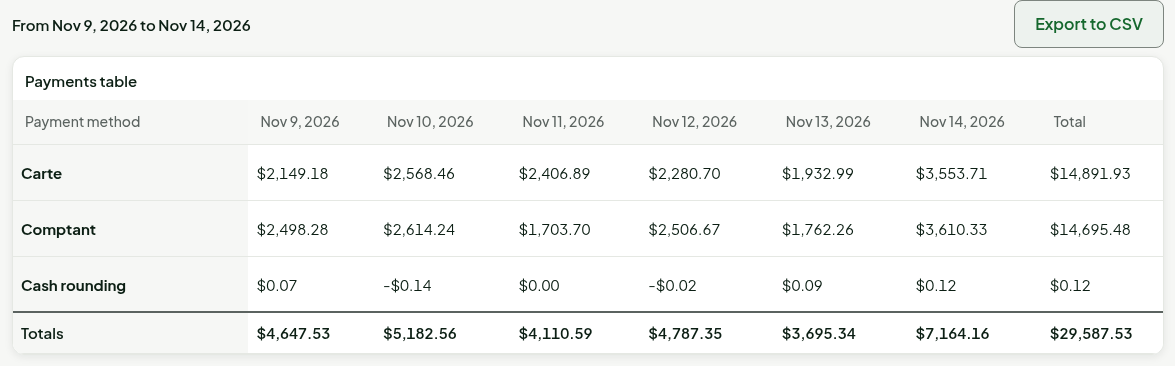
Choosing the measure
The Measure field changes what the table counts:
In Measure, choose Net amount, Collected, Refunded or Number of payments.
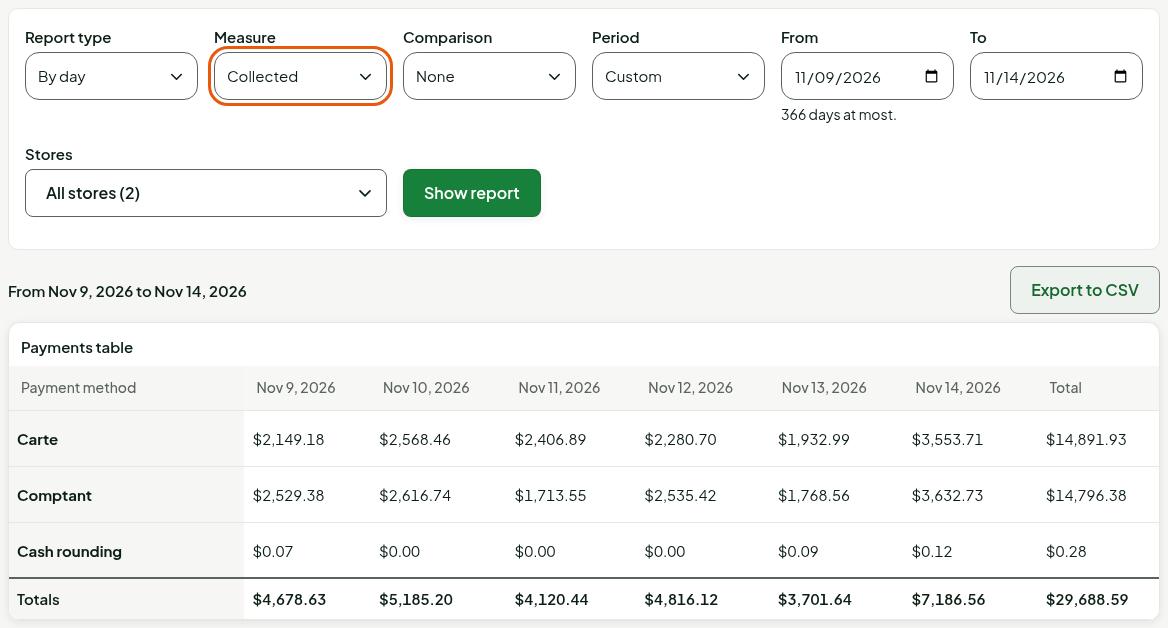
Collected is what customers paid.
Choose Refunded.
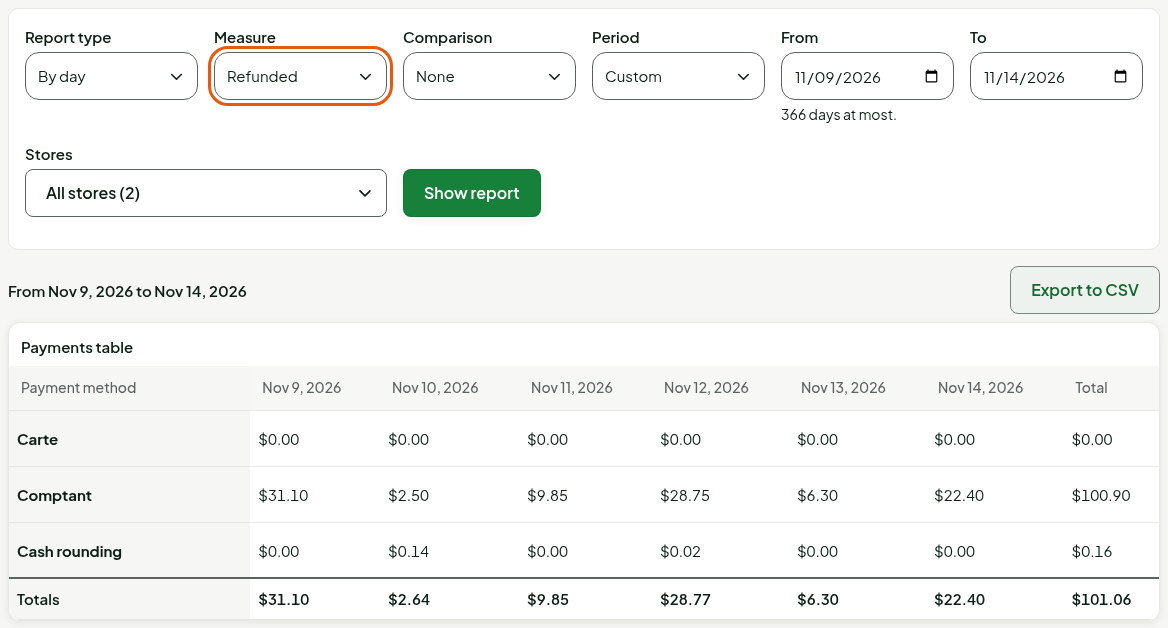
Refunded is what was given back to them for returns.
Choose Number of payments.
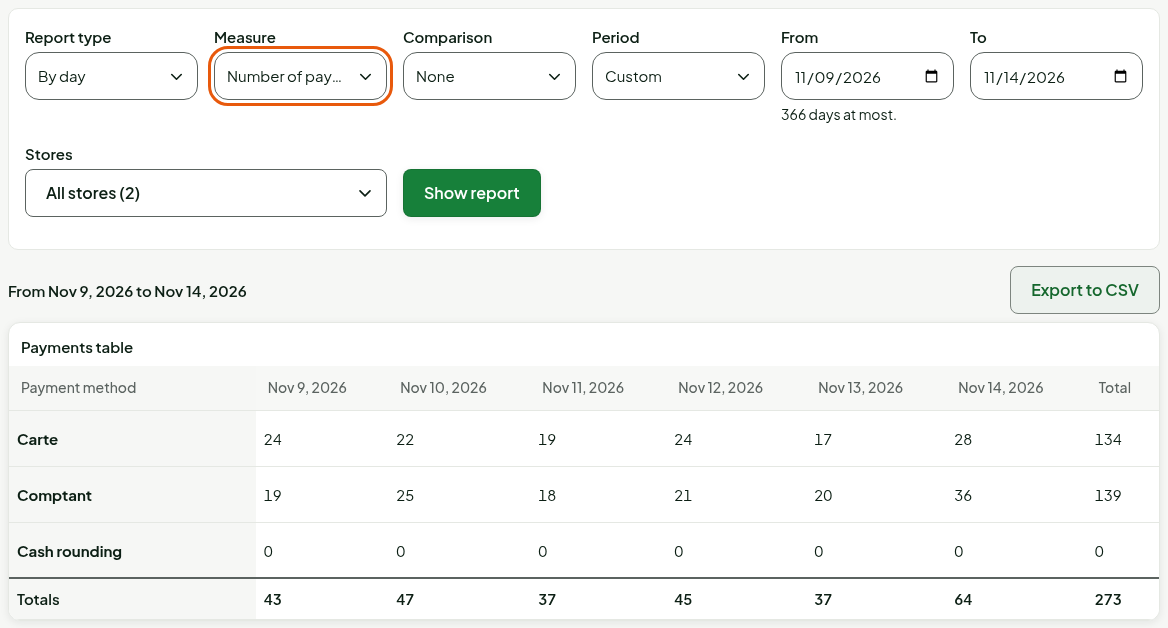
The Net amount is the collected amount minus the refunded amount. The table follows the choice of measure right away, without another click on Show report.
Reading the cash rounding
Cash payments are rounded at the register. The Cash rounding row counts that rounding, signed, day by day: rounding up adds to Collected, rounding down adds to Refunded, and the Net amount is their difference. It is included in the totals.
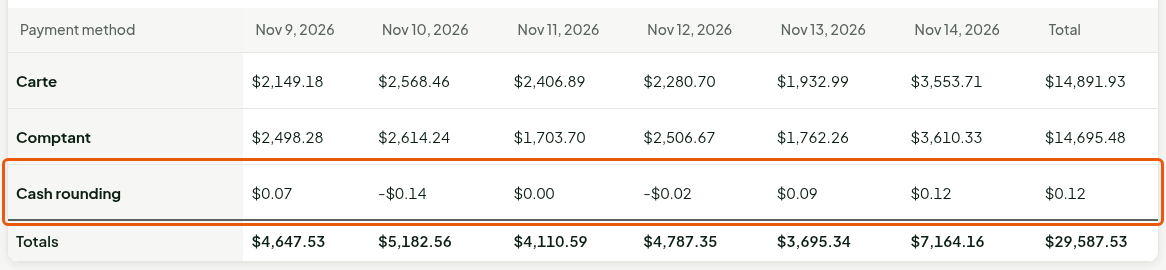
The rounding of a return is already part of its refund: the row does not count it.
Comparing with the previous period
In Comparison, choose Previous period.
Click Show report.
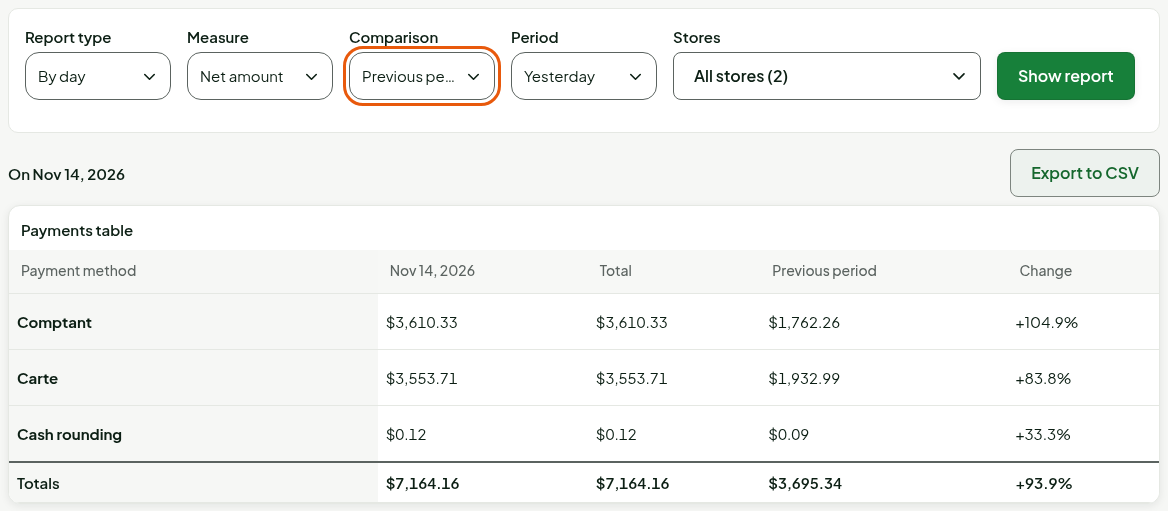
The previous period has the same length and ends the day before the start. Two columns are added: the measure for that period and the Change, as a percentage. Number of payments has no change.
Understanding the columns
| Row or column | What it shows |
|---|---|
| Payment method | A payment method used in the period, under the name the store gave it (Carte and Comptant in these screenshots). |
| One column per day, week or month | The chosen measure for that period. A week runs from Monday to Sunday. |
| Total | The sum of the periods. |
| Cash rounding | The rounding of the cash payments of the period's sales. |
| Totals | The sum of the rows, rounding included. |
A payment counts on the day of its sale and a refund on the day the return is received. Amounts include taxes.
The Payments report dates each payment on the day of its sale. The By cash session view of the Taxes collected report dates the sale on the day of its session: the two net amounts differ when those days differ.
Troubleshooting
"No payment in this period."
No payment was made in the period, or in the stores you chose. Click Change the criteria and widen the period.