Cash in and cash out
- For
- Cashier, Manager
- Where
- Installed register, Web register
- Permission
- Sell at the register, Cash in or cash out
- Checked on
A cash in or a cash out moves money in or out of the drawer without a sale: change received from the bank, a deposit to the safe, an expense reimbursement. Each movement is recorded in the session journal with its reason, and the closing takes it into account.
Before you start
- The register must be open (Opening a register): without an open session, no movement is possible.
- A cash in needs the permission to sell. A cash out needs the permission Cash in or cash out. On the web register, without it, a manager of the store approves each cash out with their PIN (Getting a manager's approval). On the installed register, the whole Cash movements screen needs this permission.
- Have the reason ready: it is required (255 characters at most) and it stays in the journal.
A cash movement is not edited and not erased. A mistake is corrected by an opposite movement: a cash in recorded by mistake is corrected by a cash out of the same amount, with a reason that says so.
Record a movement
To record a movement on the installed register:
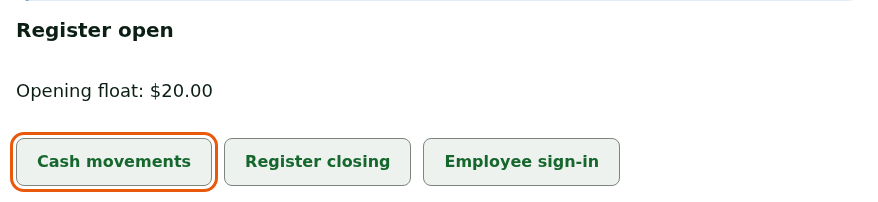
Tap Register: opening, movements, closing, then Cash movements.
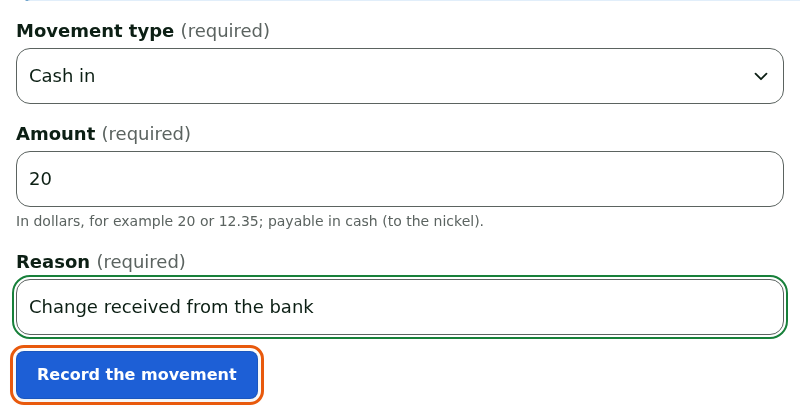
Choose Cash in or Cash out in Movement type.
Type the Amount, in dollars, for example
20or12.35. It must be payable in cash, to the nickel.Type the Reason.
Tap Record the movement.
A message confirms: Movement recorded in the cash journal.

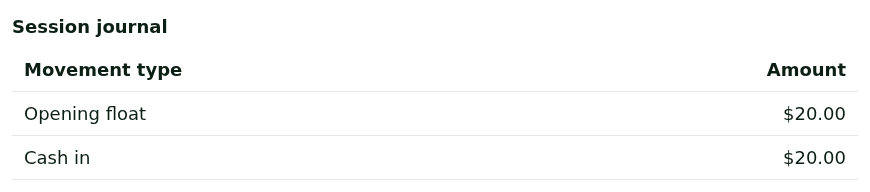
The Session journal shows the opening float, then each movement, from the oldest to the most recent.
A cash out above the store threshold requires a manager's PIN: the Manager approval section appears, the manager picks their name in Manager, types their PIN and taps Approve.
The screen also shows a notice about opening the drawer without a sale: it is not done from here (Opening the cash drawer without a sale).
To record a movement on the web register:
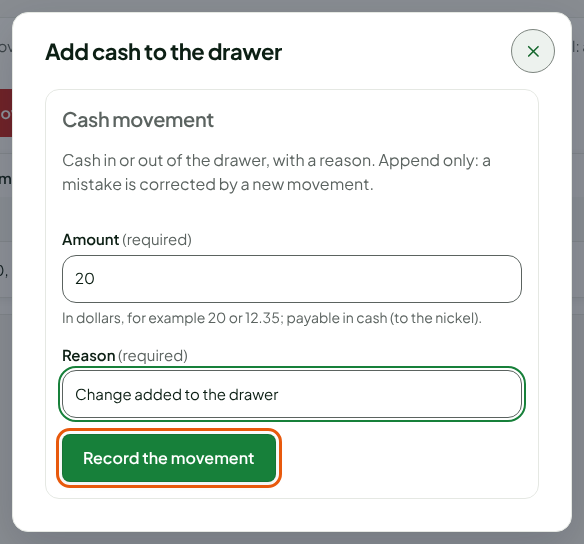
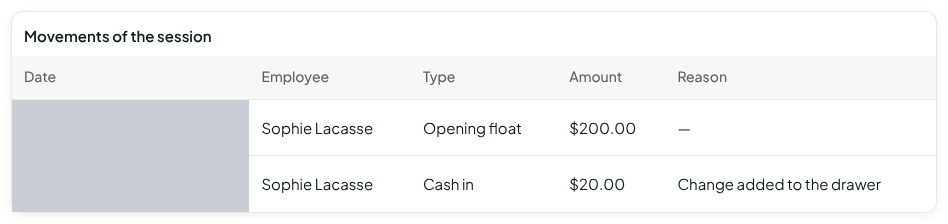
Open Sell > Cash management. The screen shows Remove cash, Add cash and the Movements of the session, which start with the opening float.
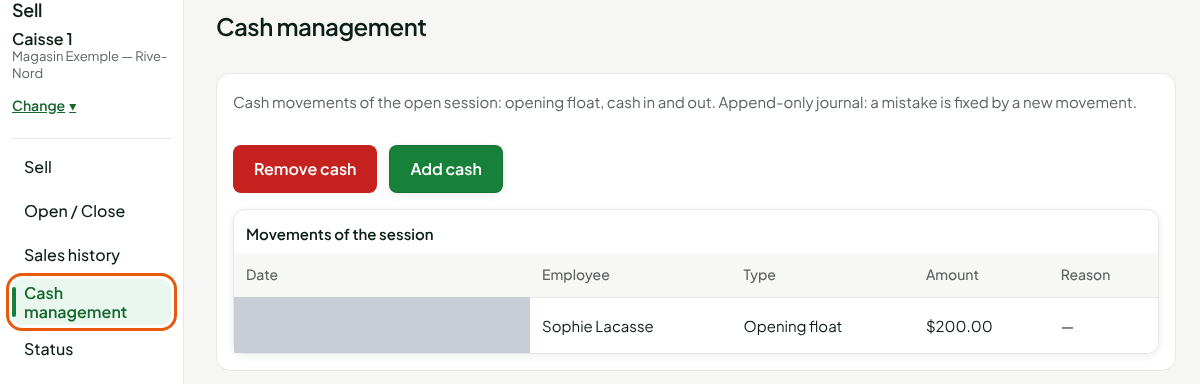
Click Add cash (a cash in) or Remove cash (a cash out).
Type the Amount and the Reason, then click Record the movement.
The window closes and the journal shows one more line: the date, the employee, the type, the amount and the reason.
When the amount is unusual, the register asks: Unusual amount: cash in of followed by the amount, then Do you confirm this amount? Click Confirm, or Correct to type the amount again.
Correct a movement recorded by mistake
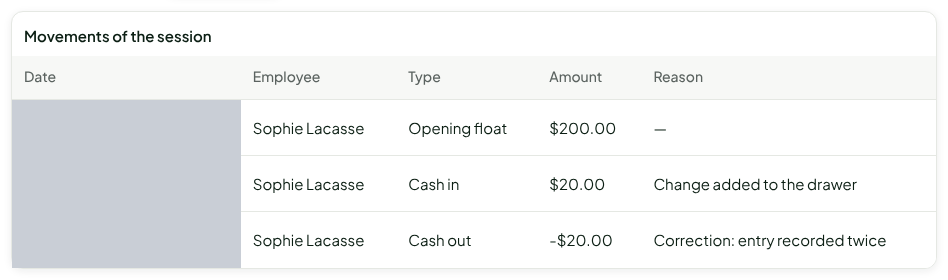
To correct the $20 cash in recorded twice, record the $20 cash out that cancels it:
Click Remove cash (on the installed register, choose Cash out).
Type the same Amount and a Reason that says why, for example "Correction: entry recorded twice".
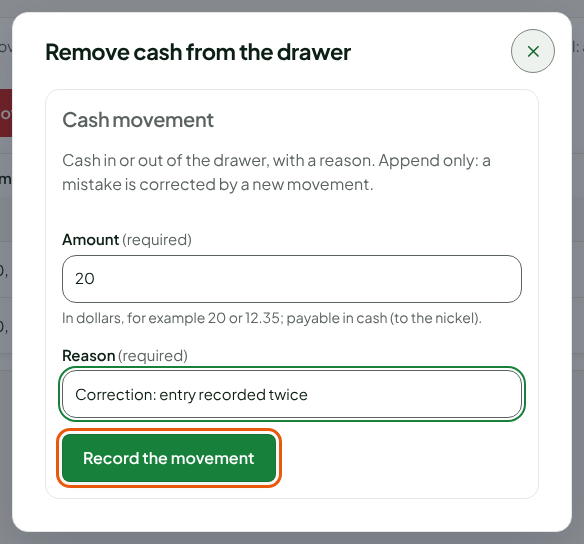
Click Record the movement.
The journal keeps both lines: the cash in and the cash out. Nothing is erased, and the expected amount at closing is right.
Find the movements
The Cash movements report totals the movements, by type, over a period. Each movement carries the employee and the reason entered here.
Troubleshooting
The buttons are greyed out
The store's Cash payment method is no longer active, or the register is suspended because a backup session was received: the screen says "Close the register in Open / Close first, then open it again to sell or move cash". Close the register, then open it.
"Amount refused: positive, payable in cash (to the nickel)"
The amount must be positive and payable in cash: a multiple of 5 cents, with two decimals at most.