Printing a coupon at the end of the receipt
- For
- Cashier, Manager
- Where
- Installed register, Web register
- Permission
- Sell at the register
- Checked on
When a sale meets the conditions of a coupon campaign, the register prints a coupon at the end of the receipt: the customer uses it on a later purchase. There is nothing to set up at the register. This guide explains when the coupon comes out, how to see it and what to tell the customer.
Before you start
A campaign must be running under Catalog > Coupons: see Creating a coupon campaign. A new campaign reaches the registers at their next sync.

On an installed register, the station time must be verified.
In the example in this guide, the campaign gives a $10 coupon for $50 or more of purchases.
A sale gives at most one coupon, even if it meets the conditions of several campaigns: the campaign with the highest priority wins.
Give a coupon with a sale
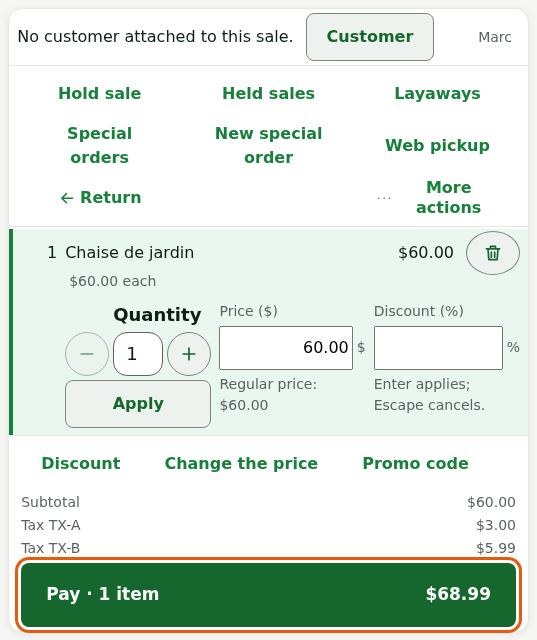
The coupon comes out without any extra step: make the sale as usual (Making a sale). The total of the counted items must reach the campaign's Minimum purchase to receive a coupon.
Add items to the cart until you reach the campaign minimum.
Tap Pay, then take the payment.
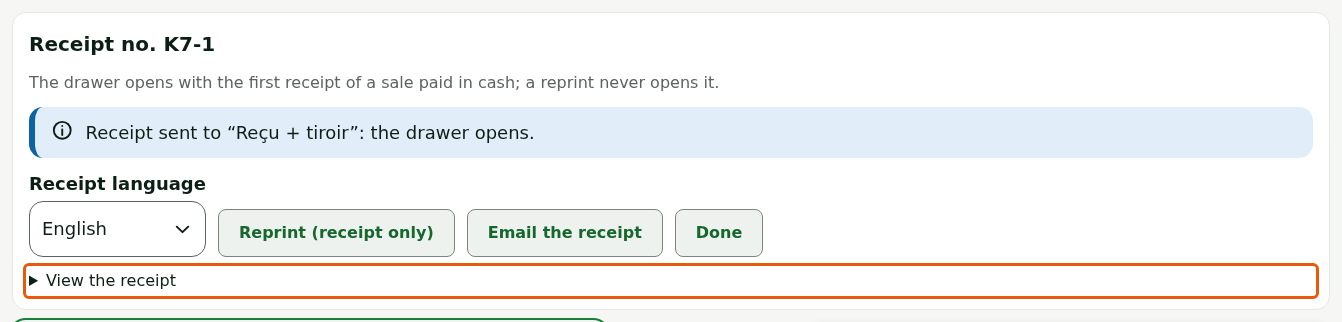
Read the receipt on screen: tap View the receipt, under Receipt no. K7-1 (the number of your sale).
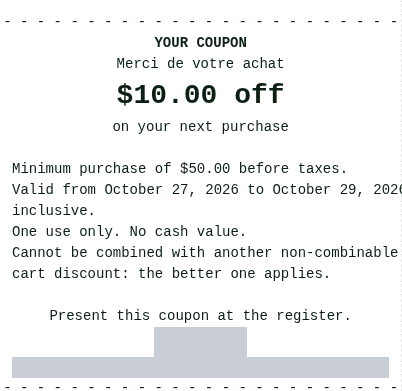
The coupon is a block at the end of the receipt: its YOUR COUPON title, its name, its value, its minimum purchase, its dates, then its barcode and code.
Click Pay and take the payment.
Read the notice at the top of the confirmation screen: “Coupon printed at the end of the receipt: $10.00 off on a next purchase, valid from … to …. Hand it to the customer with the receipt.”

Click Finish and print.
Hand the customer the paper receipt with the coupon. The coupon is also included in the emailed receipt.
The coupon only comes out with the receipt. With No receipt (installed register) or Finish without receipt (web register), the customer gets no paper coupon: offer the emailed receipt, which carries it too.
Tell the customer how to use it
The coupon says everything the customer needs to know. Remind them of these rules:
- It is valid from the first to the last printed day. With From the next day, it is not valid on the day itself.
- It can be used once and has no cash value. The discount requires the printed Minimum purchase to use the coupon.
- It belongs to the bearer, so anyone can present it, or it is tied to the customer of the original sale: only that customer can use it.
- It can only be used online. When offline, the register refuses it and the sale goes on at the regular price.
To accept it, see the guide “Using a coupon at the register”.
If the sale that gave the coupon is fully returned or voided before the coupon is used, the coupon is cancelled. A coupon that was already used is not taken back, and a partial return changes nothing.
Troubleshooting
No coupon on the receipt
The sale does not meet all the conditions. Check, in the campaign:
- the total of the counted items reaches the Minimum purchase to receive a coupon (before or after taxes, depending on Amount measured);
- the campaign is running in this store, under Issuing stores;
- a customer is on the sale, if the campaign requires Identified customers only or The customer;
- the register has received the campaign: wait for its next sync.
“Time not verified: dated promotions suspended”
When the installed register header shows this message, no coupon is printed, because the register cannot date a coupon. Sales go on. See Handling a register time that is not verified.

“Unknown code” when the customer presents the coupon
The coupon can be used once the sale that gave it has reached the server. In another store, right after the sale, try again a little later.