Handling sales that no longer reach the server
- For
- Cashier, Manager
- Where
- Installed register
- Permission
- Manage register PINs
- Checked on
The sales are safe: each sale is kept on the station as long as the server has not received it, and nothing is erased. The register keeps selling. This guide helps you tell a normal wait from stopped sending, which needs an administrator.
What you see
At the top right, the register counts what is waiting to be sent: Sending: 3 operations, for example. An operation is a sale, a return, a drawer opening, a closing… Without the Internet, this number goes up; when the network is back, it goes down by itself to Send queue empty.

Two cases need a look, shown by Sending stopped: a manager must check:
operations in quarantine: the server refused one specific operation. It is set aside, as is, and the next ones keep going;

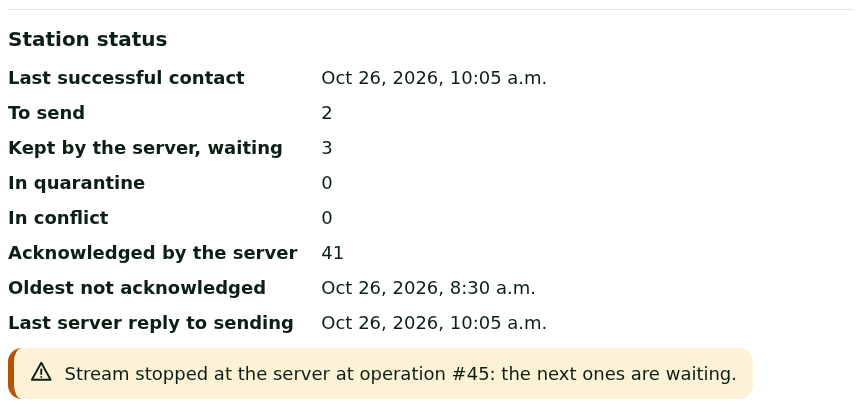
the stream stopped at the server: the server is waiting for one operation of this station before accepting the next ones, which wait without losing anything.

What to do
Checking whether it is a simple wait
- Check the store's Internet connection. If the header shows Offline, the wait is normal: see Handling an offline register.
- Keep selling: the number of operations goes down by itself when the server answers.
Reading the station status in the manager menu
A manager sees the details of the sending:
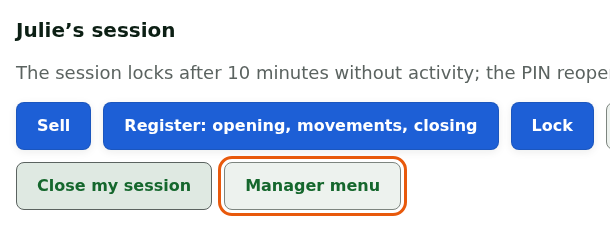
Open their session, then click Manager menu.
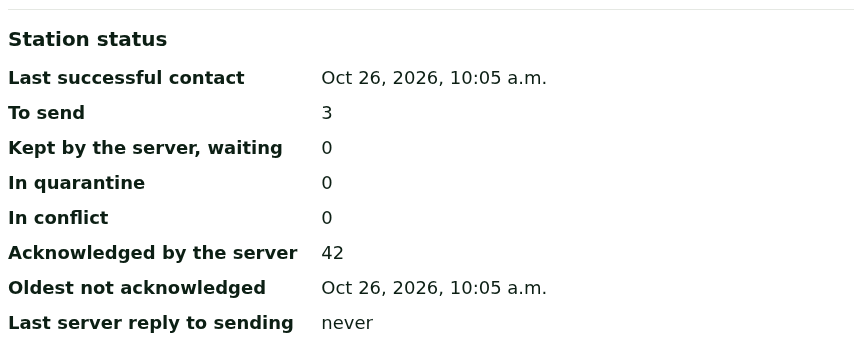
Read the Station status section: the last successful contact, what is left To send, what is In quarantine or In conflict, and the oldest operation not yet received.
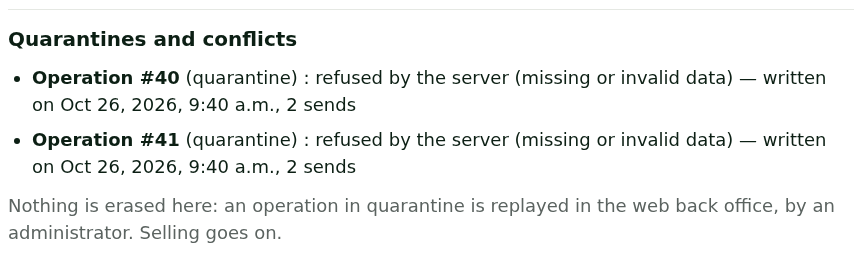
In case of quarantine, read the Quarantines and conflicts section: each operation set aside, with the reason for the refusal.
In case of a stopped stream, the Station status section says at which operation the server stopped.
Nothing is erased on the station: an operation in quarantine is replayed in the web back office, by an administrator. Selling goes on meanwhile.
What not to do
- Do not redo a sale, a return or a closing "so that it goes through": it is already on the station and will go once the problem is solved. Redoing it would count it twice.
- Do not uninstall the register, delete its data or switch computers: the waiting operations exist only on this station.
- Do not stop selling: the register sells while the sending waits.
When to call an administrator
As soon as the header shows Sending stopped: a manager must check, or if the number of operations does not go down while the Internet works. Give them:
- the station's name, at the top of the screen;
- what the manager menu shows: the number of operations in quarantine and their numbers, or the operation number where the stream stopped.
While sending is stopped, the return to the web register waits: keep selling on the computer's register.