Applying a tax exemption to a sale
- For
- Cashier, Administrator
- Where
- Web register, Installed register, Back office
- Permission
- Sell at the register, Manage stores and settings
- Checked on
A Kahnawake Mohawk customer who shows their status certificate does not pay the QST. The register removes that tax from the sale, keeps the certificate number with the sale and recalculates the total. The exemption only exists at a store where an administrator has turned it on.
Before you start
- The exemption is off in every store until an administrator offers it (next section). If the Tax exemption link does not show under the cart, it is not offered at this store.
- The measure applies to a purchase without delivery. The customer shows their status certificate and a second piece of ID. Keep no copy or photo of the card.
- Nothing is written on the customer record: the number is entered on every sale.
Offering the exemption in a store
This step is for an administrator, who has the permission Manage stores and settings. The taxes to remove must first be checked for the store in Settings > Taxes (Setting up taxes).
The Kahnawake measure only applies in stores located in the municipalities that Revenu Québec covers. Check the store's address before offering the exemption: the register does not check it.
Open Settings > Stores and registers, then the store's page (Adding or editing a store).
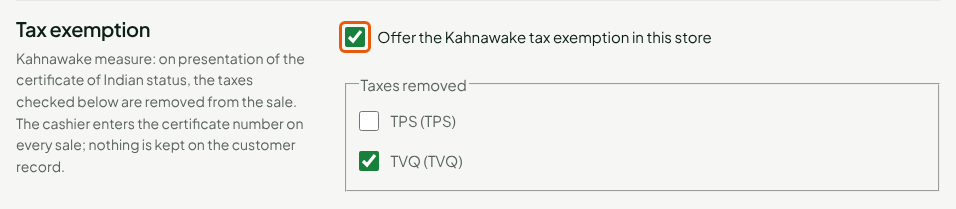
Check Offer the Kahnawake tax exemption in this store.
Check the tax to remove under Taxes removed: TVQ (TVQ). The GST stays due.
Click Save.
The exemption reaches the store's registers at their next sync, and also works on the installed register offline.
Applying the exemption to a sale
For a sale of garden gloves at $6.49:
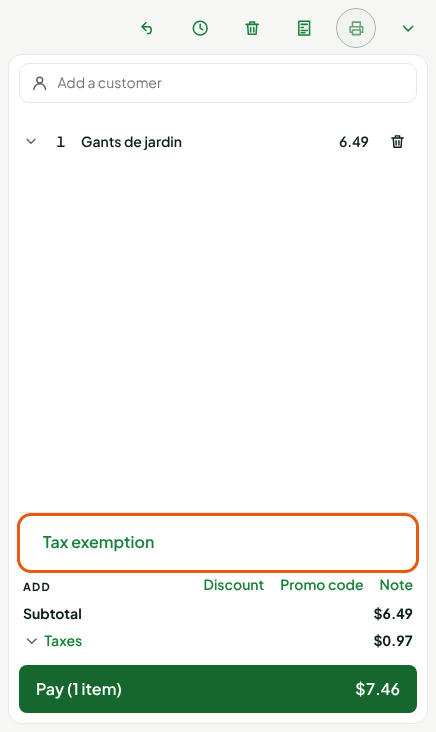
Put the items in the cart. The total shows both taxes: $7.46 here.
Click Tax exemption, under the cart items.
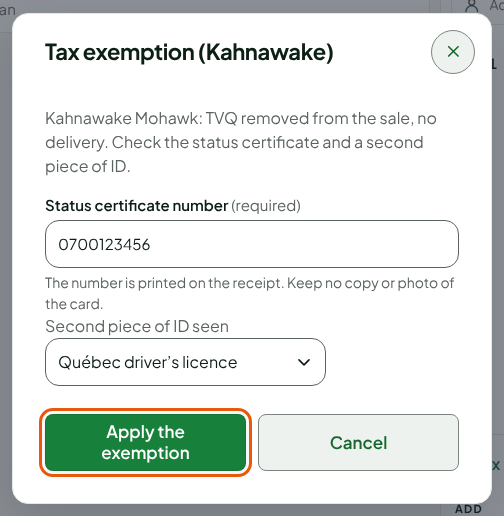
Read the Tax exemption (Kahnawake) window, then ask for the status certificate and a second piece of ID.
Type the certificate number in Status certificate number.
Choose the second piece seen in Second piece of ID seen: Québec driver's licence, Québec health insurance card or birth certificate.
Click Apply the exemption.
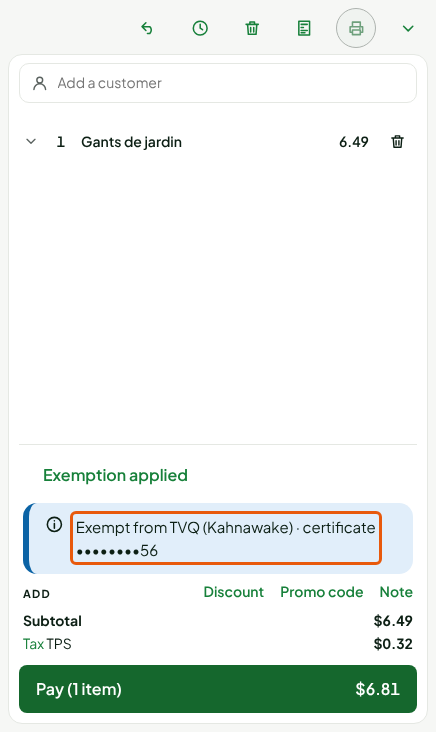
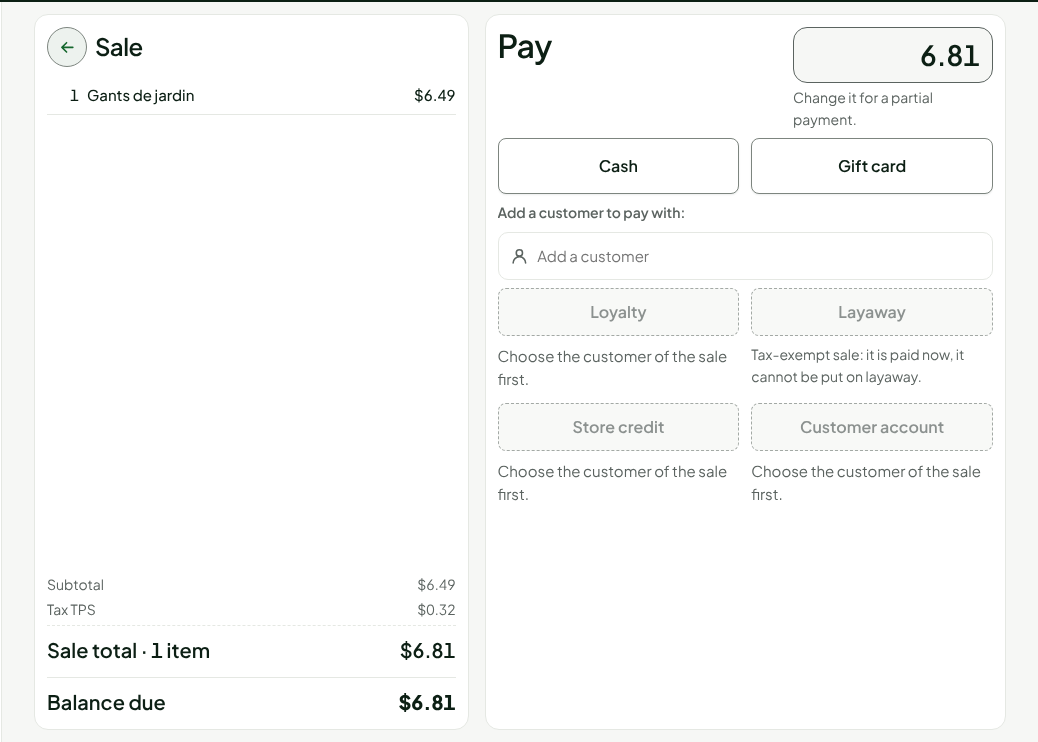
The link becomes Exemption applied. A banner names the removed tax and masks the number: Exempt from TVQ (Kahnawake) · certificate ••••••••56. Taxes are recalculated: only the GST remains, $0.32, and the total drops to $6.81.
The QST is removed from all the lines of the sale.
Paying the sale
Pay as usual: click Pay, then Cash (Making a sale). The Pay screen shows the new total, without QST.
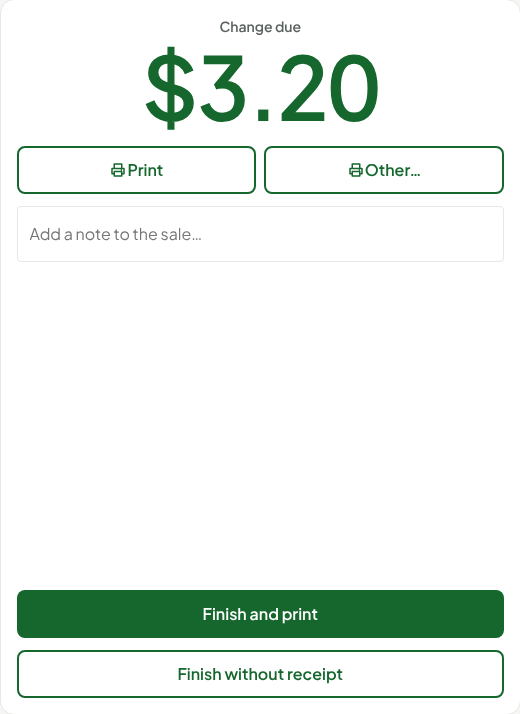
After payment, the change is worked out from the rounded amount of $6.80: $3.20 for $10 handed over (Taking cash payments and rounding to 5 cents).
An exempt sale is paid right away: Layaway is not offered. The screen says: "Tax-exempt sale: it is paid now, it cannot be put on layaway."
The printed receipt carries "Exempt from TVQ (Kahnawake)" and the certificate number. The emailed receipt and the sale detail in the back office show only its last two characters. The Taxes collected report counts these sales separately, under Exempted sales.
Removing the exemption
To remove the exemption before paying:
- Click Exemption applied.
- Click Remove the exemption.
The QST comes back into the sale.
Troubleshooting
The "Tax exemption" link is not there
The store does not offer the exemption. Ask an administrator to offer it.
"No tax is checked for this store"
The administrator sees this on the store page, under Taxes removed: they must first check the store's GST and QST in Settings > Taxes.
"Choose the second piece of ID seen." or "Number of 1 to 40 letters, digits, spaces or hyphens."
The second piece of ID is required, and the number only contains letters, digits, spaces or hyphens. Correct the field in question.
"This number does not have the usual form…"
Check the number against the certificate. If it is right, click Confirm anyway: the sale goes through, and its detail in the back office flags the unexpected form of the number.
"The exemption cannot apply to this sale."
This sale cannot be exempted: make it without the exemption.