Checklist: launching on opening day
- For
- Manager, Administrator
- Where
- Installed register, Web register, Back office
- Permission
- Issue a register code, Sell at the register, Manage register PINs, Open the drawer without a sale, Process a return and refund, Close the register, View reports, All sales at assigned stores, View logs
- Checked on
On launch day, everything is checked before the first customer: the installed register is ready on each workstation, the hardware responds, the register is open with its float, a test sale and a test return go through. In the evening, the register is closed. Check off this list in order, on the day itself; each line points to the guide that does the task.
Before you start
- The four other lists are checked off: account and settings, catalog and customers, selling, stock and reports.
- A manager is on site with their PIN: opening the drawer without a sale and a closing variance over $20 require it.
The day before: each workstation

- ☐ Install the register on each workstation and enroll it: Installing the register on a workstation and enrolling it.
- ☐ Start the installed register on each workstation and read its header: Online and Send queue empty. It is what guarantees selling when the Internet is down: the web register does not sell without the server.
- ☐ Install the latest version: Updating the register.
- ☐ Check the store network: Preparing the store network.
- ☐ Connect each workstation's hardware: Setting up the receipt printer, Connecting the cash drawer, Setting up a barcode scanner and, if there is one, Setting up the customer display.
In the morning: trying the hardware

- ☐ Print a test receipt, in Sell > Status: Test the printer. The test receipt has no sale and no amount, and the drawer never opens for a test. Reading the register status.
- ☐ Scan one item of each kind of label: the manufacturer's barcode, the scale label. Setting up a barcode scanner, Selling a weighed product.
Opening the register
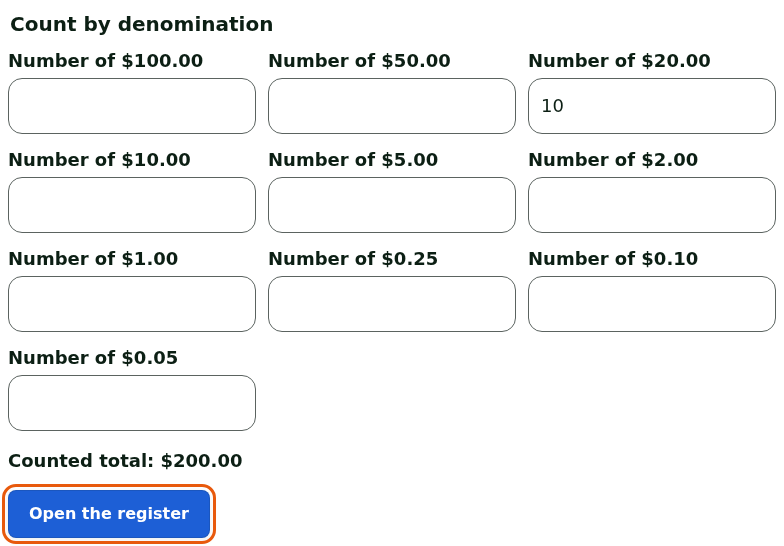
- ☐ Count the cash float and open the register: Opening a register. Without an open register, no sale is recorded.
- ☐ With the register open, open the drawer once without a sale, from the installed register's Manager menu: Opening the cash drawer without a sale. With the register closed, the screen refuses. The opening is recorded in the workstation's log, under the manager's name.
- ☐ Each employee clocks in: Clocking in and out at the register. At the installed register, they open their session with their PIN: Signing in to the register with your PIN and switching employees.
A test sale and a test return
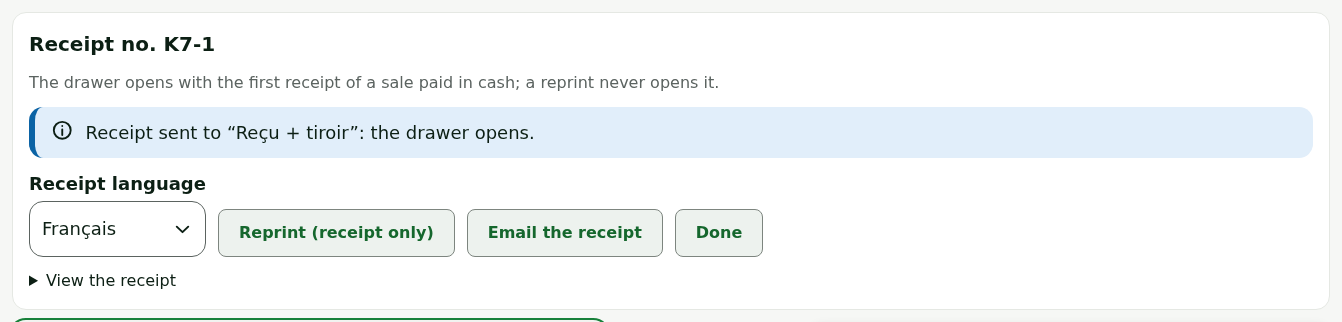
- ☐ Make a small cash sale: Making a sale. Check that the receipt prints and the drawer opens. At the web register, the drawer only opens if the Register application on the computer is open on the workstation.
- ☐ Return this sale and refund the customer: Returning items and refunding.
- ☐ Find the sale and its return by receipt number: Finding a sale in the history.
The test sale and the test return stay on record: a paid sale is never erased, and the return is linked to it. Make them in cash, for a small amount, and note their receipt numbers.
During the day
- ☐ Keep the printed quick guide next to each register: Working the register: cashier's quick guide.
- ☐ If the Internet is down, switch to the installed register: Handling an offline register. If a receipt does not print: Handling a paid sale whose receipt does not print.
- ☐ Glance at the alerts on the back office's home page: Reading security alerts.
In the evening: closing
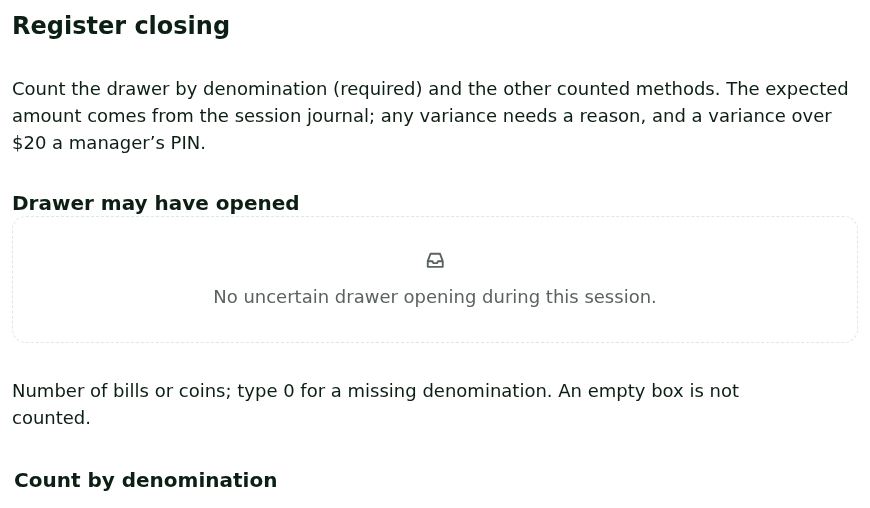
- ☐ Count the drawer and close the register: Closing a register and counting the drawer. A variance over $20 requires a manager's PIN.
- ☐ If the installed register was used, close it too: a register is open in only one place at a time. Installed register and web register: which one to use, section "Going back to the web register".
- ☐ Review the closing and the uploads: Cash closings, Following register uploads.
A closing is a financial fact: once closed, the session does not reopen and can no longer be changed. Recount before you close.